Make 2D games, visual tools, and other interactive programs in Roc. You write your game’s logic in Roc: what happens when a key is pressed, how things move, and what to draw each frame. RocRay opens the window, reads the keyboard and mouse, plays sound, and calls your code once for every frame it draws, up to 240 times a second by default. This manual assumes no Roc and no graphics experience. It takes you from installing the compiler to a small finished game, and then through each feature as your own app needs it.
1. What RocRay is§
RocRay lets you write 2D games, visualizations, creative tools, and other interactive programs in Roc. It draws with raylib, a popular C library for games, and runs on macOS (Intel and Apple silicon), Linux x86-64, and Windows x86-64.
It suits programs that draw a fresh picture many times a second: arcade and puzzle games, simulations, live plots, generative art, and small editors.
RocRay draws in 2D today: shapes, images, and text, with 2D cameras, shaders, and offscreen drawing. 3D models, cameras, and lighting are planned but not yet available.
RocRay is for smaller graphical programs, such as games, visualizations, and interactive tools. It is not meant to compete with large, purpose-built game engines: it has no editor, scene graph, entity system, physics engine, or asset pipeline. Your app keeps its own state and makes every decision itself. RocRay provides drawing, sound, keyboard, mouse and gamepad input, the window, screen recording, files, and networking. If your app needs a scene graph or an entity system, build it in Roc or use a package.
RocRay is also not a GUI toolkit. For desktop applications built from widgets such as buttons, text fields, and layouts, see roc-gui.
If you already know raylib, Coming from raylib shows how its functions and habits map onto RocRay.
1.1. What you write§
A RocRay app is three functions:
init!runs once, at startup. It chooses the window’s settings, loads what the app needs, and creates the starting state, which RocRay calls the model.update!receives the model and what just happened: which keys were pressed, how the mouse moved, and which tasks finished. It returns the next model.render!draws the model.
The host, the native program that runs your app, calls them in a loop. One
pass around that loop is a host cycle: the host gathers what happened, calls
update! once, and then calls render! to draw the result. Each picture
render! draws is a frame. Normally every host cycle draws one frame, so a
game running at 60 frames a second also runs 60 host cycles a second. The two
differ only when the host skips drawing, for example while the window is
minimized.
Reading a file or waiting for a network reply can take longer than one host
cycle. Slow operations like these run as a task, so the app keeps updating
and drawing while it waits. When the task finishes, its result arrives in a later update!.
The app model: init!, update!, and render! explains these pieces in full. You do not need them to run your first example. Glossary defines every term the manual uses.
1.2. What an app can access§
Every app can draw, read input, play sound, print to its terminal, and record itself. Anything more, such as a network service, a directory, another program, an environment variable, or the clipboard, must be declared in the app’s startup settings. So you can see what an app can access by reading its source. Permissions: what your app can access explains how.
1.3. What it looks like§
Three short examples are the best place to start: Hello World, a circle that follows the mouse; Pong, a complete game in one file; and Snake, a grid game you can restart.
These larger apps are also in the repository’s examples/ directory, roughly
from simplest to most involved. Each links to its complete Roc source.
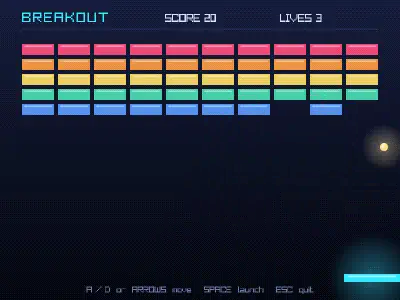
Breakout: arcade gameplay, sounds made in code, recording. Watch the recording.

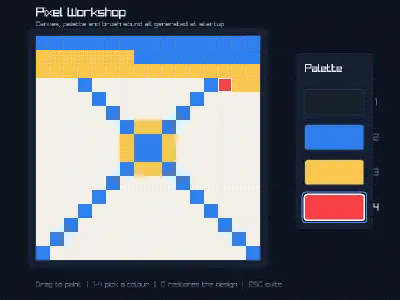
Pixel Workshop: drawing pixels and creating sounds in code. Watch the recording.

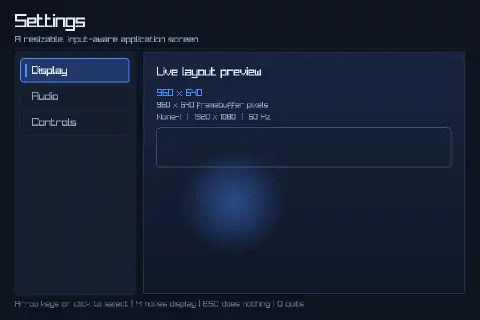
Responsive Settings: keyboard, mouse, resizing, display scaling. Watch the recording.

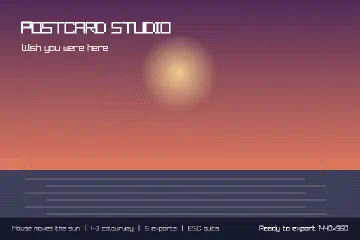
Postcard Studio: generative art and saving larger images. Watch the recording.

Particles: thousands of moving images at once. Watch the recording.


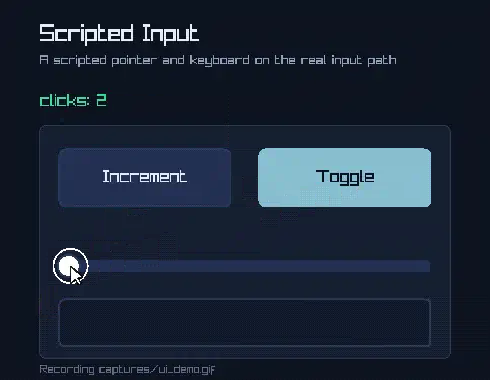
Capture UI Demo: automated controls and GIF recording. Watch the recording.

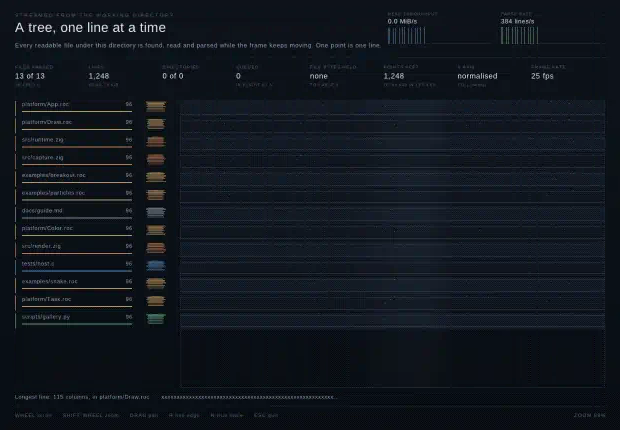
Live Plot: loading and drawing hundreds of thousands of lines. Watch the recording.

Spark Run: a designed map, characters, music, game states. Watch the recording.

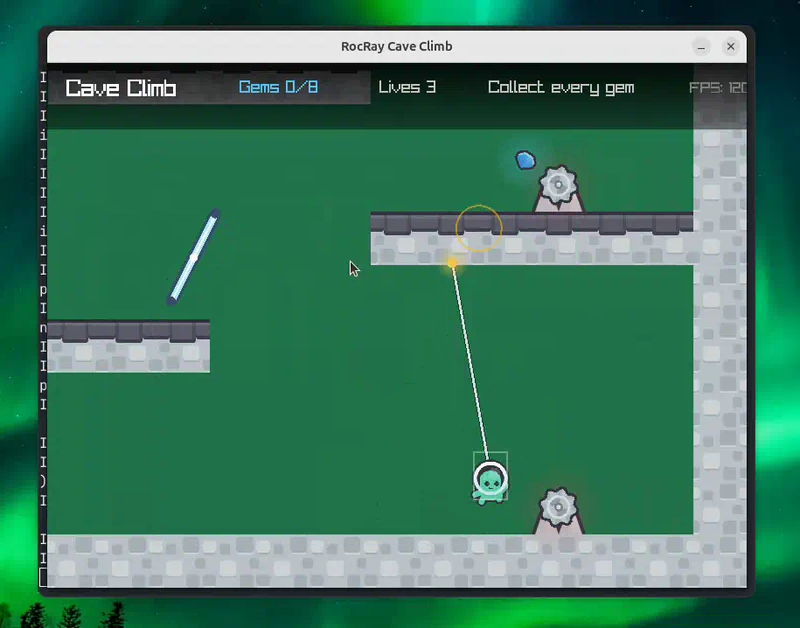
Cave Climb: a designed level, jumping, camera, sound. Watch the recording.

An app can also record itself to a video file, such as this WebM plot recording.
1.4. Stability§
RocRay follows the latest nightly build of the Roc compiler: neither the platform nor its examples name a compiler, and they are tested with the latest nightly every day. Because Roc is still changing, RocRay’s API may also change. Each RocRay release’s notes name the nightly it was built and tested with. Bug reports, documentation improvements, and focused new capabilities are welcome; see Contributing to RocRay.
2. Getting started§
In this chapter you install the Roc compiler, run a finished example, and write a small app of your own that draws a circle under the mouse pointer. You need a terminal and an internet connection. You do not need a copy of the RocRay repository.
Three words come up straight away:
- Platform
The part of a Roc program that you do not write. Your app is pure Roc code; the platform supplies everything that touches the outside world, and RocRay is a platform for windows, drawing, sound, and input.
- Bundle
The single downloadable file a release publishes the platform as. Your app names it by URL, and the compiler downloads it the first time it builds the app.
- Host
The native program inside the bundle that runs your app: it opens the window, calls your code, and carries out what your code asks for.
Glossary defines these and the other terms the manual uses.
2.1. Install the Roc compiler§
Roc is a young language that is still changing, and it is distributed as
nightly builds. RocRay follows the latest one: the latest RocRay release is
tested with each new nightly, and its release notes also name the nightly it
was built and tested with, on a line that begins Built and tested with Roc.
Install the latest nightly.
Open the latest Roc nightly. Its name looks like
nightly-<date>-<commit>.Download the file for your computer. The date and commit in its name match the nightly’s name:
Computer File Linux, x86-64 roc_nightly-linux_x86_64-<date>-<commit>.tar.gzmacOS, Apple silicon (M1 and later) roc_nightly-macos_apple_silicon-<date>-<commit>.tar.gzmacOS, Intel roc_nightly-macos_x86_64-<date>-<commit>.tar.gzWindows, x86-64 roc_nightly-windows_x86_64-<date>-<commit>.zipRocRay does not support ARM Linux.
Extract it and put the extracted folder on your
PATH, as described for your system below.
2.1.1. Linux and macOS§
Extract the archive in your home directory. It creates a folder with the same
name as the file, holding the roc executable:
cd ~
tar -xzf ~/Downloads/roc_nightly-linux_x86_64-<date>-<commit>.tar.gz
Add the folder to your PATH by putting this line at the end of your shell’s
startup file (~/.bashrc for bash, ~/.zshrc for zsh, the default on macOS),
then open a new terminal:
export PATH="$HOME/roc_nightly-linux_x86_64-<date>-<commit>:$PATH"
Use the folder name you extracted. On macOS it starts with
roc_nightly-macos_.
On macOS, the system refuses to run a program downloaded from the internet until you clear its quarantine mark. Clear it once, from inside the folder:
cd ~/roc_nightly-macos_apple_silicon-<date>-<commit>
xattr -d com.apple.quarantine roc
2.1.2. Windows§
Right-click the zip file and choose Extract All. Extract it to a folder you will keep, such as
C:\roc. The extracted folder containsroc.exe.Open Settings, search for "environment variables", and choose Edit environment variables for your account.
Select Path, choose Edit, then New, and enter the folder that contains
roc.exe.Close any open terminals and open a new PowerShell window.
2.1.3. Check the install§
Run:
roc version
It prints the compiler’s name:
Roc compiler version nightly-<date>-<commit>
If the terminal says it cannot find roc, the folder is not on your PATH in
this terminal; open a new one, or check the path you added.
2.1.4. What your computer needs§
- macOS
Nothing else.
- Windows
A graphics driver that supports OpenGL 3.3. Any current driver does.
- Linux
A glibc-based x86-64 distribution with a desktop. An app built with the default bundle uses X11, which also runs on Wayland desktops through XWayland. At run time it needs the X11 client libraries (
libX11,libXrandr,libXinerama,libXcursor,libXi), an OpenGL 3.3 driver such as Mesa, and sound through PulseAudio, PipeWire, or ALSA. A desktop installation has all of these; a minimal or server installation may not.
Each release also publishes a Wayland bundle for Linux. Use the default
bundle unless you specifically want native Wayland windows on Linux; the
Wayland bundle needs libwayland-client, libxkbcommon, and EGL instead of
the X11 libraries, and runs only on Linux. Reference lists both bundles.
2.2. Run an example§
Each release attaches a zip of the examples, named roc-ray-examples-<version>.zip,
whose files already name that release’s bundle.
Open the RocRay releases page and choose the newest release whose name is a version number, such as
0.10.0. The page also lists dependency releases, such as "macOS linker interfaces"; skip those.Download the zip from that release and extract it.
Open a terminal in the extracted folder: the one that contains
examples/.Run:
roc examples/hello_world/main.roc
roc with a file name compiles the app and runs it. The first time, it also
downloads the RocRay bundle, which takes a few seconds; later runs use the
copy the compiler saved.
A window opens with a panel and a circle that follows the pointer. Hold the left mouse button to change its colour, and press Escape to quit. Every RocRay app quits on Escape unless the app turns this off.
Run examples from the extracted folder, as shown. The examples that load images or sounds find them by paths relative to that folder.
If an example fails to compile with errors in RocRay’s own modules, a new
nightly may have changed something the release relies on. Check that roc version is the latest nightly; if it is, install the nightly the release notes
name after "Built and tested with Roc", and report the failure.
2.3. Build an executable§
roc on its own compiles and runs the app each time. To produce an
executable you can run again without compiling, use roc build:
roc build examples/hello_world/main.roc --output=hello_world
./hello_world
On Windows, write --output=hello_world.exe and run .\hello_world.exe.
Ship your game explains how to give an app to other people.
2.4. The smallest app§
Make a new folder for your app, anywhere you like, such as hello in your
home directory. Create a file named main.roc in it.
The file starts with a header. The header says this file is an app and names the platform it runs on by its bundle URL:
app [Model, program] { rr: platform "BUNDLE-URL" }
Replace BUNDLE-URL with the default bundle’s URL from the release notes. It
looks like this, with a release’s version and the bundle’s hash filled in:
https://github.com/lukewilliamboswell/roc-ray/releases/download/<version>/<hash>.tar.zst
The simplest way to get it right is to copy the first line of
examples/hello_world/main.roc from the examples zip.
Below the header, add the rest of the app:
import rr.App
import rr.Color
import rr.Draw

Model : { pointer : { x : F32, y : F32 } }

Msg : []

program = { init!, update!, render! }

init! : App.Init(Model, [])
init! = App.init(App.default.with_title("Hello"), |_io| Ok({ pointer: { x: 400, y: 300 } }))

update! : Model, App.Input(Msg), App.Io => Try(Model, [Exit(I64)])
update! = |_model, input, _io| Ok({ pointer: input.devices.mouse.position() })

render! : Model, Draw.Frame => Try({}, [Exit(I64)])
render! = |model, frame| {
	frame.clear!(Color.black)
	frame.circle!({ center: model.pointer, radius: 40, style: Draw.filled(Color.red) })
	Ok({})
}
Run it from the folder that contains main.roc:
roc main.roc
A window titled "Hello" opens, and a red circle follows the mouse pointer. Press Escape to quit.
If the compiler finds a problem, it prints a report that names the file, the
line, and what it expected, and the app does not start. To check the file
without running it, use roc check main.roc.
2.4.1. Reading the app§
import rr.App makes the platform’s App module available. rr is the name
the header gave the platform, and App, Color, and Draw are three of its
modules.
Model : { pointer : { x : F32, y : F32 } }The model is everything your app remembers from one moment to the next. This line says the model is a record with one field,
pointer, which holds a position: anxand ay, each anF32(a 32-bit floating-point number).Msg : []Apps that wait for slow work, such as reading a file, receive the results later as messages.
Msglists the kinds of message this app can receive. The empty tag union[]means it receives none.program = { init!, update!, render! }The record of three functions the host calls. The header’s
[Model, program]gives this record and theModeltype to the platform.init! : App.Init(Model, [])init!runs once, at startup.App.inittakes the window’s settings and a function that builds the first model. Here the settings are the defaults with a different title, and the function returnsOk(...)with the pointer at the window’s centre. The[]in the type lists the errors that function can return: none.update! : Model, App.Input(Msg), App.Io => Try(Model, [Exit(I64)])The host calls
update!over and over while the app runs. Each call receives the current model, anApp.Inputdescribing what happened since the last call, and anApp.Io, which the app uses to ask the host for things such as sound or files. It returns the next model wrapped inOk, orErr(Exit(code))to quit with that exit code. This one ignores the old model and returns a new one holding the mouse position.render! : Model, Draw.Frame => Try({}, [Exit(I64)])After each
update!, the host callsrender!to draw the new model. Everything it draws goes throughframe. It returnsOk({})when it has finished drawing. It can also returnErr(Exit(code)), likeupdate!; a bigger app uses that when a drawing step it depends on fails.
The ! at the end of a name, and the => in its type, mark a function that
has effects: besides returning a value, it does something, such as drawing
or reading the keyboard.
Roc for RocRay explains this and the rest of the syntax.
You do not need to check for Escape yourself. The default settings quit on Escape; Closing the window shows how to change that.
2.5. Where to go next§
Read Roc for RocRay if Roc is new to you. It covers exactly the syntax a small RocRay app uses.
Follow Your first game, which grows this app into a small game in six steps.
Then read The app model: init!, update!, and render!, and the guides for the features your app needs.
Example gallery suggests which examples to read, and the API reference documents every module, type, and function.
3. Roc for RocRay§
This chapter teaches the parts of Roc that a small RocRay app uses, and no more. Read it once before Your first game, and come back to it when you do not understand a line of code. Each section links to the matching page of the Roc language reference, which covers the whole language.
Roc is a functional language. A value never changes once it exists. To
"change" something, such as your app’s model, you build a new value from the
old one and return it. RocRay is organised around that idea: update! takes
the current model and returns the next one.
3.1. Values and blocks§
Give a value a name with =. The name keeps that value for as long as it is
in scope, and the compiler warns if you define the same name twice.
speed = 480.F32

title = "Paddle"

lives = 3.U64
480.F32 is the number 480 as an F32, a 32-bit floating-point number.
RocRay uses F32 for positions, sizes and times, U64 for counts, and I64
for exit codes. A string goes in double quotes.
See Constants and
Numbers.
A block is a pair of braces holding some lines of code. It evaluates to its last line, and the names defined inside it are not visible outside:
area = {
	width = 800.F32
	height = 600.F32
	width * height
}
A line starting with # is a comment; ## starts a documentation comment.
See Expressions.
3.2. Records§
A record groups named values, called fields. Read a field with a dot. To
get a record with one field changed, write .. and the old record, then the
fields to replace:
paddle = { x: 340.F32, y: 560.F32, width: 120.F32 }

paddle_x = paddle.x

moved = { ..paddle, x: paddle.x + 10 }
moved is a new record; paddle is unchanged. Apps use this form in almost
every update!: Ok({ ..model, score: model.score + 1 }).
When a name already holds the value a field should have, you can write the
name alone. { x, y } means { x: x, y: y }:
make_point = |x, y| { x, y }
For a record with one field, add the trailing comma, or write the field in
full. roc fmt puts a record with a trailing comma on separate lines, one
field per line:
make_score = |score| {
	score,
}

make_score_in_full = |score| { score: score }
See Records.
3.3. Types, type aliases, and nominal types§
A line of the form name : Type states a value’s type. The compiler checks
that the value matches. Annotations are optional in Roc, but RocRay’s
functions are always annotated, and yours should be, because they make the
compiler’s error messages much clearer.
A type alias gives a type a name. It uses a single colon, and the name starts with a capital letter:
Point : { x : F32, y : F32 }

origin : Point
origin = { x: 0, y: 0 }
An alias is only another name: any record with an x and a y of type F32
is a Point. Your app’s Model is usually an alias, such as
Model : { paddle_x : F32, score : U64 }.
A nominal type is a new type that is not interchangeable with anything
else, even a type with the same contents. It is declared with :=, or with
:: when other modules must not see inside it. It can have functions of its
own, called methods, in a .{ } block after it:
Lives := U64.{
	lose_one : Lives -> Lives
	lose_one = |Lives.(count)| Lives.(count - 1)
}
Inside the module that declares it, Lives.(count) builds a Lives from a
number, or takes one apart. You rarely need to declare a nominal type in a
small app, but you use the platform’s all the time. Draw.Frame,
Audio.Sound, App.Config and App.Input are nominal types. You cannot
build one from its contents; the platform gives you one, such as
App.default, and you change it with its methods.
See Type aliases and
Nominal types.
3.4. Tags, tag unions, and match§
A tag is a capitalised name that is a value in its own right, such as
PaddleHit or KeyLeft. A tag union is a type listing the tags a value can
be, in square brackets. match chooses what to do for each one:
Event : [PaddleHit, BallLost, Nothing]

points_for : Event -> U64
points_for = |event|
	match event {
		PaddleHit => 1
		BallLost => 0
		Nothing => 0
	}
The compiler checks that a match handles every tag. A branch written _
handles everything the branches above it did not.
A tag can hold values, called its payload:
Shape : [Circle(F32), Box(F32, F32)]

area_of : Shape -> F32
area_of = |shape|
	match shape {
		Circle(radius) => 3.14159 * radius * radius
		Box(width, height) => width * height
	}
RocRay uses tags throughout: keys (KeySpace), options
(Capped(60)), and outcomes (Exit(0)). Msg : [] is a tag union with no
tags. See Tag unions and
Pattern matching.
if and else choose between two values. Both branches must have the same
type:
direction_for : Bool, Bool -> F32
direction_for = |left_down, right_down|
	if left_down {
		-1
	} else if right_down {
		1
	} else {
		0
	}
See if and else.
3.5. Functions§
A function is written |arguments| body. Its type lists the argument types,
an arrow, and the result type. Call it with parentheses:
double : F32 -> F32
double = |x| x * 2

clamp_speed : F32, F32 -> F32
clamp_speed = |value, limit| if (value > limit) limit else value
double(21) is 42. See Functions.
3.5.1. Pure and effectful functions§
Most functions are pure: the result depends only on the arguments, and
calling one does nothing else. A pure function’s type uses a thin arrow,
->.
An effectful function does something beyond returning a value: it draws,
plays a sound, reads the keyboard, or writes a file. Its type uses a thick
arrow, =>, and its name ends in !:
play_for! : Event, Audio.Sound => {}
play_for! = |event, hit_sound|
	match event {
		PaddleHit => hit_sound.play!()
		_ => {}
	}
Only an effectful function can call another effectful function. So the !
tells you, at a glance, every place where your app interacts with the world
outside it. All
three RocRay callbacks, init!, update! and render!, are effectful, and
the platform’s effectful functions, such as frame.circle! and
sound.play!, are the only way your app can draw on the screen or play
through the speakers.
Keep your game logic in pure functions and call them from update!. Pure
functions are easy to test, as Tests with expect shows.
See Effectful functions.
3.6. Try, Ok, Err, and ?§
A function that can fail returns a Try: either Ok(value) or Err(error).
Its type lists both, and the error is a tag union naming every way it can
fail. Audio.gen_tone! returns
Try(Audio.Sound, [SoundGenerationFailed, ResourceLimit]).
Writing ? after a call unwraps an Ok, or returns the Err from the
enclosing function at once:
Sounds : { hit : Audio.Sound, miss : Audio.Sound }

make_sounds! : {} => Try(Sounds, [SoundGenerationFailed, ResourceLimit])
make_sounds! = |{}| {
	hit = Audio.gen_tone!({ freq: 660, ms: 60 })?
	miss = Audio.gen_tone!({ freq: 160, ms: 300 })?
	Ok({ hit, miss })
}
Because ? can return early, the enclosing function’s error list must
include every error its ? calls can produce. When you add a ? on a call
that fails in a new way, the compiler tells you to add that error to the list.
That is how init! : App.Init(Model, []) grows into
init! : App.Init(Model, [SoundGenerationFailed, ResourceLimit]) once
init! generates a sound.
RocRay treats one error specially. A callback that returns Err(Exit(code))
ends the app with that exit code. Any other error returned to the host
also ends the app, with a message naming the callback and the error.
See The ? operator.
3.7. Tuples§
A tuple holds a fixed number of values in order, in parentheses. It is a
handy way to return two things from a function. Take it apart by writing the
same shape on the left of =:
split_score : U64 -> (U64, U64)
split_score = |score| (score // 10, score % 10)

tens_digit = {
	(tens, _ones) = split_score(42)
	tens
}
See Tuples.
3.8. Methods and static dispatch§
A method is a function that belongs to a type. You call it with a dot after
a value of that type: value.method(arguments). The value becomes the first
argument. The compiler picks the function from the value’s type, which Roc
calls static dispatch:
config = App.default.with_title("Paddle").with_size({ width: 800, height: 600 })

score_text = (42.U64).to_str()

same_text = U64.to_str(42)
App.default is an App.Config, so .with_title("Paddle") calls the
with_title method of App.Config, which returns a new config; the next
.with_size(...) is called on that one. (42.U64).to_str() and
U64.to_str(42) are the same call.
The same holds for the platform’s effects: frame.circle!(...) calls the
circle! method of Draw.Frame with frame as its first argument.
See Methods.
A string can include a value with ${...}. RocRay’s text drawing uses this
with to_str to show a number:
frame.text_at!({ pos: { x: 20, y: 20 }, text: "Score: ${model.score.to_str()}", size: 24, color: Color.white })
See Strings.
3.9. Imports§
The header gives the platform a short name, rr in every RocRay app. An
import line makes one of its modules available, and you then use the
module’s name in front of what it provides, such as Draw.filled or
App.init:
import rr.App
import rr.Audio
import rr.Color
import rr.Draw
The API reference lists every RocRay module and what each provides. See Imports.
3.10. Tests with expect§
An expect at the top level of a file is a test. It must evaluate to true
(Bool.True):
expect double(2) == 4

expect points_for(PaddleHit) == 1

expect {
	(tens, ones) = split_score(42)
	tens == 4 and ones == 2
}
roc test main.roc runs every expect and reports the ones that fail. An
expect cannot call an effectful function, which is one more reason to keep
your game logic pure. Testing your app shows how to test an app’s logic.
See Statements.
3.11. What this chapter leaves out§
Roc has more: lists and their functions, for and while loops, variables
with var, dictionaries, and more. The RocRay examples use them, and the
language reference explains them when you meet them.
4. Your first game§
In this chapter you build Paddle, a small game: bounce a ball off a paddle at the bottom of the screen, score a point for each hit, and lose a life for each miss. You build it in six steps. After each step you have a complete program to run and play with.
Along the way you meet the ideas every RocRay game uses: moving things by time, keeping them on screen, collision, drawing text, sound, and restarting.
Before you start, run the smallest app from The smallest app, and read Roc for RocRay if Roc is new to you.
4.1. How to follow along§
Work in the folder that holds your smallest app. Each step replaces the
whole of main.roc except its first line, the header you already have:
app [Model, program] { rr: platform "BUNDLE-URL" }
The listings below start after that line. Paste one in below your header, save
the file, and run roc main.roc. Press Escape to quit.
The complete files are in the repository’s docs/tutorial
directory, as step1.roc to step6.roc. Their headers point at the
repository’s own copy of the platform rather than at a release.
4.2. Step 1: a paddle that moves§
import rr.App
import rr.Color
import rr.Draw

paddle_width = 120.F32

paddle_height = 16.F32

paddle_y = 560.F32

paddle_speed = 480.F32

Model : { paddle_x : F32 }

Msg : []

program = { init!, update!, render! }

init! : App.Init(Model, [])
init! = App.init(App.default.with_title("Paddle"), |_io| Ok({ paddle_x: 340 }))

update! : Model, App.Input(Msg), App.Io => Try(Model, [Exit(I64)])
update! = |model, input, _io| {
	dt = input.time.elapsed_seconds
	direction =
		if input.devices.key_down(KeyLeft) {
			-1
		} else if input.devices.key_down(KeyRight) {
			1
		} else {
			0
		}
	Ok({ paddle_x: model.paddle_x + direction * paddle_speed * dt })
}

render! : Model, Draw.Frame => Try({}, [Exit(I64)])
render! = |model, frame| {
	frame.clear!(Color.black)
	frame.rectangle!({ x: model.paddle_x, y: paddle_y, width: paddle_width, height: paddle_height, style: Draw.filled(Color.white) })
	Ok({})
}
The model is one number: the paddle’s left edge, paddle_x. render! draws a
white rectangle there, near the bottom of the window.
Positions are in the window’s logical units. The default window is 800 units
wide and 600 tall. x grows to the right and y grows downward, so (0, 0)
is the top-left corner and paddle_y = 560 is near the bottom.
The host calls update! once per host cycle, typically 60 or more times
a second. Each call reads the arrow keys: input.devices.key_down(KeyLeft) is
true while the left arrow key is held. direction becomes -1, 1, or 0.
input.time.elapsed_seconds is how much time has passed since the previous
host cycle, such as 0.016 at 60 cycles a second. Multiplying the paddle’s
speed by it turns "480 units per second" into "how far to move this cycle".
The paddle then moves at the same speed on a fast computer that runs 240 host
cycles a second and on a slow one that runs only 30. Move things by time, never
by a fixed amount per cycle.
Run it and hold an arrow key. The paddle moves, and it keeps going straight off the edge of the window. Step 2 fixes that.
4.3. Step 2: keep it on the screen§
import rr.App
import rr.Color
import rr.Draw
import rr.Math

screen_width = 800.F32

paddle_width = 120.F32

paddle_height = 16.F32

paddle_y = 560.F32

paddle_speed = 480.F32

# The longest time one cycle may advance the game by, in seconds.
max_dt = 0.05.F32

Model : { paddle_x : F32 }

Msg : []

program = { init!, update!, render! }

init! : App.Init(Model, [])
init! = App.init(App.default.with_title("Paddle"), |_io| Ok({ paddle_x: 340 }))

update! : Model, App.Input(Msg), App.Io => Try(Model, [Exit(I64)])
update! = |model, input, _io| {
	dt = Math.clamp(input.time.elapsed_seconds, 0, max_dt)
	direction =
		if input.devices.key_down(KeyLeft) {
			-1
		} else if input.devices.key_down(KeyRight) {
			1
		} else {
			0
		}
	Ok({ paddle_x: move_paddle(model.paddle_x, direction, dt) })
}

render! : Model, Draw.Frame => Try({}, [Exit(I64)])
render! = |model, frame| {
	frame.clear!(Color.black)
	frame.rectangle!({ x: model.paddle_x, y: paddle_y, width: paddle_width, height: paddle_height, style: Draw.filled(Color.white) })
	Ok({})
}

move_paddle : F32, F32, F32 -> F32
move_paddle = |x, direction, dt|
	Math.clamp(x + direction * paddle_speed * dt, 0, screen_width - paddle_width)
Two things changed.
The paddle’s movement is now a function of its own, move_paddle. It is pure:
it takes the old position, the direction, and the time, and returns the new
position. Math.clamp(value, low, high) limits a number to a range, so the
paddle’s left edge stays between 0 and screen_width - paddle_width.
The elapsed time is clamped too, to at most max_dt, a twentieth of a second.
elapsed_seconds is the real time since the previous host cycle. Usually that
is a small fraction of a second, but when the computer is briefly busy with
something else, or you drag the window, one cycle can report half a second or
more. A game that moves by that much in one step makes things jump: a fast ball can pass straight through the
paddle without ever touching it. With the clamp, the game slows down briefly
instead. Uneven cycle times shows a fixed-step alternative for games that
must advance exactly the same way every time.
4.4. Step 3: a ball that bounces§
import rr.App
import rr.Color
import rr.Draw
import rr.Math

screen_width = 800.F32

screen_height = 600.F32

paddle_width = 120.F32

paddle_height = 16.F32

paddle_y = 560.F32

paddle_speed = 480.F32

ball_radius = 10.F32

# The longest time one cycle may advance the game by, in seconds.
max_dt = 0.05.F32

Ball : { pos : Math.Vec2, velocity : Math.Vec2 }

Model : { paddle_x : F32, ball : Ball }

Msg : []

program = { init!, update!, render! }

serve : Ball
serve = { pos: { x: screen_width / 2, y: 120 }, velocity: { x: 220, y: 260 } }

init! : App.Init(Model, [])
init! = App.init(App.default.with_title("Paddle"), |_io| Ok({ paddle_x: 340, ball: serve }))

update! : Model, App.Input(Msg), App.Io => Try(Model, [Exit(I64)])
update! = |model, input, _io| {
	dt = Math.clamp(input.time.elapsed_seconds, 0, max_dt)
	direction =
		if input.devices.key_down(KeyLeft) {
			-1
		} else if input.devices.key_down(KeyRight) {
			1
		} else {
			0
		}
	Ok({
		paddle_x: move_paddle(model.paddle_x, direction, dt),
		ball: move_ball(model.ball, dt),
	})
}

render! : Model, Draw.Frame => Try({}, [Exit(I64)])
render! = |model, frame| {
	frame.clear!(Color.black)
	frame.rectangle!({ x: model.paddle_x, y: paddle_y, width: paddle_width, height: paddle_height, style: Draw.filled(Color.white) })
	frame.circle!({ center: model.ball.pos, radius: ball_radius, style: Draw.filled(Color.yellow) })
	Ok({})
}

move_paddle : F32, F32, F32 -> F32
move_paddle = |x, direction, dt|
	Math.clamp(x + direction * paddle_speed * dt, 0, screen_width - paddle_width)

move_ball : Ball, F32 -> Ball
move_ball = |ball, dt| {
	x = ball.pos.x + ball.velocity.x * dt
	y = ball.pos.y + ball.velocity.y * dt
	off_left = x < ball_radius and ball.velocity.x < 0
	off_right = x > screen_width - ball_radius and ball.velocity.x > 0
	vx = if (off_left or off_right) -ball.velocity.x else ball.velocity.x
	vy = if (y < ball_radius and ball.velocity.y < 0) -ball.velocity.y else ball.velocity.y
	if y > screen_height + ball_radius {
		serve
	} else {
		{ pos: { x, y }, velocity: { x: vx, y: vy } }
	}
}
The model now holds a Ball as well: a position and a velocity, each a
Math.Vec2, which is a record with an x and a y. The velocity is in units
per second, and serve is where each ball starts: near the top, heading down
and to the right.
move_ball moves the ball by its velocity times the elapsed time. When the
ball has passed the left or right wall and is still moving toward it, the
function flips the sign of the horizontal velocity, which sends the ball back.
The top wall does the same for the vertical velocity. Checking the direction
as well as the position matters: a ball that is already heading back must not
be flipped again, or it would stick to the wall.
Nothing stops the ball at the bottom yet. When it falls below the window,
move_ball returns serve and the ball starts again from the top.
render! draws the ball with frame.circle! after the paddle. Later drawing
covers earlier drawing, so draw from back to front.
4.5. Step 4: hit the ball and keep score§
import rr.App
import rr.Color
import rr.Draw
import rr.Math

screen_width = 800.F32

screen_height = 600.F32

paddle_width = 120.F32

paddle_height = 16.F32

paddle_y = 560.F32

paddle_speed = 480.F32

ball_radius = 10.F32

speed_up = 1.05.F32

# The longest time one cycle may advance the game by, in seconds.
max_dt = 0.05.F32

Ball : { pos : Math.Vec2, velocity : Math.Vec2 }

Model : { paddle_x : F32, ball : Ball, score : U64 }

Event : [PaddleHit, BallLost, Nothing]

Msg : []

program = { init!, update!, render! }

serve : Ball
serve = { pos: { x: screen_width / 2, y: 120 }, velocity: { x: 220, y: 260 } }

init! : App.Init(Model, [])
init! = App.init(App.default.with_title("Paddle"), |_io| Ok({ paddle_x: 340, ball: serve, score: 0 }))

update! : Model, App.Input(Msg), App.Io => Try(Model, [Exit(I64)])
update! = |model, input, _io| {
	dt = Math.clamp(input.time.elapsed_seconds, 0, max_dt)
	direction =
		if input.devices.key_down(KeyLeft) {
			-1
		} else if input.devices.key_down(KeyRight) {
			1
		} else {
			0
		}
	(next, _event) = advance(model, direction, dt)
	Ok(next)
}

render! : Model, Draw.Frame => Try({}, [Exit(I64)])
render! = |model, frame| {
	frame.clear!(Color.black)
	frame.rectangle!({ x: model.paddle_x, y: paddle_y, width: paddle_width, height: paddle_height, style: Draw.filled(Color.white) })
	frame.circle!({ center: model.ball.pos, radius: ball_radius, style: Draw.filled(Color.yellow) })
	frame.text_at!({ pos: { x: 20, y: 20 }, text: "Score: ${model.score.to_str()}", size: 24, color: Color.white })
	Ok({})
}

advance : Model, F32, F32 -> (Model, Event)
advance = |model, direction, dt| {
	paddle_x = move_paddle(model.paddle_x, direction, dt)
	(ball, event) = move_ball(model.ball, paddle_x, dt)
	next = { ..model, paddle_x, ball }
	match event {
		PaddleHit => ({ ..next, score: next.score + 1 }, event)
		BallLost => ({ ..next, score: 0 }, event)
		Nothing => (next, event)
	}
}

move_paddle : F32, F32, F32 -> F32
move_paddle = |x, direction, dt|
	Math.clamp(x + direction * paddle_speed * dt, 0, screen_width - paddle_width)

move_ball : Ball, F32, F32 -> (Ball, Event)
move_ball = |ball, paddle_x, dt| {
	x = ball.pos.x + ball.velocity.x * dt
	y = ball.pos.y + ball.velocity.y * dt
	off_left = x < ball_radius and ball.velocity.x < 0
	off_right = x > screen_width - ball_radius and ball.velocity.x > 0
	vx = if (off_left or off_right) -ball.velocity.x else ball.velocity.x
	vy = if (y < ball_radius and ball.velocity.y < 0) -ball.velocity.y else ball.velocity.y
	paddle = Math.rect(paddle_x, paddle_y, paddle_width, paddle_height)
	touching = Math.circle_rect(Math.circle({ x, y }, ball_radius), paddle)
	if vy > 0 and touching {
		({ pos: { x, y }, velocity: { x: vx * speed_up, y: -vy * speed_up } }, PaddleHit)
	} else if y > screen_height + ball_radius {
		(serve, BallLost)
	} else {
		({ pos: { x, y }, velocity: { x: vx, y: vy } }, Nothing)
	}
}
The ball now bounces off the paddle. Math.circle_rect reports whether a
circle and a rectangle overlap. When the ball touches the paddle while moving
down, move_ball sends it back up, a little faster each time (speed_up).
move_ball also says what happened, as an Event: a tag union of
PaddleHit, BallLost, and Nothing. It returns the new ball and the event
together, as a tuple.
advance holds all of the game logic for one host cycle: move the paddle, move
the ball, then count the event. A hit adds a point and a miss resets the
score. Like move_paddle and move_ball, advance is pure, and update!
just calls it. update! does not use the event yet, and the _ at the start
of _event tells the compiler that the value is unused on purpose.
frame.text_at! draws a string with the built-in font. The string is built
with ${...}, and model.score.to_str() turns the score into text.
4.6. Step 5: add sound§
import rr.App
import rr.Audio
import rr.Color
import rr.Draw
import rr.Math

screen_width = 800.F32

screen_height = 600.F32

paddle_width = 120.F32

paddle_height = 16.F32

paddle_y = 560.F32

paddle_speed = 480.F32

ball_radius = 10.F32

speed_up = 1.05.F32

# The longest time one cycle may advance the game by, in seconds.
max_dt = 0.05.F32

Ball : { pos : Math.Vec2, velocity : Math.Vec2 }

Model : {
	paddle_x : F32,
	ball : Ball,
	score : U64,
	hit_sound : Audio.Sound,
	miss_sound : Audio.Sound,
}

Event : [PaddleHit, BallLost, Nothing]

Msg : []

program = { init!, update!, render! }

serve : Ball
serve = { pos: { x: screen_width / 2, y: 120 }, velocity: { x: 220, y: 260 } }

init! : App.Init(Model, [SoundGenerationFailed, ResourceLimit])
init! = App.init(
	App.default.with_title("Paddle"),
	|_io| {
		hit_sound = Audio.gen_tone!({ freq: 660, ms: 60 })?
		miss_sound = Audio.gen_tone!({ freq: 160, ms: 300 })?
		Ok({ paddle_x: 340, ball: serve, score: 0, hit_sound, miss_sound })
	},
)

update! : Model, App.Input(Msg), App.Io => Try(Model, [Exit(I64)])
update! = |model, input, _io| {
	dt = Math.clamp(input.time.elapsed_seconds, 0, max_dt)
	direction =
		if input.devices.key_down(KeyLeft) {
			-1
		} else if input.devices.key_down(KeyRight) {
			1
		} else {
			0
		}
	(next, event) = advance(model, direction, dt)
	match event {
		PaddleHit => next.hit_sound.play!()
		BallLost => next.miss_sound.play!()
		Nothing => {}
	}
	Ok(next)
}

render! : Model, Draw.Frame => Try({}, [Exit(I64)])
render! = |model, frame| {
	frame.clear!(Color.black)
	frame.rectangle!({ x: model.paddle_x, y: paddle_y, width: paddle_width, height: paddle_height, style: Draw.filled(Color.white) })
	frame.circle!({ center: model.ball.pos, radius: ball_radius, style: Draw.filled(Color.yellow) })
	frame.text_at!({ pos: { x: 20, y: 20 }, text: "Score: ${model.score.to_str()}", size: 24, color: Color.white })
	Ok({})
}

advance : Model, F32, F32 -> (Model, Event)
advance = |model, direction, dt| {
	paddle_x = move_paddle(model.paddle_x, direction, dt)
	(ball, event) = move_ball(model.ball, paddle_x, dt)
	next = { ..model, paddle_x, ball }
	match event {
		PaddleHit => ({ ..next, score: next.score + 1 }, event)
		BallLost => ({ ..next, score: 0 }, event)
		Nothing => (next, event)
	}
}

move_paddle : F32, F32, F32 -> F32
move_paddle = |x, direction, dt|
	Math.clamp(x + direction * paddle_speed * dt, 0, screen_width - paddle_width)

move_ball : Ball, F32, F32 -> (Ball, Event)
move_ball = |ball, paddle_x, dt| {
	x = ball.pos.x + ball.velocity.x * dt
	y = ball.pos.y + ball.velocity.y * dt
	off_left = x < ball_radius and ball.velocity.x < 0
	off_right = x > screen_width - ball_radius and ball.velocity.x > 0
	vx = if (off_left or off_right) -ball.velocity.x else ball.velocity.x
	vy = if (y < ball_radius and ball.velocity.y < 0) -ball.velocity.y else ball.velocity.y
	paddle = Math.rect(paddle_x, paddle_y, paddle_width, paddle_height)
	touching = Math.circle_rect(Math.circle({ x, y }, ball_radius), paddle)
	if vy > 0 and touching {
		({ pos: { x, y }, velocity: { x: vx * speed_up, y: -vy * speed_up } }, PaddleHit)
	} else if y > screen_height + ball_radius {
		(serve, BallLost)
	} else {
		({ pos: { x, y }, velocity: { x: vx, y: vy } }, Nothing)
	}
}
Audio.gen_tone! makes a short beep at a pitch you choose, in hertz, lasting
the number of milliseconds you give. init! makes two, a high one for a hit
and a low one for a miss, and keeps them in the model so they are made only
once.
Making a sound can fail, so init! uses ? on each call and its error list
grows from [] to [SoundGenerationFailed, ResourceLimit]. If either error
happens, the app stops at startup and prints which one.
update! now uses the event advance returns. It plays the matching sound
with play!, which starts the sound and returns at once. Playing a sound is
an effect: a call into the host. update! may call an effect that returns
at once, like this one. An effect that has to wait, such as reading a file,
belongs in a task instead; Tasks: operations that wait explains why.
4.7. Step 6: lives, game over, and tests§
import rr.App
import rr.Audio
import rr.Color
import rr.Draw
import rr.Math

screen_width = 800.F32

screen_height = 600.F32

paddle_width = 120.F32

paddle_height = 16.F32

paddle_y = 560.F32

paddle_speed = 480.F32

ball_radius = 10.F32

speed_up = 1.05.F32

# The longest time one cycle may advance the game by, in seconds.
max_dt = 0.05.F32

starting_lives = 3.U64

Ball : { pos : Math.Vec2, velocity : Math.Vec2 }

Model : {
	paddle_x : F32,
	ball : Ball,
	score : U64,
	lives : U64,
	hit_sound : Audio.Sound,
	miss_sound : Audio.Sound,
}

Event : [PaddleHit, BallLost, Nothing]

Msg : []

program = { init!, update!, render! }

serve : Ball
serve = { pos: { x: screen_width / 2, y: 120 }, velocity: { x: 220, y: 260 } }

init! : App.Init(Model, [SoundGenerationFailed, ResourceLimit])
init! = App.init(
	App.default.with_title("Paddle"),
	|_io| {
		hit_sound = Audio.gen_tone!({ freq: 660, ms: 60 })?
		miss_sound = Audio.gen_tone!({ freq: 160, ms: 300 })?
		Ok({
			paddle_x: 340,
			ball: serve,
			score: 0,
			lives: starting_lives,
			hit_sound,
			miss_sound,
		})
	},
)

update! : Model, App.Input(Msg), App.Io => Try(Model, [Exit(I64)])
update! = |model, input, _io| {
	if model.lives == 0 {
		if input.devices.key_pressed(KeySpace) {
			Ok(new_game(model))
		} else {
			Ok(model)
		}
	} else {
		dt = Math.clamp(input.time.elapsed_seconds, 0, max_dt)
		direction =
			if input.devices.key_down(KeyLeft) {
				-1
			} else if input.devices.key_down(KeyRight) {
				1
			} else {
				0
			}
		(next, event) = advance(model, direction, dt)
		match event {
			PaddleHit => next.hit_sound.play!()
			BallLost => next.miss_sound.play!()
			Nothing => {}
		}
		Ok(next)
	}
}

render! : Model, Draw.Frame => Try({}, [Exit(I64)])
render! = |model, frame| {
	frame.clear!(Color.black)
	frame.rectangle!({ x: model.paddle_x, y: paddle_y, width: paddle_width, height: paddle_height, style: Draw.filled(Color.white) })
	frame.circle!({ center: model.ball.pos, radius: ball_radius, style: Draw.filled(Color.yellow) })
	frame.text_at!({ pos: { x: 20, y: 20 }, text: "Score: ${model.score.to_str()}", size: 24, color: Color.white })
	frame.text_at!({ pos: { x: 680, y: 20 }, text: "Lives: ${model.lives.to_str()}", size: 24, color: Color.white })
	if model.lives == 0 {
		frame.text_at!({ pos: { x: 230, y: 280 }, text: "Game over. Press Space.", size: 32, color: Color.red })
	}
	Ok({})
}

# The rules of the game. These functions are pure, so `roc test` can check them.

new_game : Model -> Model
new_game = |model| {
	..model,
	paddle_x: 340,
	ball: serve,
	score: 0,
	lives: starting_lives,
}

advance : Model, F32, F32 -> (Model, Event)
advance = |model, direction, dt| {
	paddle_x = move_paddle(model.paddle_x, direction, dt)
	(ball, event) = move_ball(model.ball, paddle_x, dt)
	next = { ..model, paddle_x, ball }
	match event {
		PaddleHit => ({ ..next, score: next.score + 1 }, event)
		BallLost => ({ ..next, lives: next.lives - 1 }, event)
		Nothing => (next, event)
	}
}

move_paddle : F32, F32, F32 -> F32
move_paddle = |x, direction, dt|
	Math.clamp(x + direction * paddle_speed * dt, 0, screen_width - paddle_width)

move_ball : Ball, F32, F32 -> (Ball, Event)
move_ball = |ball, paddle_x, dt| {
	x = ball.pos.x + ball.velocity.x * dt
	y = ball.pos.y + ball.velocity.y * dt
	off_left = x < ball_radius and ball.velocity.x < 0
	off_right = x > screen_width - ball_radius and ball.velocity.x > 0
	vx = if (off_left or off_right) -ball.velocity.x else ball.velocity.x
	vy = if (y < ball_radius and ball.velocity.y < 0) -ball.velocity.y else ball.velocity.y
	paddle = Math.rect(paddle_x, paddle_y, paddle_width, paddle_height)
	touching = Math.circle_rect(Math.circle({ x, y }, ball_radius), paddle)
	if vy > 0 and touching {
		({ pos: { x, y }, velocity: { x: vx * speed_up, y: -vy * speed_up } }, PaddleHit)
	} else if y > screen_height + ball_radius {
		(serve, BallLost)
	} else {
		({ pos: { x, y }, velocity: { x: vx, y: vy } }, Nothing)
	}
}

expect move_paddle(0, -1, 0.5) == 0
expect move_paddle(screen_width - paddle_width, 1, 0.5) == screen_width - paddle_width

expect {
	falling = { pos: { x: 400, y: screen_height }, velocity: { x: 0, y: 300 } }
	(_, event) = move_ball(falling, 0, 0.1)
	event == BallLost
}

expect {
	above_paddle = { pos: { x: 400, y: paddle_y - ball_radius }, velocity: { x: 0, y: 300 } }
	(ball, event) = move_ball(above_paddle, 350, 0.01)
	event == PaddleHit and ball.velocity.y < 0
}
The player now has three lives. A miss costs one, and the score no longer
resets. When the last life is gone, update! stops advancing the game, and
render! shows "Game over". Pressing Space calls new_game, which returns
the model to its starting state but keeps the sounds.
key_pressed(KeySpace) is true only on the host cycle when Space went down,
while key_down stays true for as long as a key is held. Use key_pressed
for actions that happen once per press. Input, time, and the window covers the keyboard and
mouse in full.
update! only calls advance while at least one life is left, so
next.lives - 1 never goes below zero. A U64 cannot hold a negative number,
and subtracting past zero stops the app.
At the end of the file are four tests. Because the game logic is in pure functions, a test can call them directly, with any situation you like. Run the tests with:
roc test main.roc
4.8. Run it without a window§
A built RocRay app can also run headless: without a window, graphics or
sound, for a set number of host cycles. Nothing is drawn, but init! and
update! run as usual, so this catches a crash in the game’s logic:
roc build main.roc --output=paddle
./paddle --host-headless --host-headless-frames=60
The repository checks every step of this chapter this way. Testing your app covers headless runs and scripted key presses.
4.9. Where to go next§
Some ideas for changing Paddle:
Make the ball start in a random direction. Randomness shows how to use randomness.
Add a row of bricks for the ball to break. The Breakout example does this.
Draw the paddle with rounded corners using
frame.rounded_rectangle!. See Drawing.
Then read The app model: init!, update!, and render!, which explains init!, update! and render! in
full, and the Pong example, a larger game built
the same way.
5. Example gallery§
The repository’s examples/ directory holds complete apps and focused
recipes. This chapter helps you choose which to read. It assumes you have run
an example, as Run an example shows.
Each example is a directory with a main.roc. Choose the one closest to
what you want to build and copy its directory. For the released examples,
download the examples zip described in Run an example. The examples in
the repository name the platform in the checkout instead, and may use APIs
that have not been released yet; Run examples against your checkout shows how to run
them.
Run every command from the directory that contains examples/, so the paths
the examples use for their files resolve. To try an example, run it with
roc:
roc examples/snake/main.roc
To build an executable you can run again, use roc build:
roc build examples/snake/main.roc --output=snake
./snake
Every example quits when you press Escape unless its header says otherwise.
5.1. Start here§
Work through these in order. Each one adds a little to the one before it.
Hello World (
hello_world): the complete app loop (init!,update!, andrender!) with drawing and the pointer, and nothing else.Move Box (
move_box): a box moved with the arrow keys. It introduces moving by speed times elapsed time, and a pure function tested withexpect. Your first game grows the same idea into a whole game, one step at a time; Move Box shows the finished result on one page, ready to copy.Sprite and Sound (
sprite_and_sound): a picture and a sound loaded from files. It introduces a permission, an asset store, and loaded resources.Pong (
pong): one player against a computer paddle. It combines movement, collision, input, scoring, and sounds made in code in one approachable file.Snake (
snake): a grid game split across a few modules, with a fixed simulation step and seeded randomness.Task Sleep (
task_sleep): one task that waits, and the message it sends back. Read it before adding files, networking, or any other operation that waits.
Then pick a direction:
A game: Breakout, then Spark Run or Cave Climb.
A tool or an app interface: Pixel Workshop, Responsive Settings, or Input Inspector.
Files, networking, or storage: the examples under Tasks that wait.
A particular drawing technique: the Focused recipes.
5.2. Small apps worth copying§
| Example | What it is | Patterns to reuse |
|---|---|---|
Hello World + hello_world | A polished minimal interactive scene | App lifecycle, prepared text, pointer input |
Move Box + move_box | A box you steer with the arrow keys | Movement by elapsed time, clamping the time step, keeping an object inside the window, testing a pure function |
Sprite and Sound + sprite_and_sound | A pixel-art blob that hops and plays a sound | Declaring a directory, opening an asset store, loading a PNG texture and a WAV sound |
Pong + pong | One player against a computer paddle | Movement by elapsed time, collision, scoring, sounds made in code |
Snake + snake | A grid-based game with restartable state | Fixed simulation step, keyboard control, seeded randomness in the model |
Breakout + breakout | A complete game that can record its own demo | Separating game logic from effects, sounds played from game events, a recording mode |
Pixel Workshop + generated_assets | A tiny paint program with a texture it changes as you paint | Textures and sounds made in code, uploading one changed cell, a pure editor returning edits |
Responsive Settings + responsive_ui | A resizable settings screen | Pure layout shared by update! and render!, mouse and keyboard navigation, minimum window size, display scale and monitors |
Postcard Studio + postcard_studio | A generative postcard editor that exports at twice the window size | Drawing into an offscreen texture, exporting it from a task, output directories |
Input Inspector + input_inspector | A live view of every input device, and the clipboard | Device snapshots, the ordered event record, clipboard, window changes, reading the pixel under the pointer, an app that keeps Escape for itself |
Drop Viewer + drop_viewer | An image viewer whose only control is dropping a file on it | Accepting a dropped file, reading it in a task, choosing a decoder from the bytes |
5.3. Tasks that wait§
Use these when copying the Task.spawn!(input, || ...) pattern described in
Tasks: operations that wait. A task’s return value arrives as one Msg on a later
input.messages.
| Example | What it is |
|---|---|
Task Sleep + task_sleep | One task, one Task.sleep!, and one message back, which is the shape of every other task on this page. It also prints straight from update! |
Async Read + async_read | Two file reads and a metadata! call running at once, each with its own Msg variant, so none of them needs an id |
Capture Screenshot + capture_screenshot | A screenshot saved in a task, and the output directory refusing a path that climbs out of it |
HTTP Fetch + http_fetch | An HTTP GET in a task, which you can restart while it is still running; each reply includes the id of the fetch it belongs to |
UDP Cursor + udp_cursor | Two instances showing each other’s pointer: a receiving task that is started again each time it returns, and sends made straight from update! |
SQLite Scores + sqlite_scores | A high-score board that survives a restart: the write and the re-read share one task, so the model always gets what the database actually contains |
5.4. Larger showcases§
Use these to see several systems working together in one app.
| Example | What it demonstrates |
|---|---|
Spark Run + top_down | A top-down game: a level made in the Tiled map editor, sprites, collision, music, sound effects, a following camera, and several game states |
Cave Climb + cave_climb | A platformer with a mirror-bouncing laser and a spring grapple: tilemaps, collision, and camera tracking, split across two modules |
Live Plot + live_plot | A whole source tree listed, read, and parsed through a bounded queue of tasks, and drawn as a scrolling strip of a quarter of a million points |
RocDOOM E1M1 + roc-doom-e1m1 | A Doom-compatible game built over pinned Freedoom E1M1 data: a fixed-tic simulation, BSP-tree rendering through a 3D camera and textured triangle batches, enemies, combat, and line specials |
5.5. Focused recipes§
Use these as focused references, not starter projects.
| Example | Use it when you need… |
|---|---|
Camera World + camera | World and screen coordinates, a following camera, zoom, and rotation |
Projective Texture + projective_texture | A draggable perspective-correct quad and points placed with the same projection |
Post Process + post_process | Offscreen textures, blend modes, shaders, and shader settings |
Particles + particles | Thousands of sprites drawn in one batch rather than one call each |
Capture Plot + capture_plot | A repeatable WebM recording made in a hidden window |
Capture UI Demo + capture_ui_demo | A repeatable interface recording driven through the real pointer and keyboard |
5.6. Conventions used here§
Each app names its three functions' parameters the same way:
init!takesio,update!takesmodel, input, ioand reads devices throughdevices = input.devices, andrender!takesmodel, frame.Keep application state in
Model; compute the next model fromApp.Inputin pure helper functions thatupdate!calls.Load and prepare long-lived resources once in
init!, then keep them in the model instead of recreating them every host cycle.Derive layout and view-only values with pure helpers. Use
frame.size!()for the surface being drawn to instead of copyinginput.window.sizeinto the model.Move by elapsed time, and clamp it: after a pause, one host cycle can report a second or more.
Call host effects directly from
update!when they return immediately; useTask.spawn!(input, || ...)for anything that waits, and update the model with its result when it arrives as a message on a laterinput.messages.Give each kind of task its own
Msgvariant. Add an id only when several tasks of the same kind may be running at once.Keep game logic in pure functions so
roc testcan check them without calling effectfulupdate!.Let
App.defaulthandle Escape. An app that needs Escape for itself setswith_exit_key(NoExitKey)and says why, as Input Inspector does.Keep capture, scripted input, and headless runs out of ordinary interaction: an example never saves, records, or quits by itself during an interactive run.
Exhaustive API probes and invalid-input cases belong in the repository’s
test/ directory, where they can be explicit without making an
example harder to understand.
5.7. Recording the gallery§
The animations in the repository README are recorded by the examples
themselves. Breakout, Pixel Workshop, Responsive Settings, Postcard Studio,
Particles, Spark Run, and Live Plot each take a --record-demo argument:
roc examples/breakout/main.roc -- --record-demo
The window stays hidden, a scripted demo plays through the app’s normal input
path, and the recording is written to examples/gallery/<directory>.gif. The
app exits once the file is written. Every one of these apps follows the same
shape: a demo_recording value, started in init! when the argument is
present, and a pure demo_finished that ends the run when input.capture
reports the recording Finished or Failed.
5.8. Permissions in the examples§
An example declares, in its startup config, anything it accesses beyond its own resources, as Permissions: what your app can access describes. Nothing is passed on the command line.
| Example | Declares | Why |
|---|---|---|
sprite_and_sound | Directory("examples/sprite_and_sound/assets", ReadOnly) | Loads its picture and sound from that directory |
post_process | Directory("examples/post_process/assets", ReadOnly) | Loads its shader from that directory |
top_down | Directory("examples/top_down/assets", ReadOnly) | Loads its map, textures, music, and sounds |
cave_climb | Directory("examples/cave_climb/assets", ReadOnly) | Loads its map and textures |
roc-doom-e1m1 | Directory("examples/roc-doom-e1m1/assets", ReadOnly) | Loads its texture atlases, sounds, and music |
async_read | WorkingDirectory(ReadOnly) | Reads files beneath the directory it runs from |
live_plot | WorkingDirectory(ReadOnly) | Lists and reads the whole tree it runs from |
input_inspector | ClipboardRead, ClipboardWrite | Copies and pastes text |
http_fetch | HttpOrigin(url) for the one URL it fetches | Fetches that URL, and nothing else |
udp_cursor | UdpLoopback | Sends and receives datagrams on this machine only |
sqlite_scores | No permission; names itself with with_app_id("dev.roc-ray.sqlite-scores") | Keeps its database in its own private data directory, which needs no declaration |
Every other example declares nothing. Printing, drawing, audio, sounds and textures made in code, a dropped file, and captures written beneath the output directory all need no declaration.
The recording examples list PermissionDenied among the errors init! can
return. It comes from Capture.Writer.start!, whose result type includes it;
the io that init! receives always has permission to record, so in these
examples it does not occur.
6. The app model: init!, update!, and render!§
Every RocRay app has the same shape: three functions that the host calls at the right moments. This chapter explains what each one receives, what it may do, and what it returns. Every later guide builds on it.
The three functions are separate because each has one job. init! sets
things up once. update! is the only place where the model changes, so you
always know where to look for a change. render! only draws the model, so
what you see on screen always matches the app’s state. Anything slow runs
outside update! and render!, so the window never freezes while the app
waits. Why it is shaped this way explains each of these rules.
It assumes you have run the smallest app in Getting started.
6.1. A complete app§
Here is a whole app. It draws a red dot under the pointer and counts your clicks. The rest of this chapter takes it apart.
app [Model, program] { rr: platform "BUNDLE-URL" }

import rr.App
import rr.Color
import rr.Draw
import rr.Text

Model : {
    title : Text.Prepared,
    pointer : { x : F32, y : F32 },
    clicks : U64,
}

Msg : []

program = { init!, update!, render! }

init! : App.Init(Model, [ResourceLimit])
init! = App.init(
    App.default.with_title("Clicker"),
    |_io| {
        font = Draw.default_font!()
        title = Text.from("Click anywhere", font).size(32).prepare!()?
        Ok({ title: title, pointer: { x: 400, y: 300 }, clicks: 0 })
    },
)

update! : Model, App.Input(Msg), App.Io => Try(Model, [Exit(I64)])
update! = |model, input, _io| {
    mouse = input.devices.mouse
    clicks = if mouse.button_pressed(Left) model.clicks + 1 else model.clicks
    Ok({ ..model, pointer: mouse.position(), clicks: clicks })
}

render! : Model, Draw.Frame => Try({}, [Exit(I64)])
render! = |model, frame| {
    frame.clear!(Color.black)
    model.title.draw!(frame, { pos: { x: 400, y: 40 }, color: Color.white, align: (Top, Center) })
    frame.text_at!({ pos: { x: 20, y: 560 }, text: "Clicks: ${model.clicks.to_str()}", size: 20, color: Color.white })
    frame.circle!({ center: model.pointer, radius: 18, style: Draw.filled(Color.red) })
    Ok({})
}
Replace BUNDLE-URL as The smallest app describes. Press
Escape or close the window to quit.
The app’s header, app [Model, program], gives two things to the platform:
the type of its state, Model, and program, a
record of its three callbacks. Msg is the type of
the messages its tasks send back; this app starts no tasks, so Msg is
the empty tag union [].
A name ending in ! is an effectful function: calling it can do something
beyond computing a value, such as drawing or opening a window. Its type uses
=> where a pure function’s uses ->. See
Functions in the Roc language reference.
6.2. The loop§
The host calls the three callbacks in a loop:

init! runs once. After that, each time around the loop is one host cycle:
the host gathers everything that happened since the previous cycle into
one input, calls update! exactly once with it, and then normally calls
render! with the model update! returned. Each call to render! produces
one frame: one image in the window. A headless or minimized run may skip
drawing, but it never calls update! twice with the same input.
6.3. The model§
The model is your app’s state: everything it needs to remember from one
cycle to the next. You choose its type and name it Model. The clicker keeps
a prepared title, the pointer position, and a count:
Model : {
    title : Text.Prepared,
    pointer : { x : F32, y : F32 },
    clicks : U64,
}
Only update! produces a new model. The host keeps the model between calls,
but never reads or changes it. Keep long-lived resources you create in
init!, such as textures, fonts, sounds, prepared text, and file handles, in
the model rather than creating them again every cycle.
6.4. init!: configuration and the first model§
init! pairs a startup configuration with a function that builds the first
model:
init! : App.Init(Model, [ResourceLimit])
init! = App.init(
    App.default.with_title("Clicker"),
    |_io| {
        font = Draw.default_font!()
        title = Text.from("Click anywhere", font).size(32).prepare!()?
        Ok({ title: title, pointer: { x: 400, y: 300 }, clicks: 0 })
    },
)
The function returns a Try: Ok(model) to start the app, or Err(...) to
stop it. The ? after prepare!() returns early with the error if preparing
the text fails; see Operators.
The second type argument of App.Init lists every error the function may
return. Here it is ResourceLimit, the one error prepare! can produce. When
you call something else with ?, add its errors to this list; the compiler
names any that are missing. Returning Err(Exit(code)) quits before the first
frame with that exit code. Any other error stops the app with a message
naming init! and the error.
6.4.1. The startup configuration§
App.default is an 800 by 600 window titled "RocRay", capped at 240 frames per
second, that quits when Escape is pressed. Change it with its with_*
methods. A method is a function called with a dot on a value, like
App.default.with_title("Clicker"); see
Static dispatch.
| Method | Sets |
|---|---|
with_title(str) | The window title |
with_size({ width, height }) | The initial window size, in logical units (see The window) |
with_min_size({ width, height }) | A minimum size for a resizable window |
with_resizable(bool), with_fullscreen(bool) | Window behaviour |
with_visible(bool) | Whether the window is shown; a hidden window still renders, which is useful for recording to a file |
with_frame_pacing(pacing) | How often cycles run: VSync, Capped(fps), or Uncapped; see Frame pacing |
with_exit_key(key) | The key that ends the app at once: ExitKey(key), or NoExitKey for none (see Closing the window) |
with_close_request(mode) | What closing the window does: Exit ends the app (the default); Deliver reports the request to update! instead (see Closing the window) |
with_cursor_mode(mode) | The initial cursor mode |
with_default_font({ path, size }) | A font file loaded once at startup for the whole app. Reading it needs a file declaration covering the path, such as Directory("assets", ReadOnly); see Permissions: what your app can access |
with_output_dir(path) | Where captures are written; see Screenshots and recordings |
with_recording(recording) | A recording to describe at startup; see Screenshots and recordings |
with_app_id(id) | The app’s name for its private storage; see Files, assets, and databases |
with_permission(p), with_permissions(list) | What the app can access beyond its own resources; see Permissions: what your app can access |
A configuration that depends on the command line uses App.init_for_args
instead of App.init. Its first argument is a pure function from the complete
argument list to a Config, chosen before the window exists:
init! = App.init_for_args(
    |args| if List.contains(args, "--record") { App.default.with_visible(Bool.False) } else { App.default },
    |_io| Ok(initial_model),
)
Here initial_model stands for whatever first model your app builds.
6.4.2. What init! can do§
The function init! runs receives App.Io, the app’s access to host services
(files, the network, printing, and so on). init! is the one place an app may
wait for the outside world without a task: loading a texture or reading a
file there simply delays startup until the result is ready, before the first
frame is drawn.
A few effects are legal only in init!, because they return information that
is fixed when the app starts:
io.args!()returns the command line, with the host’s own--host-*switches removed. Keep what you need from it in the model.io.entropy!()gets a random number from the operating system to seed a random generator (see Randomness).io.default_font!()returns the font configured withwith_default_font.io.env().read!(name)reads a declared environment variable.
6.5. update!: one input in, one model out§
update! : Model, App.Input(Msg), App.Io => Try(Model, [Exit(I64)])
update! = |model, input, _io| {
    mouse = input.devices.mouse
    clicks = if mouse.button_pressed(Left) model.clicks + 1 else model.clicks
    Ok({ ..model, pointer: mouse.position(), clicks: clicks })
}
update! receives the current model, one App.Input, and the same App.Io
that init! had. It returns Ok with the next model, or Err(Exit(code)) to
stop the app with that exit code. { ..model, pointer: ... } is a copy of
model with some fields replaced; see Records.
App.Input contains everything the host collected for this cycle:
| Field | Contains |
|---|---|
devices | The keyboard, mouse, text, and gamepad snapshot; see Input, time, and the window |
window | The window’s size, focus, whether it is minimized, and whether the user asked to close it |
time | This cycle’s timing, including elapsed_seconds for animation; see Time |
messages | The results of tasks that finished since the last cycle; see Tasks: operations that wait |
capture | The status of any recording in progress |
dropped, dropped_overflow | Files dropped on the window this cycle |
update! may call host effects directly: play a sound, resize the window,
print a line, start a recording. Those happen immediately, in the order they
are written. What update! must not do is wait. An effect that can wait,
such as reading a file, sending a request, or sleeping, is refused in
update!. Run it in a task instead, and its result arrives in a later
input. Tasks: operations that wait shows how.
6.6. render!: draw the model§
render! : Model, Draw.Frame => Try({}, [Exit(I64)])
render! = |model, frame| {
    frame.clear!(Color.black)
    model.title.draw!(frame, { pos: { x: 400, y: 40 }, color: Color.white, align: (Top, Center) })
    frame.text_at!({ pos: { x: 20, y: 560 }, text: "Clicks: ${model.clicks.to_str()}", size: 20, color: Color.white })
    frame.circle!({ center: model.pointer, radius: 18, style: Draw.filled(Color.red) })
    Ok({})
}
render! receives the model update! just returned and a Draw.Frame.
Everything it draws goes through that frame. It returns {}, not a model: it
cannot change the app’s state. Drawing covers what a frame can draw.
Because render! gets no input, anything that moves on screen must be read
from the model. An animation keeps its clock in the model, advanced in
update! from input.time.elapsed_seconds.
6.7. Where each kind of code goes§
One rule covers almost every case:
Drawing goes in
render!.Anything that waits (files, the network, sleeping) goes in a task, or in
init!before the app starts.Everything else (reading input, changing the model, playing a sound, starting a task) goes in
update!.
If you break the rule, the app stops at once with a message that names the
effect you called, the callback you called it from, and where it belongs. For
example, reading a file from update! stops the app and tells you to move the
read into a task. Details: which effects are legal where lists the rule for every kind of effect.
6.8. Closing the window§
An app ends when update! returns Err(Exit(code)). The user can also end
it:
Pressing the exit key ends the app at once, before
update!sees the press.App.defaultuses Escape; change it withwith_exit_key(ExitKey(key)), or turn it off withwith_exit_key(NoExitKey)when the app needs Escape for itself, such as to open a pause menu.Clicking the window’s close button closes the window. By default the app ends at once, and
update!never sees it happen.
Ending at once suits most games. But tasks that are still running when the
app ends are cancelled, so an app with unsaved work needs a chance to finish
it first. Such an app, for example one that saves the game, can ask to be
notified instead, with with_close_request(Deliver). The window then
stays open, and the next input has input.window.close_requested set to
Bool.True for one cycle. A request is never lost. The app decides when to
end by returning Err(Exit(code)):
Msg : [Saved(Try({}, Files.WriteError))]

update! = |model, input, _io| {
    saved = List.any(input.messages, |msg| match msg { Saved(_) => Bool.True })
    if saved {
        # The save finished, successfully or not: now end the app.
        Err(Exit(0))
    } else if input.window.close_requested and !model.saving {
        # Write the save file on a task, and keep running until it finishes.
        saves = model.saves
        text = encode_save(model)
        Task.spawn!(input, || Saved(saves.write_text!("save.txt", text)))
        Ok({ ..model, saving: Bool.True })
    } else {
        Ok(model)
    }
}
Here model.saves is a writable directory handle opened in init! (see
Files, assets, and databases), and encode_save is the app’s own pure function that
turns the model into text. Tasks: operations that wait explains Task.spawn!. An app that must
not lose a save can show an error and keep running on Saved(Err(_))
instead of exiting.
The exit key is not a close request. It ends the app directly, with or
without Deliver, and so does a press of it scripted in a test (see
Testing your app). With App.default, Escape still quits without saving. An app
that must save on every way out also sets with_exit_key(NoExitKey) and
handles the key it wants in update!.
When the app exits, tasks still running are cancelled. That is why the save waits for its message before exiting, rather than exiting straight away.
6.9. Messages§
Msg is the type of the values your tasks return. An app that starts no tasks
writes Msg : []. One that loads a level might write:
Msg : [LevelLoaded(Try(Str, Files.ReadTextError))]
Finished tasks' messages arrive in input.messages. update! applies each
one to the model in turn, usually with List.fold and a pure helper:
Ok(List.fold(input.messages, model, apply_message))
Tasks: operations that wait explains where messages come from and shows apply_message in full.
6.10. Keep the decisions pure§
update! is effectful, so roc test cannot call it. Keep the decisions it
makes in pure functions that take the model and input: which message changes
what, whether to quit, and which tasks to start. Then let update! carry out
what they decide. Those functions are ordinary Roc and can be tested with expect.
Testing your app shows how to build inputs and resources for such tests.
6.11. Why it is shaped this way§
If you have written a game in C, you know the classic loop:
while (!WindowShouldClose()) {
    PollInput();
    UpdateGame(GetFrameTime());
    BeginDrawing();
    DrawGame();
    EndDrawing();
}
RocRay’s loop is the same loop: update! is UpdateGame, and render! is
DrawGame. What RocRay adds are a few rules about what each part may do. Each
rule has a benefit:
Nothing waits in
update!orrender!. In the C loop, one carelessfopenor HTTP request in the middle of a level makes the game freeze for as long as the disk or network takes. In RocRay that call is refused, so a cycle can only be as slow as your own code and the drawing it asks for. Waiting happens on a task, and the loop keeps going.Everything that changes arrives in the input. Keys, time, finished tasks, and window events all arrive in
update!as data. A test can build an input by hand, a headless run can script one, and a recording can reproduce one. The same model and the same inputs lead to the same decisions.render!only draws. A frame shows exactly the modelupdate!produced, so a screenshot or a recording shows what the game actually decided. That is also whyrender!cannot read the clock: a frame that read the time would differ from one recording to the next.Tasks run one at a time, on the same thread as your callbacks. Nothing runs in parallel with your code, so there are no locks, no data races, and no half-updated model.
Decisions are made in pure functions. Code that does not call the host can be tested with
expect, without a window, a GPU, or a sound card.
Roc’s type system cannot express "this function may be called from
update! but not from render!", so these rules are checked when the app
runs: the first time a callback breaks one, the app stops with a message
naming the effect, the callback it was called from, and the fix. Run your app
early and often, and read the message when it happens.
If you need something before the game can start, such as a file that must be
read first, do it in init!, which is allowed to wait.
6.12. Details: which effects are legal where§
This section is a reference; the one-line rule above covers most apps.
The host checks every effect against the current callback so that the rules
in Why it is shaped this way always hold: nothing waits in update! or render!,
and render! only draws.
The host always knows which callback it is inside: init!, update!,
render!, or a task. It calls this the phase. Every effect states the
phases it is legal in, in its API documentation, using one of a few rules:
| Kind of effect | Legal in |
|---|---|
Changes host state (plays a sound, resizes the window, uploads a texture, starts a recording, reads the clock with Time.now!) or queues output (printing) | init!, update!, and tasks; refused in render! |
| Draws | render! only |
| Waits on the outside world (files, network, databases, programs, sleeping, loading a resource from disk) | init!, where it delays startup, and tasks, where it pauses only that task; refused in update! and render! |
| Takes a screenshot of the next frame | Tasks only, since it waits for a frame that init! runs before |
| Starts a task | update! and tasks |
Ends the app with io.exit!(code) | init!, update!, and tasks |
Reads a startup fact (io.args!, io.entropy!, io.default_font!, io.env().read!) | init! only |
Reads a value the host already has, in constant time: Window.scale!, Sound.is_playing!, Music.is_playing!, Music.length!, Music.time_played! | Every callback, render! included |
| Diagnostic annotations for Measuring performance with Observatory | Every callback and tasks |
render! is deliberately narrow. It must draw exactly the model update!
produced, so that a frame, a screenshot, or a recording is an exact picture
of what the app decided. An effect that changes host state, or reads
something that differs from run to run such as the clock or a file, would
break that. So it is refused in render! even when it does not wait. The few queries in the
table above are allowed because they cannot change what happens next, and
reading them allocates nothing.
io.exit!(code) is for places that cannot return Err(Exit(code)), such as
a task. The app ends after the current cycle finishes.
6.13. Further reading§
Architecture states these rules precisely and explains why RocRay chose them.
The
Apppage of the API reference documents every configuration method andApp.Inputfield.
7. Input, time, and the window§
Each host cycle, update! receives an App.Input describing what
happened since the previous cycle. This chapter covers the keyboard,
mouse, gamepads, typed text, time, the window, and dropped files. It assumes
The app model: init!, update!, and render!.
7.1. Two kinds of information§
An input contains two different kinds of information, and the difference matters when you read it:
A state sample is the latest value at the moment the cycle began: whether a key is held, where the pointer is, how far a gamepad stick is pushed.
An interval event is something that happened since the previous input: a key press, a release, a click, a wheel notch, a typed character.
A key tapped quickly between two cycles is never held at a cycle boundary, but the press and the release still arrive as events. RocRay records keyboard, mouse-button, wheel, and text events as the window system delivers them, so every such event appears in the next input; none is silently lost.
7.2. The keyboard§
Read keys through the devices snapshot:
devices = input.devices
jump = devices.key_pressed(KeySpace)     # went down this cycle
running = devices.key_down(KeyLeftShift) # held right now
released = devices.key_released(KeyW)    # came up this cycle
Keys are tags such as KeySpace, KeyW, KeyLeft, and KeyEnter; the
Keys page of the API reference lists them all.
key_pressed and key_released mean "at least once since the previous
input". Several presses of the same key in one interval count as one. When the
count or the order matters, read devices.events instead (see
The ordered event record). A double tap is one example. Text editing is another,
where a key press can come between two typed characters.
By default, Escape is the exit key: it ends the app before update! sees
the press, so you do not check for it yourself. An app that wants Escape for
something else, such as a pause menu, turns that off with
App.default.with_exit_key(NoExitKey). The window’s close button still ends
the app; Closing the window shows how to handle it yourself.
7.2.1. Typed text§
devices.text_input holds the Unicode codepoints typed since the previous
input, in the order typed and according to the user’s keyboard layout. Use it
for a name entry box or a chat line, rather than working out characters from
key presses. Up to 32 codepoints are delivered per input; if more were typed,
the rest are discarded and devices.text_input_overflow is set.
7.3. The mouse§
mouse = input.devices.mouse
pointer = mouse.position()           # { x, y } in window coordinates
held = mouse.button_down(Left)
clicked = mouse.button_pressed(Left)
scroll = mouse.wheel_delta()         # every notch this interval, summed
Positions use the same logical coordinates as drawing: x grows to the right
and y grows downward, starting from the window’s top-left corner.
mouse.delta() is the movement since the previous input.
Change the cursor’s shape with Mouse.set_cursor! and its mode with
Mouse.set_cursor_mode!(Hidden) or Mouse.set_cursor_mode!(Locked). Both are
legal in init!, update!, and tasks.
7.4. Gamepads§
The host samples up to four gamepads once per cycle. They are named
One, Two, Three, and Four, following the operating system’s numbering;
a single controller is almost always One. input.devices.gamepad(id)
returns Connected(pad), where pad is a view you can query, or
Disconnected:
stick = match input.devices.gamepad(One) {
    Connected(pad) => pad.left_stick()
    Disconnected => { x: 0, y: 0 }
}
Buttons use layout-neutral names: FaceDown is the bottom face button,
whatever its label says. So pad.button_pressed(FaceDown) is "jump" on any
controller.
Gamepad buttons are state samples only. The host compares this cycle’s
sample with the previous one to compute button_pressed and
button_released, so a press and release that both happen between two
samples is not seen. At 60 cycles a second, that is a tap shorter than about
17 milliseconds. This is rare for a deliberate press, but it can happen when a
player presses a button very rapidly, or when the frame rate drops. For
anything that must never be missed, use a held button, not a single press or
release. Gamepads never
appear in devices.events.
7.5. The ordered event record§
devices.events lists every key press and release, click, wheel notch, and
typed character
since the previous input, in the order they arrived, across all of those
sources:
Event : [
    KeyPressed(Keys.Key),
    KeyReleased(Keys.Key),
    ButtonPressed(Mouse.Button, { x : F32, y : F32 }),
    ButtonReleased(Mouse.Button, { x : F32, y : F32 }),
    Wheel({ x : F32, y : F32 }),
    Text(U32),
]
Each click includes the pointer position where it happened. The list holds up
to 256 events per input; if more arrive, the rest are discarded and
devices.events_overflow is set. The combined values (key_pressed, the
wheel sum, text_input) are still updated when the list is full.
7.6. Time§
input.time describes this cycle:
elapsed_secondsis how much time passed since the previous cycle, in seconds. The first cycle reports0.cycle_countcounts cycles from zero.
Move things by speed times elapsed time, and they move at the same speed whatever the frame rate. With plain records:
dt = input.time.elapsed_seconds
position = {
    x: model.position.x + model.velocity.x * dt,
    y: model.position.y + model.velocity.y * dt,
}
The Math module has the same arithmetic ready-made. Make a vector with
Math.vec2(x, y) and store it as a Math.Vec2; its methods add, sub,
scale, length, and normalize then read as one line:
# With position : Math.Vec2 and velocity : Math.Vec2 in the model:
position = model.position.add(model.velocity.scale(dt))
Time.now!() reads the wall clock as a UTC Time.Timestamp, for things like
naming a save file. It does not wait, and it is legal in init!, update!,
and tasks. Use input.time, not the wall clock, for animation and movement.
7.6.1. Uneven cycle times§
elapsed_seconds is the real time between two cycles, and it varies. A
cycle is usually a few milliseconds, but the operating system decides: while
the user drags the window, or while you pause the app in a debugger, no
cycles run, and the next cycle reports all the time that passed, possibly
several seconds. The host reports that value as it is, without limiting it,
because only the app knows how it should handle a long pause. So a simple
position + velocity * dt can move a player straight through a wall.
The simplest protection is to clamp the elapsed time before you use it, so one cycle never advances the game by more than a limit you choose. Paddle in Your first game uses a twentieth of a second, and most examples use a quarter:
dt = Math.clamp(input.time.elapsed_seconds, 0, 0.25)
Physics and collision work best with a fixed step: the game always advances by exactly the same small amount, say 1/60 of a second, and runs as many of those steps each cycle as fit in the elapsed time. Because every step is the same size, the result does not depend on how fast the computer is or how uneven the cycles are: the same input always moves things the same way, and no single step is large enough to carry an object through a wall.
Leftover time is kept in the model for the next cycle. Each of those advances is a simulation step, and one host cycle may run zero, one, or several of them:
step_seconds : F32
step_seconds = 1 / 60

## Run as many whole steps as fit in `banked`, the time saved so far,
## and return the time left over.
run_steps : World, F32 -> (World, F32)
run_steps = |world, banked| {
    if banked < step_seconds {
        (world, banked)
    } else {
        run_steps(simulate(world), banked - step_seconds)
    }
}

# In update!:
dt = Math.clamp(input.time.elapsed_seconds, 0, 0.25)
(world, accumulator) = run_steps(model.world, model.accumulator + dt)
Ok({ ..model, world: world, accumulator: accumulator })
Here World is the part of your model that the game logic updates, and
simulate is
your own pure function that advances it by one step.
Snake moves its snake this way. Architecture
explains the difference between a host cycle and a simulation step.
Some runs report a fixed elapsed_seconds rather than a measured one. A
headless run (see Testing your app) reports exactly 1/60 of a second every cycle,
and a recording with FixedStep timing reports exactly one recording frame’s
worth (see Screenshots and recordings). Those are the runs you can repeat and get the same
result, provided the input, the random seed, and any task results are the same
too.
7.6.2. Randomness§
Keep a Random.State in the model and take random values from it with pure
generators, so a run can be reproduced from its seed. Seed it once in init!, from
io.entropy!() for a run that should vary, or from a constant for one that
must reproduce:
# In init!:
rng = Random.seed(U64.to_u32_wrap(io.entropy!()))
Each call to Random.step returns a value and the next state. Keep the
state, or the next call returns the same value again:
x = Random.step(model.rng, Random.f32(0, 800))
Ok({ ..model, rng: x.state, star: { x: x.value, y: 0 } })
Random.f32(low, high) gives an F32, ready to use as a position. The integer
generators, such as Random.bounded_i32(0, 9), give integers; convert one
before mixing it with positions, for example I32.to_f32(column.value) * 60.
7.7. The window§
input.window reports:
size, the window’s{ width, height };focused, whether it has keyboard focus;minimized, whether it is minimized. A minimized window still runs cycles, so an app that should pause while minimized checks this.close_requested, whether the user asked to close it this cycle. It is only ever set when the app asked for close requests withwith_close_request(Deliver); see Closing the window, which shows how to save before the app ends.
The size is in logical units: the same units as mouse coordinates and
drawing. On a high-DPI display, such as a Retina screen, the window has more
physical pixels than logical units, so that things are not drawn tiny.
Window.scale!() returns the factor between the two on each axis, for example
{ x: 2, y: 2 }. Most apps never need it.
Window effects are legal in init!, update!, and tasks:
Window.suggest_size!,Window.suggest_min_size!,Window.suggest_position!, andWindow.suggest_monitor!ask the window manager for new geometry. They are namedsuggestbecause the window manager may change or ignore the request; the next input’swindowfield shows the actual result.Window.set_target_fps!changes the frame-rate cap; see below.Window.monitors!()lists the connected monitors.
7.7.1. Frame pacing§
Frame pacing decides how often cycles run. Choose it at startup with
with_frame_pacing:
Capped(fps)runs at mostfpscycles a second.App.defaultusesCapped(240). A value of zero or less meansUncapped.VSyncwaits for the display’s refresh, usually 60 times a second, which avoids tearing.Uncappedruns as fast as the machine allows.
Window.set_target_fps!(fps) changes the cap while the app runs, for example
to slow down while minimized. It sets the same cap as Capped, and a value of
zero or less removes it. It does not turn VSync on or off: if the app started
with VSync, the display still limits the rate, and the app runs at whichever
of the two is slower.
Whatever the pacing, read elapsed_seconds rather than assuming a rate.
7.8. Dropped files§
When the user drops files on the window, input.dropped lists them for that
cycle, each with its path and the pointer position where it landed, and
input.dropped_overflow is set if more arrived than the host keeps.
A dropped path is only information; it does not give the app access to the
file. To read the file, turn the path
into a handle in the same update! that received it; see
Files the user chooses.
7.9. Further reading§
Input Inspector shows every device snapshot live.
Responsive Settings handles resizing, display scaling, and monitor placement.
The
Devices,Keys,Mouse,Gamepad,Window,Time,Math, andRandompages of the API reference.The input guarantees are stated precisely in Architecture.
8. Drawing§
render! draws the model through a Draw.Frame. This chapter covers shapes,
colours, images, and text first, then the tools for larger scenes: cameras,
clipping, blending, shaders, and offscreen drawing. It assumes The app model: init!, update!, and render!.
8.1. The frame§
Drawing in RocRay is immediate: each frame, render! draws the whole scene
from the model, in order, starting from a cleared window. Nothing drawn is
remembered between frames, so there are no objects to create, move, or
delete. To move something, change the model and draw it somewhere else next
time. This keeps the screen in step with the model: what you see is always
drawn from the current state, never from an object you forgot to update.
Every drawing effect takes the frame and is legal only in render!:
render! = |model, frame| {
    frame.clear!(Color.from_hex_rgb(0x0d1425))
    frame.rectangle!({ x: 40, y: 40, width: 200, height: 90, style: Draw.filled(Color.white) })
    frame.circle!({ center: model.pointer, radius: 18, style: Draw.outlined(Color.red, 3) })
    Ok({})
}
Later calls draw on top of earlier ones. Pass the frame to your own drawing
helpers as an argument. Do not keep it in the model: it is only valid while
render! runs.
Each shape is a method on the frame, such as frame.circle!(cfg), and also a
plain function, Draw.circle!(frame, cfg). The shapes include rectangle!,
rounded_rectangle!, circle!, line!, triangle!, convex_polygon!, and
the gradient fills rectangle_gradient_v!, rectangle_gradient_h!, and
circle_gradient!. A shape’s style is Draw.filled(color),
Draw.outlined(color, thickness), or Draw.filled_and_outlined(fill, outline, thickness).
Coordinates are in logical window units: x grows to the right, y grows
downward, { x: 0, y: 0 } is the top-left corner, and they match mouse
positions. On a high-DPI display one logical unit may cover several physical
pixels; RocRay scales for you (see The window). frame.size!() returns
the size of the surface being drawn to.
8.1.1. Tessellated geometry and charts§
Submit tessellator output with frame.triangles!({ points, color }): every
three points form an independent triangle. An empty list draws nothing; any
other count must be divisible by three. triangle_fan! and triangle_strip!
accept the same record and draw nothing with fewer than three points. Both
windings are accepted. The host consumes the points during the call and
retains no geometry.
line_strip!({ points, stroke }) draws an open polyline in one host call.
Fewer than two points or NoStroke draws nothing. Curve flattening, dashes,
stroke joins, and caps remain application or package policy.
Use circle_sector!, ellipse!, and ring! for pie slices, ellipses, and
annular arcs. Each uses ShapeStyle. Coordinates, radii, and angles must be
finite; radii must be non-negative, a ring’s inner radius cannot exceed its
outer radius, and arc segment counts must be at least three. Angles are in
degrees. Invalid geometry is a programmer error. These effects are legal only
in render!; charts still own data, scales, layout, and interaction in Roc.
8.2. Colours§
A colour is a plain Color.Rgba value with 8-bit red, green, blue, and alpha
(opacity) channels. Use the named constants such as Color.white and
Color.red, read a hex value, or make one translucent:
accent = Color.from_hex_rgb(0x2f80ed)
glow = Color.with_alpha(accent, 100) # 0 is invisible, 255 is opaque
8.3. Load your first sprite§
A texture is an image loaded onto the graphics card, ready to draw. A sprite is a texture, or part of one, drawn somewhere on screen. This recipe loads a PNG and draws it.
Put your images in an assets directory next to your main.roc:
my-game/
    main.roc
    assets/
        player.png
Then declare that directory, open it as an asset store, and load the image
in init!:
app [Model, program] { rr: platform "BUNDLE-URL" }

import rr.App
import rr.Assets
import rr.Color
import rr.Draw

Model : {
    player : Draw.Texture,
}

Msg : []

program = { init!, update!, render! }

init! : App.Init(Model, _)
init! = App.init(
    App.default
        .with_title("My Game")
        .with_permission(Directory("assets", ReadOnly)),
    |io| {
        dir = io.files().open_dir_read!("assets")?
        store = Assets.open!(dir, IgnoreManifest)?
        player = Assets.load_texture!(store, "player.png")?
        Ok({ player: player })
    },
)

update! : Model, App.Input(Msg), App.Io => Try(Model, [Exit(I64)])
update! = |model, _input, _io| Ok(model)

render! : Model, Draw.Frame => Try({}, [Exit(I64)])
render! = |model, frame| {
    frame.clear!(Color.from_hex_rgb(0x1d2b53))
    frame.texture!(Draw.texture_at(model.player, { x: 368, y: 268 }))
    Ok({})
}
Step by step:
with_permission(Directory("assets", ReadOnly))declares that the app may read theassetsdirectory. A RocRay app cannot access files it has not declared; Permissions: what your app can access explains why.io.files().open_dir_read!("assets")opens that directory. The path is relative, so it is found in the working directory: the directory you run the app from.Assets.open!turns the directory into an asset store, andAssets.load_texture!loads one image from it. Both read the disk, so they belong ininit!(or a task).Draw.texture_at(texture, position)describes drawing the whole texture with its top-left corner at that position, andframe.texture!draws it.
App.Init(Model, _) lets the compiler work out the list of errors init! can
return, which is long here: every way that opening a directory, opening a
store, or loading an image can fail. If any of them happens, the app stops
with a message naming init! and the error, such as NotFound.
Run the app from the project directory, so that assets is found:
cd my-game
roc main.roc
A built app finds assets the same way when you run it from my-game.
This is the setup to use while you develop. When you give the game to other
people, its assets are placed next to the executable instead, and the game opens
them with io.files().beside_executable!(), which needs no declaration.
Ship your game shows one init! that does both.
load_texture! reads PNG (recommended), JPEG, BMP, GIF (the first frame),
and QOI images, and chooses the decoder by the file’s extension.
8.4. Textures and sprites§
Once a texture is in the model, draw it as often as you like. Draw.texture_at
covers the simple case. Draw.texture_draw(texture) gives a full
configuration record whose fields choose the part of the texture to draw
(source), where and how big to draw it (dest), the point it rotates about
(origin), a rotation in degrees, and a colour tint.
The Sprite module offers an easier way to build that record, and adds
helpers for
sprite sheets: one image holding many frames of animation in a grid.
Sprite.sheet_frame picks one cell of the grid, and Sprite.Animation tracks
which cell to show:
# In update!: advance the animation clock.
walk = Sprite.step(model.walk, input.time.elapsed_seconds)

# In render!: draw the current frame of row 0, four times its size.
source = Sprite.animation_source(model.walk, { frame_size: { x: 16, y: 16 }, row: 0 })
Sprite.from_texture(model.sheet).source(source).pos({ x: 40, y: 40 }).scale(4).draw!(frame)
Here model.walk starts as Sprite.animation({ frame_count: 4, fps: 8 }).
Textures are released automatically when the last reference to them goes
away; there is no unload to call. Creating or changing a texture from
pixels the app holds is legal in init!, update!, and tasks. The effects
that do this are Assets.texture_from_bytes!,
Assets.generate_color_texture!, and Assets.update_texture!.
8.4.1. Use sprite sheets and atlases§
An app can hold at most 128 textures at once; loading one more returns
ResourceLimit. That is plenty when related images share one file: put a
character’s animation frames in one sprite sheet, and a level’s tiles or a
game’s small images in one atlas (a single image that contains many smaller
ones), then draw
parts of it with source. One texture is also cheaper to draw from than many.
The other resource tables are bounded the same way: 128 sounds, 16 music tracks, 32 fonts, 32 render textures, 32 shaders, and 256 prepared texts.
8.4.2. Drawing many sprites at once§
Each texture! call is a separate call from Roc into the host. The cost of
these calls, not the drawing itself, limits how many sprites a frame can draw
in time.
frame.texture_instances!(texture, instances) draws a whole list of instances
of one texture in a single call:
frame.texture_instances!(model.spark, model.particles)
Each Draw.TextureInstance is a record with source, dest, origin,
rotation, and tint, the same fields as a single draw. See
Particles for thousands of sprites a frame.
8.5. Text§
For a quick label, frame.text_at! draws with the built-in font:
frame.text_at!({ pos: { x: 10, y: 10 }, text: "Hi", size: 20, color: Color.white })
For text you draw every frame, prepare it once and keep the result in the model. A prepared text is laid out once and drawn without allocating:
# In init!: prepare and keep it.
title = Text.from("Hello", font).size(38).prepare!()?

# In render!: draw it, aligned on a point.
model.title.draw!(frame, { pos: { x: 400, y: 60 }, color: Color.white, align: (Top, Center) })
Preparing text is legal in init!, update!, and tasks, not in render!.
Text.from(str, font).size(n).draw!(frame, ...) draws unprepared text with
alignment when it changes every frame.
8.5.1. Fonts§
Draw.default_font!() returns the backend’s built-in font.
App.default.with_default_font({ path, size }) loads one font file for the
whole app at startup, returned by io.default_font!() in init!; the path
must be covered by a file declaration, such as Directory("assets", ReadOnly). Draw.font_from_bytes! builds a font from bytes the app already
holds, and Draw.load_store_font! loads a TTF or OTF file from an asset
store.
A Text.Font includes its metrics (the size of each character), so measuring
text is a pure
function that layout code can call anywhere, including in tests:
size = font.measure({ text: "Score", size: 24, spacing: Text.default_spacing })
8.6. Scoped drawing§
Some drawing modes apply to a group of drawing calls: everything drawn inside the group is affected, and nothing after it. Each is a method that takes a function, runs it with the mode active, and restores the previous state however the function ends, including when it returns an error:
| Scope | Effect on the drawing inside it |
|---|---|
frame.with_camera!(camera, draw) | Draws through a 2D camera: a view of a larger world that can scroll, zoom, and rotate |
frame.with_scissor!(rect, draw) | Clips drawing to a rectangle of the screen, like a window within the window |
frame.with_blend_mode!(mode, draw) | Changes how new colours combine with what is already drawn |
frame.with_shader!(shader, draw) | Runs a shader, a small program on the graphics card that changes how each pixel is coloured |
frame.with_render_texture!(target, draw) | Draws into an offscreen texture instead of the window |
A blend mode decides what happens where a new colour is drawn over an old
one.
The default, Draw.alpha_blend, lays translucent colours over what is below.
Draw.additive_blend adds the colours together, which makes overlapping
glows and sparks brighter, and Draw.multiplied_blend darkens, like a
shadow. Draw.add_colors_blend, Draw.subtract_colors_blend, and
Draw.premultiplied_alpha_blend cover rarer cases.
Scopes nest, up to 64 deep for each kind. Each returns a Try, and can fail
with ScopeLimit when nesting goes deeper than that. Because ? passes the
error on, the render! that uses a scope with ? lists ScopeLimit among its
errors:
render! : Model, Draw.Frame => Try({}, [Exit(I64), ScopeLimit])
render! = |model, frame| {
    frame.clear!(Color.black)
    camera = Camera.centered(model.player, Math.vec2(800, 600))
    frame.with_camera!(
        camera,
        |world| {
            world.circle!({ center: model.player, radius: 12, style: Draw.filled(Color.white) })
            Ok({})
        },
    )?
    Ok({})
}
Camera.centered(target, screen_size) makes a camera that keeps target in
the middle of a screen of that size. If a scope ever does fail, render!
returns the error and the app stops with a message naming it. A shader or a
render-texture scope can also fail with ScopeUnavailable, for a resource
that is no longer usable; list it too when you use those.
Cameras are pure values. camera.world_to_screen(p) and
camera.screen_to_world(p) convert points, so update! can use the same
camera to find what the mouse is over.
8.6.1. Offscreen targets and shaders§
A render texture is a texture you draw into instead of the window: draw a
scene into it once, then draw the result, scaled or through a shader, as part
of the frame. Draw.RenderTexture.load!({ width, height }) creates one, and
Shader.from_source! compiles a shader from GLSL source text; both are
legal in init!, update!, and tasks. Shader.from_store! loads a
shader from an asset store and waits, so it belongs in init! or a task.
A shader uniform is a value the app passes to the shader, such as a time or
a colour. Pass the initial complete record when constructing the shader. Every
record field must exactly name an active application uniform and have its
matching type; platform-managed uniforms need not be listed. Construction
validates those names and types once. A graphical target reports
UniformReflectionUnavailable rather than accepting an unvalidated schema if
its OpenGL uniform-reflection functions are unavailable.
shader.with_uniforms(record) is pure and accepts only the shader’s original
closed record shape and field types. frame.with_shader! uploads that complete
record immediately before drawing. Nested shader scopes restore and re-upload
the outer record when the inner scope ends. Supported values are F32, I32,
Bool, Math.Vec2, Draw.Vec3, Draw.Vec4, Color.Rgba, and
Assets.Texture; arrays and matrices are not supported. A shader may bind at
most 32 application uniforms. Encoding a scope currently allocates bounded
transient lists, so it is not an allocation-free drawing operation.
See Post Process for render textures, blend scopes, shaders, and a typed uniform record, and Postcard Studio for exporting an offscreen target larger than the window.
8.7. Tilemaps§
The Tilemap module draws maps made in the Tiled
editor. Load the .tmx file with Tilemap.load_tmx! (see
Files, assets, and databases), bind each tileset to a loaded texture, and keep the
built map in the model:
tilemap = Tilemap.from_raw(raw)
    .with_origin({ x: 0, y: 0 })
    .with_tileset_texture(1, tiles)
    .build()?
tilemap.draw_all!(frame) draws it. Grid queries and coordinate conversions
are pure, so update! can use them for collision and picking. See
Spark Run and
Cave Climb.
8.8. Further reading§
The
Draw,Text,Color,Camera,Sprite,Texture,Tilemap, andMathpages of the API reference.Screenshots and recordings to save what you draw as images and video.
9. Tasks: operations that wait§
Some operations take longer than a frame: waiting two seconds before the next
level starts, reading a level file, fetching a high-score table. If update!
waited for one, the window would freeze. This chapter shows how to run such an
operation as a task, so the game keeps updating and drawing while it waits, and
how the result comes back. It assumes The app model: init!, update!, and render!.
9.1. A first task: wait, then start the next level§
When the player clears a level, this game shows "Well done!" for two seconds and then moves on. The waiting happens in a task:
Model : { level : U64, state : [Playing, Cleared] }

Msg : [NextLevelReady]

update! : Model, App.Input(Msg), App.Io => Try(Model, [Exit(I64)])
update! = |model, input, _io| {
    next = List.fold(input.messages, model, apply_message)
    if next.state == Playing and input.devices.key_pressed(KeyEnter) {
        # The level is cleared: show "Well done!" for two seconds, then move on.
        Task.spawn!(
            input,
            || {
                Task.sleep!(2000)
                NextLevelReady
            },
        )
        Ok({ ..next, state: Cleared })
    } else {
        Ok(next)
    }
}

apply_message : Model, Msg -> Model
apply_message = |model, msg|
    match msg {
        NextLevelReady => { ..model, level: model.level + 1, state: Playing }
    }
Here pressing Enter stands in for clearing the level. Reading it from the top:
Task.spawn!starts a task. Its second argument is a function with no arguments, written|| { ... }: the task’s body.Inside the body,
Task.sleep!(2000)waits two thousand milliseconds. Only the task waits; the game keeps running, andupdate!andrender!keep being called, so the "Well done!" screen stays up and responsive.The body’s last value,
NextLevelReady, is the task’s message. When the task finishes, the message arrives ininput.messageson a later cycle.update!applies every message that arrived to the model, one at a time, withList.foldandapply_message, a pure function that takes the model and one message and returns the next model. WhenNextLevelReadyarrives, the level advances.
Task.spawn!’s first argument is the current input. The task does not read
it. It is there so the compiler can check that the task returns your app’s
Msg type: the input’s type, App.Input(Msg), names that type, and the body
must return a value of it. Pass the input your update! received.
Task Sleep is this pattern as a complete app.
9.2. Waiting effects§
An effect that may have to wait for something outside the app is a waiting
effect: file
reads and writes, HTTP requests, UDP receives, database queries, running a
program, loading a resource from disk, and Task.sleep!. Each one is legal in
two places:
in
init!, where it blocks startup until the result is ready, before the first frame;in a task, where it pauses only that task.
Calling one from update! or render! stops the app with a message naming
the effect and where it belongs. The rule exists so that a slow disk or
network can never freeze the window: a cycle can only be as slow as your own
code. See Why it is shaped this way.
9.3. Load a level file§
Inside a task, a waiting effect simply returns its result, so a task with
several steps is ordinary top-to-bottom code with ?:
Msg : [LevelLoaded(Try(Level, LoadError))]

Level : List(Str)

LoadError : [ReadFailed(Files.ReadTextError), EmptyLevel]

load_level! : Files.ReadDir, Str => Try(Level, LoadError)
load_level! = |levels, name| {
    text = levels.read_text!(name) ? |err| ReadFailed(err)
    parse_level(text)
}

# In update!:
levels = model.levels
Task.spawn!(input, || LevelLoaded(load_level!(levels, "level-2.txt")))
Here model.levels is a directory handle opened in init! (see
Files, assets, and databases), and parse_level : Str -> Try(Level, LoadError) is the
app’s own pure parser. ? |err| ReadFailed(err) wraps a read error in the
app’s own error type before returning it. The message contains the whole
result, errors included, so apply_message decides what a failed load
means, such as showing a message rather than stopping the app.
read_text! reads files of up to 64 KiB, which suits level and settings
files; for a larger file it returns TooLarge. For bigger or binary files, use
read_bytes!, which reads up to 16 MiB into a List(U8).
The task needs levels but not the whole model, so update! takes it out of
the model first and the task body captures just that value. A task cannot
read or change the model itself. Everything it needs, such as a file handle,
an HTTP client, or a copy of some model value, it captures when it is
created. Everything it reports back goes in its message.
9.4. Give each kind of task its own message§
Put a variant in Msg for each kind of task, holding its result, errors
included:
Msg : [
    NextLevelReady,
    LevelLoaded(Try(Level, LoadError)),
    ScoresLoaded(Try(List(U8), Files.ReadBytesError)),
]
Several tasks can run at once, and their messages arrive in the order the tasks finished, which need not be the order they were started. When more than one task of the same kind can be running, for example because the user pressed "reload" twice, an older reply can arrive after a newer one. Put an id or generation counter in the message and ignore replies that do not match the latest; HTTP Fetch shows the shape.
9.5. Tasks are for waiting, not for computing§
A task runs on the same thread as update! and render!, and other code runs
only when the task reaches a waiting effect. So a task that computes for a
long time without waiting, such as generating a large map or solving a
puzzle, delays the frame exactly as the same computation in update! would. Tasks let
slow input and output, such as file reads and network requests, continue while
frames are drawn; they do not run your code in parallel. Split a long computation into pieces spread across cycles
instead.
9.6. Not everything needs a task§
Effects that do not wait are called straight from update!. Playing a sound,
resizing the window, starting a recording, and uploading pixels to a texture
all happen immediately. So do queued effects, such as printing a line or
sending a UDP datagram: they put the bytes in a host queue of limited size and
return at once. If the queue is full, they return that as a result rather than
waiting.
9.7. When the app exits§
When the app ends, tasks that are still running are cancelled, and their
messages never arrive. A task that must finish, such as writing a save file,
needs the app to wait for its message before exiting. With
with_close_request(Deliver), closing the window becomes a message to
update! rather than an immediate exit, so the app can start the save and
exit when the save’s message arrives. Closing the window shows the whole
pattern.
9.8. Components with their own messages§
A reusable module may not know the app’s Msg type. Task.spawn_with! lets
its task return the module’s own message type, and converts that message into
the app’s Msg with a function you pass:
# Counter.roc knows nothing about the app's Msg.
Msg : [Loaded(U64), LoadFailed]
load! : () => Msg

# The app: Msg : [CounterMsg(Counter.Msg), ...]
Task.spawn_with!(input, Counter.load!, |m| CounterMsg(m))
A bare tag name is not a function in Roc, so the wrapper is written as a
function, |m| CounterMsg(m).
9.9. Details: what the platform guarantees§
Each task delivers exactly one message. A finished task’s message is never dropped while the app is running.
Spawning never fails. Up to 32 tasks run at once. Extra spawns wait in a queue and start in order as slots free up.
Tasks run one at a time, on the same thread as your callbacks. Your code never needs a lock and never sees a half-updated model.
When the app exits, running tasks are cancelled, queued ones are dropped, and messages not yet delivered are discarded.
A task starts promptly. It may run up to its first waiting effect before
Task.spawn!returns, or just afterupdate!returns; either way it has reached its first wait before that cycle’srender!. Do not rely on the order between a task’s first steps and the rest of theupdate!that started it.
Task.spawn! is legal in update! and in other tasks. It is refused in
init!, which never sees the input a message would arrive on, and in
render!.
9.10. Further reading§
Async Read runs three file operations at once, each with its own message.
SQLite Scores writes and reads back in one task.
Architecture explains why tasks run on the frame thread and why each delivers exactly one message.
10. Permissions: what your app can access§
An app’s declarations list everything outside its own window that it can use: files and directories, web services, other programs, environment variables, and the clipboard. Because the list is in your source code, you, and anyone who reviews or runs your app, can see at a glance what it can access. Code from a package you depend on cannot quietly read your files or contact a server. What this protects against says exactly what this protects against, and what it does not.
Every app can open its window, read input, draw, play audio, and print to its terminal without asking. To access anything else, such as a directory, a web service, another program, an environment variable, or the clipboard, the app says so in its startup configuration. That statement is a declaration, and it is the only permission there is: nobody is prompted, and there are no launch flags.
This chapter starts with what a typical game needs, then lists every declaration and what happens when an app tries to access something they do not cover. It assumes The app model: init!, update!, and render!.
10.1. What a typical game needs§
A game that loads its own images and sounds and saves high scores needs one declaration at most:
config =
    App.default
    .with_title("Asteroids")
    .with_app_id("dev.example.asteroids")
    .with_permission(Directory("assets", ReadOnly))
Each line does one thing:
with_app_idnames the app. With a name,io.files().app_data!()gives the app a private directory for its saves, with no declaration. See Files, assets, and databases.Directory("assets", ReadOnly)lets the app read theassetsdirectory beneath the directory you launch it from. You need this while you develop the game and run it from its source directory.Once you package the game with its assets beside the executable,
io.files().beside_executable!()opens them with no declaration at all. Ship your game shows oneinit!that works both ways.
Printing with io.stdout(), drawing, sound, and screenshots under the output
directory need nothing.
If that covers your app, you can stop here and come back when the app needs the network, another directory, or another program.
10.2. What needs no declaration§
These belong to the running app and are always available:
the window, input, drawing, audio playback, clocks, timers, and entropy;
resources built from bytes the app already holds, such as generated textures and sounds;
standard output and standard error;
captures written beneath the configured output directory (see Screenshots and recordings);
the read-only directory beside the executable: the app’s own files;
the app’s private data, configuration, and cache directories, once it names itself with
with_app_id(see Files, assets, and databases);in-memory SQLite databases.
A file the user drops on the window, or a path the user passes on the command line, needs no declaration either: the user’s choice of that file counts as permission. Files the user chooses shows how to accept one.
One startup setting does need a declaration: a font file named with
App.default.with_default_font(...) is read from disk before init!, so a
file declaration must cover its path, such as Directory("assets", ReadOnly)
for "assets/ui.ttf". The built-in font needs nothing.
10.3. Declare it in the startup config§
Add a Permission to the config for each thing the app needs to access:
config =
    App.default
    .with_title("Weather")
    .with_permission(HttpOrigin("https://api.example.com"))
    .with_permission(EnvVar("WEATHER_TOKEN"))
or several at once:
App.default.with_permissions([HttpOrigin("https://api.example.com"), EnvVar("API_TOKEN")])
Declarations add up, and declaring the same thing twice is harmless.
What an app can access is visible in its source, and can be changed only by
changing its source. A declaration may depend on the command line, through
App.init_for_args, but every alternative is still written in the source.
10.4. Every declaration§
Declare each facility as narrowly as possible.
| Declaration | Permits |
|---|---|
HttpOrigin(url) | Requests to the URL’s origin: its scheme, host, and port. HttpOrigin("https://api.example.com") permits https://api.example.com/v1/forecast but not http://api.example.com, https://api.example.com:8443, or https://cdn.example.com. Any path or query in url is ignored. A redirect to another origin is refused unless that origin is declared too. |
HttpAny | Requests anywhere. Prefer HttpOrigin unless the destinations truly are open-ended, such as a URL the user types. |
| Declaration | Permits |
|---|---|
UdpBind(port) | Binding a socket to one local port |
UdpPeer(address, port) | Sending datagrams to one IPv4 peer, written as a dotted quad such as "192.168.1.20". Also permits binding an ephemeral port (port 0) to talk to it. |
UdpLoopback | Binding and sending on any port of any address in 127.0.0.0/8: networking between programs on this machine and nothing beyond |
UdpAny | Binding any port and sending to any peer |
| Declaration | Permits |
|---|---|
Command(program) | Running one program, named exactly as the app names it to Cmd.new. Command("git") permits running "git", looked up on PATH, and not "/usr/bin/git". |
CommandAny | Running any program. A child process has all of the user’s authority, so this is the widest declaration there is. |
| Declaration | Permits |
|---|---|
EnvVar(name) | Reading one environment variable by exact name |
EnvAny | Reading any environment variable |
| Declaration | Permits |
|---|---|
ClipboardRead | Reading the system clipboard, which often holds text copied from somewhere else entirely, such as a password |
ClipboardWrite | Replacing the system clipboard’s contents |
| Declaration | Permits |
|---|---|
Directory(path, mode) | A directory and everything beneath it, as the app names it to open_dir! or open_dir_read!. A relative path covers relative paths beneath it; an absolute path covers absolute paths beneath it. It may not contain .. or be the filesystem root. |
WorkingDirectory(mode) | The directory the app was launched from: working_directory!, working_directory_read!, and every relative path given to open_dir! or open_dir_read!. This is what you need to run an example from a repository checkout. |
FilesAny(mode) | Any path on the filesystem |
A mode is ReadOnly or ReadWrite. A ReadWrite declaration also permits
reading.
Each facility’s unscoped form (HttpAny, UdpAny, CommandAny, EnvAny,
FilesAny) has a name that stands out when someone reviews the code.
10.4.1. How directory declarations match§
A directory declaration is compared with the path as the app writes it, one component at a time; nothing is looked up on disk to decide. So:
Directory("assets", ReadOnly)coversopen_dir_read!("assets")andopen_dir_read!("assets/levels"), but notopen_dir_read!("assetsx").It does not cover
open_dir_read!("/home/me/game/assets"), even when that is the same directory: an absolute path needs an absolute declaration.A relative path is opened relative to the working directory, so which directory
"assets"names depends on where the app is launched.A path containing
..is covered only byFilesAny.
open_dir! needs a ReadWrite declaration and creates the directory if it is
not there. open_dir_read! accepts either mode and reports NotFound for a
missing directory.
10.5. What happens when access is refused§
Each kind of refusal returns a different result, so an app can tell them apart.
- The target is outside every declaration
The effect returns
PermissionDeniedwithout doing anything. A URL on another origin, a directory no declaration covers, or an undeclared variable name can all be runtime data, so the app handles this as an ordinary result. An effect also returnsPermissionDeniedfor a handle made withstubfor tests, a dropped path that was not delivered in this cycle, and a command-line argument the app was not launched with. A followed HTTP redirect is checked like the request that caused it.- The path’s form, or a link along it, is refused
An effect that takes a path beneath a handle returns
PathInvalidfor a path that is not plainly relative (empty, absolute, with a drive letter or a backslash, or with an empty,., or..component), and for one that passes through a symbolic link (on Windows, a reparse point) or writes to one. These are refused on every system, whether or not the path would lead outside the handle. The same holds foropen_dir!andopen_dir_read!: past the declared directory, the path is opened one component at a time, and a symbolic link along the path isPathInvalid, so a link inside a declared directory cannot lead a handle outside it. The declared directory itself is opened exactly as named, even if its own path contains links.- The operating system refuses
A declaration controls only what RocRay allows; the operating system can still refuse. A write,
metadata!, or a directory open that the system refuses returnsAccessRefused, and so does binding a UDP port below 1024 without privileges. A read the system refuses returnsReadFailed, because the host cannot tell that apart from other read failures; callmetadata!on the path to find out which it was.- The app never declared the facility at all
Using
Httpwith no HTTP declaration, orCmdwith noCommand, is a mistake in the source, so the app stops at once with a message naming the declaration to add.- A declaration is malformed
The app stops before
init!runs, with a message naming the declaration.HttpOrigintakes aUrl, so a malformed URL literal is already a compile error. The startup checks refuse:a UDP port of
0inUdpBindorUdpPeer;a
UdpPeeraddress that is not a dotted-quad IPv4 address, such as"localhost";an empty
CommandorEnvVarname, or an environment variable name containing=;a
Directorypath that is empty, contains a..component, or is the filesystem root;an app id that is not 1 to 128 ASCII letters, digits,
.,-, or_;more than 64 declarations.
10.6. Declarations and capabilities§
A declaration is not what your code uses to access something. It decides what
the host will give your app, and what the host gives is a capability: a
value such as a Files.Dir handle or a Sqlite.Db that code cannot make for
itself. Directory("assets", ReadOnly) lets open_dir_read!("assets") return
a Files.ReadDir. From then on, only code you pass that handle to can read
those files.
The two work together. The declarations show, in one place, everything the
app can access at all. The capabilities limit each part of your program to what
you pass it: a helper that receives only a Files.ReadDir for your levels
cannot write your saves or open a web connection.
10.7. What this protects against§
A RocRay app has no way to access anything except through the platform, so its declarations limit what its Roc code can do. That protects against three things:
a careless or compromised dependency inside a trusted app, which can access only what the app passes to it;
runtime data, such as a save name, a dropped path, or a network reply, sending an effect somewhere the app never meant it to go;
source you have not read closely, which can access only what it visibly declares.
It is not an operating-system sandbox. It does not protect against a malicious native executable, whose author controls the host as well as the app, and it does not make decoding hostile data safe.
10.8. Further reading§
The
Permissionpage of the API reference.Files, assets, and databases for how file declarations become directory handles.
Ship your game for how assets are found during development and once packaged.
The authority tiers are stated precisely in Architecture.
11. Files, assets, and databases§
This chapter covers reading and writing files, loading textures, sounds, fonts, and maps from disk, opening a file the user drops on the window or names on the command line, and keeping data in SQLite. It assumes Tasks: operations that wait, because everything here that touches the disk waits, and Permissions: what your app can access, because most directories must be declared.
11.1. Directory handles, not paths§
A handle limits what code can touch. A helper or a task that receives a handle can use only the files inside that directory, so a bug, or a strange file name that arrives at run time, cannot lead it anywhere else. It also makes access easy to follow: to see what a piece of code can read or write, look at the handles it receives.
An app never names a file by a bare path such as "saves/slot1.json" on its
own. It first asks io.files() for a directory handle, then names files
relative to that handle:
init! = App.init(
    App.default.with_app_id("dev.example.notes"),
    |io| {
        saves = io.files().app_data!()?
        Ok({ saves: saves })
    },
)

update! = |model, input, _io| {
    if input.devices.key_pressed(KeyS) {
        saves = model.saves
        Task.spawn!(input, || Saved(saves.write_text!("slot1.json", encode(model))))
    }
    Ok(model)
}
Here encode stands for the app’s own serializer, and Saved is a Msg
variant holding the write’s result.
A handle is an ordinary value. Keep it in the model, pass it to a helper, or capture it in a task. Code that has the handle can access the files and directories inside that directory, and nothing else.
There are two kinds: a Files.Dir can read and write, and a Files.ReadDir
can only read. A write through a ReadDir does not compile.
11.2. Where a handle comes from§
Each of these is a method of io.files(), such as io.files().app_data!().
| Method | Returns | Needs |
|---|---|---|
app_data!(), app_config!(), app_cache!() | Dir | No declaration, but the app must name itself with App.default.with_app_id(...). These are the app’s private directories under the user’s home, created on first use. |
beside_executable!() | ReadDir | Nothing. This is the directory the executable is in, where a packaged app keeps its own files. |
working_directory!() | Dir | WorkingDirectory(ReadWrite) or FilesAny(ReadWrite) |
working_directory_read!() | ReadDir | WorkingDirectory or FilesAny, in either mode |
open_dir!(path) | Dir | A ReadWrite declaration covering path: a Directory it lies beneath, WorkingDirectory if path is relative, or FilesAny. The directory is created if it is not there. |
open_dir_read!(path) | ReadDir | The same, in either mode |
An app id is a reverse-DNS style name the app will keep, such as
"dev.example.pong": 1 to 128 ASCII letters, digits, ., -, or _. It
becomes a directory name, so if you change it later, the app can no longer
find its saved data. Saves and the app id lists where each system keeps these directories.
A path given to open_dir! or open_dir_read! is matched against the
declarations as written, not looked up on disk; Permissions: what your app can access explains how.
A relative one names a directory beneath the working directory.
Two pure methods narrow a handle without touching the disk:
dir.subdir("levels")returns a handle to a directory beneathdir. It returnsTry(_, [PathInvalid]), because the name might not be a plain relative path, so writedir.subdir("levels")?ininit!or a task.dir.read_only()turns aDirinto aReadDir.
Pass the narrowest handle a helper needs.
11.3. Reading and writing§
Every handle has:
read_text!(path): a UTF-8 file as aStr, up to 64 KiB;read_bytes!(path): a file as aList(U8), up to 16 MiB;list!(path): the entries of a directory, each a name and a kind (File,Dir, orOther);metadata!(path): a path’s kind, size in bytes, and modification time.
A Dir adds write_text!(path, text) and write_bytes!(path, bytes).
All of these wait. Call them in init!, where they delay startup, or in a
task:
repo = model.repo
Task.spawn!(input, || SmallReadFinished(repo.read_text!("README.md")))
Each returns a typed error the app can match on. For a read:
NotFound: no file at that path;TooLarge: a file past the size limit;NotUtf8: a file that is not valid text (read_text!only);PathInvalidandPermissionDenied: see below;ReadFailed: anything else, including the operating system refusing the read;Busy: the host’s 32 file-delivery slots are all held by byte lists the app has kept, so nothing was read and the same call can succeed later;Unavailable: the app was shutting down.
The API reference lists every error for every effect.
11.3.1. Paths beneath a handle§
A path given to a handle is plainly relative: no leading /, no drive letter,
no backslash, and no empty, ., or .. component. Symbolic links beneath a
handle are not followed, and a write never replaces one. A path that breaks
either rule returns PathInvalid, whether or not it would lead outside the
handle.
PermissionDenied means the handle gives no access: it is a stub made for
tests.
When the operating system itself refuses, the result depends on the effect. A
write, metadata!, or a directory open returns AccessRefused. A read
returns ReadFailed, because the host cannot tell a refusal apart from other
read failures; call metadata! on the path to find out which it was.
11.4. Files the user chooses§
A file dropped on the window, or a path passed on the command line, needs no
declaration: the user’s choice of that file counts as permission. The app turns it into a
Files.Designated handle scoped to exactly that file or directory.
A dropped path arrives in input.dropped. Accept it in the same update!
that received it, then read through the handle on a task:
# For each `drop` in `input.dropped`, inside update!:
match io.files().accept_drop!(drop.path) {
    Ok(item) => Task.spawn!(input, || Opened(item.read_bytes!()))
    Err(PermissionDenied) => {}
}
A dropped path kept past that update! is only a string; it can no longer be
accepted.
A command-line argument is accepted with io.files().from_arg!(arg). It is
accepted only if it is exactly one of the arguments the app was launched with.
There is no file-picker dialog.
11.5. Asset stores§
Textures, sounds, music, fonts, shaders, and maps are loaded from an asset
store: a directory opened from a ReadDir. The store can access exactly what
that handle can access, so loading an asset can never read outside that
directory. The code that loads assets is the same during development and
after packaging; only the handle changes. Where the handle comes from depends
on how the app runs:
While you develop, you run the app with
rocfrom its source directory. Declare theassetsdirectory and open it by path, as Load your first sprite shows:App.default.with_permission(Directory("assets", ReadOnly)) # In init!: store = Assets.open!(io.files().open_dir_read!("assets")?, IgnoreManifest)?Once you package the game, its
assetsdirectory is next to the executable, which needs no declaration:exe_dir = io.files().beside_executable!()? store = Assets.open!(exe_dir.subdir("assets")?, IgnoreManifest)?
roc main.roc builds the executable in the compiler’s cache, so nothing is
beside it during development. Ship your game shows one init! that uses the
source directory while you develop and the directory beside the executable
once the game is packaged. The repository’s examples run from the repository
root, so they declare their own directory, such as
Directory("examples/top_down/assets", ReadOnly).
Load from a store with:
| Loader | Returns |
|---|---|
Assets.load_texture!(store, path) | A texture |
Audio.load_sound!(store, path) | A sound effect, decoded into memory |
Audio.load_music!(store, path) | A music track, streamed |
Tilemap.load_tmx!(store, path) | A parsed Tiled map, ready to bind to textures |
Draw.load_store_font!(store, font) | A font |
Shader.from_store!(store, shader, initial_uniforms) | A shader typed by its validated uniform record |
Opening a store and loading from it wait, so they belong in init! or a
task. Load long-lived resources once in init! and keep them in the model. To
load something after startup, load it in a task and keep the resource that its
message contains.
A path given to a loader is relative to the store. One that would leave the
store, or that meets a symbolic link, returns PathInvalid rather than being
rewritten.
The host keeps a fixed number of each kind of resource: for example, 128
textures and 128 sounds at once. A load past that number returns
ResourceLimit. A resource is released when the app drops its last reference
to it, which frees its place for another. Reference lists every limit.
Assets.open! takes a manifest policy as its second argument. Pass
IgnoreManifest to open a directory of loose files, which is what almost
every app wants.
11.5.1. Details: asset manifests§
RequireManifest(expectation) fails the open unless a roc-assets.manifest
file in the store declares the expected asset set, schema version, content
version, and, optionally, a SHA-256 content hash. The open compares these
against what the manifest declares; it does not read or hash the asset files,
so opening a store stays fast however many assets it holds. It confirms the
store is the release you packaged, not that its files are intact.
The repository’s scripts/asset_manifest.py generates and verifies a
deterministic manifest for a directory of loose assets, which gives packaging
and CI a stable content revision.
11.6. SQLite databases§
RocRay includes SQLite. A database file is opened through a directory handle, usually the handle for the app’s own data directory:
data = io.files().app_data!()?
db = io.sqlite().open!(data, "scores.db")?
db.exec_script!(schema)?
rows = db.query!(top_ten, [])?
io.sqlite().open!(dir, name)opens or creates a database beneath aDir.io.sqlite().open_read!(read_dir, name)opens one read-only beneath aReadDir.io.sqlite().open_memory!()creates a private in-memory database, which needs no handle.
Every database effect waits, so it runs in init! or a task. Use
db.query!(sql, bindings) and db.execute!(sql, bindings) for one-off SQL,
and keep a prepared statement from db.prepare!(sql) when running the same SQL
repeatedly.
Transactions use explicit BEGIN, COMMIT, and ROLLBACK. Rows are decoded
with pure, typed accessors such as row.str("name").
ATTACH is disabled on every connection, so a database cannot open a second
file outside its handle. At most eight connections and sixty-four statements
may be open. A query whose result exceeds one million cells, or the configured
byte limit (16 MiB by default), is refused rather than truncated.
Databases and statements close automatically when their last reference goes
away; Db.close! closes one early.
SQLite Scores keeps a high-score table that survives a restart.
11.7. Further reading§
The
Files,Assets,Audio,Tilemap, andSqlitepages of the API reference.Async Read, Drop Viewer, and Live Plot for file access in complete apps.
12. Audio§
RocRay plays short sound effects, streams music, and can generate tones in code. This chapter assumes The app model: init!, update!, and render!; loading sounds from disk also uses the asset stores described in Files, assets, and databases.
12.1. Sounds and music§
There are two kinds of audio resource, and they are distinct types so they cannot be mixed up:
A
Soundis decoded into memory. Use it for short effects: a jump, a coin, a hit.A
Musictrack streams from its encoded file a piece at a time. Use it for long tracks; the host keeps it playing automatically every cycle.
Like every host resource, both are released automatically when the last
reference goes away. Load or generate them in init! and keep them in the
model.
12.2. Sounds made in code§
Audio.gen_tone! and Audio.gen_sound! build a Sound with no file behind
it, so they need no asset store and are legal in init!, update!, and
tasks. The quickest way to hear something:
init! : App.Init(Model, [SoundGenerationFailed, ResourceLimit])
init! = App.init(
    App.default,
    |_io| {
        blip = Audio.gen_tone!({ freq: 440, ms: 120 })?
        Ok({ blip: blip })
    },
)
gen_tone! can fail with SoundGenerationFailed or ResourceLimit (the
sound table is full), and ? passes either error on. That is why both appear
in init!’s error list, the second type argument of App.Init. When you add
a call with ? that can fail in another way, add its errors to that list;
the compiler tells you which are missing.
gen_sound! takes a waveform (Sine, Square, Triangle, Saw, or
Noise), a start and end frequency, a duration, an envelope, and a volume. A
generated sound lasts from 1 millisecond to Audio.max_generated_ms (5
seconds). Asking for any other length is a mistake in the program, so the app
stops with a message naming the fix; load a file for anything longer.
Pong and
Pixel Workshop make all their sounds
this way.
12.3. Loading from disk§
jump = Audio.load_sound!(store, "jump.wav")?
theme = Audio.load_music!(store, "theme.ogg")?
Here store is an asset store opened in init!; Load your first sprite
shows how to set one up for your own project.
The format is taken from the file’s extension. Sounds and music read WAV, OGG Vorbis, MP3, and QOA files; music also reads XM and MOD tracker modules.
Both loaders read the disk, so they wait: they are legal in init! and in
tasks. To start a new track after startup, load it in a task and keep the
Music that the task’s message contains.
12.4. Playing§
Playing, stopping, and adjusting audio change what the mixer is doing. They are
legal in init!, update!, and tasks, and refused in render!:
if input.devices.key_pressed(KeySpace) {
    model.blip.playback().with_volume(0.4).play!()
}
sound.play!() plays a sound at full volume, normal pitch, and centred. For
anything else, sound.playback() creates a description of one play, and
with_volume, with_pitch, and with_pan adjust it before .play!()
starts it. The settings apply to that play only; the next play starts from
the defaults again. Sound also has stop!, pause!, and resume!.
A Sound is one voice. Playing it again while it is still playing restarts
it from the beginning; the two plays do not overlap. For effects that should
overlap, such as rapid gunfire, load or generate the same sound two or three
times and play them in turn.
Music is different: its settings stay in effect until you change them. Music
has play!, stop!, pause!, resume!, seek!, set_volume!,
set_pitch!, set_pan!, and set_looping!.
Audio.set_master_volume! scales everything.
Four queries only read values the audio device already has, so they are legal
in any callback, render! included: Sound.is_playing!, Music.is_playing!,
Music.length!, and Music.time_played!.
12.5. Further reading§
The
Audiopage of the API reference.Spark Run loads music and sound effects and switches tracks with the game state.
13. HTTP and UDP§
This chapter covers fetching over HTTP and exchanging UDP datagrams. It assumes Tasks: operations that wait, because a request and a receive both wait, and Permissions: what your app can access, because every destination must be declared.
13.1. HTTP requests§
Declare the origin the app sends requests to, then send from a task:
config = App.default.with_permission(HttpOrigin("https://api.example.com"))
update! = |model, input, io| {
    if input.devices.key_pressed(KeyR) {
        http = io.http()
        Task.spawn!(
            input,
            || match http.get_utf8!("https://api.example.com/data.json") {
                Ok(body) => Loaded(body)
                Err(PermissionDenied) => Failed("that origin is not declared")
                Err(HttpErr(Timeout)) => Failed("the request timed out")
                Err(_) => Failed("the request failed")
            },
        )
    }
    Ok(model)
}
The client, io.http(), offers:
get_utf8!(url): fetch a URL and return its body as text;get!(url): fetch a URL and decode its JSON body, with the type inferred from where the result is used;send!(request): send a full request and return the response;send_json!(request, value): send a value encoded as JSON;send_with!(config, request): send with a different time limit or size limit.
get! and get_utf8! need no package other than the platform. An app that builds
Request values or reads Response values itself uses the
roc-lang/http package’s types, and declares
that package in its own header beside the platform.
13.1.1. What to expect§
Every request has limits. By default a request must finish within thirty seconds, and its response body, measured after decompression, may not exceed 8 MiB. A response over the limit fails rather than being truncated. Pass a
Configtosend_with!to change either limit, or0to disable one.A status code is not an error. A 404 or a 503 arrives as
Ok(response)with that status. Only a request that gets no complete response isHttpErr.Redirects are followed up to three times, and each step is checked against the declared origins.
HTTPS verifies servers with the operating system’s certificate store. Custom certificate authorities and disabling verification are not supported.
URLs are validated before the request is sent. Quoted URL literals are checked at compile time; runtime strings go through
Url.parse, which is deliberately stricter than a browser and rejects input rather than repairing it.
HTTP Fetch fetches on a task and marks each reply with the fetch it belongs to, so a reply to an older fetch is ignored.
13.2. UDP datagrams§
UDP moves individual datagrams between two addresses. Bind a socket once, in
init!, and keep it in the model. Send from update!, and receive from a
task:
Msg : [Arrived(List(Udp.Datagram)), ReceiveFailed(Udp.ReceiveError)]

update! = |model, input, _io| {
    socket = model.socket
    if !model.listening {
        Task.spawn!(
            input,
            || match Udp.Socket.receive!(socket, Udp.default_receive) {
                Ok(datagrams) => Arrived(datagrams)
                Err(err) => ReceiveFailed(err)
            },
        )
    }
    dropped = match Udp.Socket.send!(socket, model.peer, position_bytes(input)) {
        Ok({}) => model.dropped
        Err(_) => model.dropped + 1
    }
    answered = !List.is_empty(input.messages)
    Ok({ ..model, dropped, listening: !answered })
}
Here position_bytes is the app’s own encoder.
io.udp().bind!(address)binds a socket. It does not wait, so it is legal ininit!,update!, and tasks.send!queues one datagram and returns at once, reporting a full queue as an error rather than waiting.receive!waits until at least one datagram arrives, then returns every datagram that had arrived, in order, up to a fixed maximum per call. Start the next receive after its message arrives.
Addresses are IPv4 literals, such as "127.0.0.1"; there is no name lookup,
because resolving a name waits and bind! and send! never do. UDP itself
guarantees neither delivery, order, nor uniqueness, and the operating system
may drop datagrams when its buffer is full. The app must design its own
framing, retransmission, and session state.
Declare UdpBind(port) for each port the app binds, UdpPeer(address, port)
for each peer it sends to, or UdpLoopback for traffic that stays on this
machine. A port below 1024 usually needs operating-system privileges; without
them, binding reports AccessRefused. Broadcast and multicast are not enabled.
UDP Cursor runs two instances that show each other’s pointer.
13.3. Further reading§
The
Http,Url, andUdppages of the API reference.
14. Printing, programs, environment, and clipboard§
This chapter covers the smaller services an app accesses through App.Io:
printing to the terminal, reading environment variables, running other
programs, and the system clipboard. It assumes The app model: init!, update!, and render! and
Permissions: what your app can access.
14.1. Printing§
io.stdout() and io.stderr() write to standard output and standard error.
They need no declaration, and they are legal in init!, update!, and tasks:
_ = io.stdout().line!("level ${U64.to_str(model.level)} complete")
Each writer has line!, write!, and write_bytes!. A write copies the
whole payload into a 256 KiB queue inside the host and returns at once; a
host thread writes it out, so printing never delays a frame. The result says
whether the payload was accepted: TooLarge for a payload bigger than the
queue, BufferFull when there is not enough free space right now. Nothing is
partially queued. Accepted writes keep their order and are flushed when the
app exits normally.
The order of these writes relative to dbg, expect, and crash output is not
defined.
14.2. Environment variables§
config = App.default.with_permission(EnvVar("API_TOKEN"))

# In init!:
token = io.env().read!("API_TOKEN")?
read! returns NotFound for an unset variable and PermissionDenied for a
name the app did not declare. It is legal only in init!, because the
environment is read once, at startup. EnvAny permits reading any variable.
14.3. Running programs§
Build a command, then run it from a task:
config = App.default.with_permission(Command("ffmpeg"))

encode! = |commands, input_path| {
    cmd = Cmd.new("ffmpeg")
        .with_args(["-y", "-i", input_path, "out.mp4"])
        .with_timeout_ms(120_000)

    match commands.run!(cmd) {
        Ok(output) if output.exit_code == 0 => Encoded("out.mp4")
        Ok(output) => EncodeRefused(Str.from_utf8_lossy(output.stderr))
        Err(err) => EncodeFailed(err)
    }
}

# In update!:
commands = io.commands()
Task.spawn!(input, || encode!(commands, "in.mov"))
run! waits while the child process runs, so it belongs in a task (or
init!).
A non-zero exit code is a completed run and arrives as
Ok(output).Errmeans there was no exit status: the program could not start, timed out, or exceeded an output limit.No shell is involved. The program is named directly and the arguments are passed as written; spaces, globs, pipes, and redirects mean nothing special.
Every command has a timeout and limits on how much standard output and standard error are captured. Standard input is closed.
The child inherits the app’s user, working directory, and, unless
with_clear_envsis used, its environment.When the app exits normally, child processes that the host still manages are terminated.
The program must be declared with Command, named exactly as the app names it
to Cmd.new. A child process has all of the user’s authority, and no
declaration can narrow what it does.
14.4. The clipboard§
config = App.default.with_permissions([ClipboardRead, ClipboardWrite])

# In update!:
pasted = io.clipboard().read_text!()
_ = io.clipboard().set_text!("copied")
Both are legal in init!, update!, and tasks; neither waits. Reading needs
ClipboardRead and writing needs ClipboardWrite. Content that is not text,
or is too large to copy, is refused rather than truncated.
Input Inspector uses both.
14.5. Further reading§
The
Stdout,Stderr,Cmd,App, andWindowpages of the API reference.
15. Screenshots and recordings§
An app can save its own rendered output as PNG screenshots, PNG sequences, animated GIFs, or WebM video, and read pixels back. With a hidden window and scripted input, an app can produce images or demo videos by itself, with nobody at the keyboard.
Because the app records its own frames, a recording shows exactly what the app drew, with no screen-recording tool involved. With fixed timing, the same scripted run produces the same frames every time (see Timing and repeatable recordings), which is useful for demos and documentation, and for comparing one run with another. This chapter assumes The app model: init!, update!, and render! and Tasks: operations that wait.
15.1. The output directory§
Every capture path is relative to the app’s output directory, which is the working directory unless the config says otherwise:
config = App.default.with_output_dir("captures")
Captures are the app’s own output, so writing them needs no declaration. In
return, the directory is restricted: it must be relative to the working
directory, with no .., and the app refuses to start with one that is not.
Every capture path is inside it, and a path that would leave it is refused
rather than rewritten. The directory is created on first use.
15.2. Screenshots§
io.capture().screenshot!(path) writes one PNG of the next presented frame.
It waits for that frame to be drawn, read back, and written, so it is legal
only in a task. It is not legal even in init!, which runs before any frame
exists. To capture the first frame, spawn the task on the first cycle:
if input.time.cycle_count == 0 {
    Task.spawn!(input, || Shot(io.capture().screenshot!("frame0.png")))
}
Here Shot is a variant of the app’s Msg that holds the result, and io
is the App.Io that update! received; the task captures it.
Only one screenshot can be pending at a time. Asking for a second one while
the first is waiting returns AlreadyPending. A headless run has no
framebuffer, so a screenshot there returns Ok({}) without writing anything.
io.capture().screenshot_texture!(target, path) exports an offscreen
Draw.RenderTexture instead (see Drawing), at the texture’s own size.
This is useful for an image larger than the window. It keeps transparency, and it is
legal in init! and tasks. Postcard
Studio exports at twice the window size.
15.3. Recordings§
A recording is a description built from Capture.default: a 25 frames per
second, half-scale GIF of at most 300 frames, with FixedStep timing. Change
it with its with_* methods:
recording = Capture.default
    .with_path("demo.webm")
    .with_format(WebM)
    .with_fps(30)
    .with_timing(FixedStep)
| Setting | Choices |
|---|---|
with_format | Png (numbered stills), Gif, or WebM (VP8). GIF and WebM are encoded one frame at a time, so they need memory for only one frame. |
with_scale | Full, Half, Quarter, or Ratio(...), applied after rendering; it shrinks the file without changing the window |
with_timing | FixedStep (the default), which reports exactly one recorded frame’s worth of time as each cycle’s elapsed time, or RealTime, which reports the time that actually passed |
with_max_frames, with_every_nth | How long to record, and how many frames to skip |
with_cursor | NoCursor or DrawCursor; the operating system’s pointer is not part of the framebuffer |
with_quality | GIF palette effort: Best, Balanced, or Fast |
Start and stop it with the capture service, from init!, update!, or a
task:
_ = io.capture().start!(recording)
# ...later
_ = io.capture().stop!()
App.default.with_recording(recording) stores a recording in the config, but
only as a description: starting it is always an explicit start!.
The outcome arrives in input.capture on the following cycles: Active with
the frames recorded so far, then Finished with the frame count and file size,
or Failed with a reason. When nothing is recording it is Idle. A recording
also finishes when it reaches its frame limit or the app exits.
15.3.1. Timing and repeatable recordings§
Reading each frame back from the graphics card takes time, so a recorded run
is slower and less even than a normal one. With RealTime timing, that
unevenness appears in the recording, because input.time.elapsed_seconds reports the
real, uneven time between cycles.
With FixedStep timing, while the recording is active every cycle reports
exactly 1/fps seconds as its elapsed time (divided by every_nth when
frames are skipped), however long the frame really took. The app advances by
the same amount every cycle, so the recording is smooth. It is also
repeatable: run the same app with the same random seed, the same scripted
input, and no task results that depend on the outside world, and it records
the same frames every time. Real input from a person, the wall clock, and
network or file replies are not controlled by FixedStep, so a recording that
depends on them can differ between runs. Time explains
elapsed_seconds.
15.4. Hidden windows§
App.default.with_visible(Bool.False) opens the window hidden. It still
renders on the GPU, so capture works exactly as with a visible window, and an
app can render a chart or a clip to a file without a window appearing. A
hidden window still needs a display server; on a machine without one, wrap the
run in xvfb-run. Capture Plot is a
hidden-window WebM batch render.
15.5. Scripted input§
Keys.set_source!, Keys.set_text!, and Mouse.set_source! let an app drive
its own keyboard, typed text, and pointer. Scripted input goes through the
same path as real input, so a recorded demo runs the app’s ordinary code:
Keys.set_source!(Keys.holding([KeyRight]))
Keys.set_text!(Keys.typing("hello"))
While a script drives a device, real input from that device is ignored.
Capture UI Demo records a
reproducible interface walkthrough this way. The host’s --host-keys and
--host-text switches script input from the command line instead; see
Testing your app.
15.6. Reading pixels§
Capture.pixel_at!(source, { x, y }) returns one pixel, and
Capture.read_region!(source, region) a rectangle of them as RGBA bytes,
without writing a file. The source is Screen, the last frame shown, or
Target(render_texture). Both are legal in init!, update!, and tasks, not
in render!.
The host only keeps a copy of the screen once an app starts reading it, so the
first Screen read of a run returns Unavailable and later reads succeed. A
headless run has no pixels and always returns Unavailable.
Input Inspector uses one as an
eyedropper.
15.7. Further reading§
The
Capture,Keys, andMousepages of the API reference.Capture Screenshot and Breakout, which can record its own demo.
16. Testing your app§
An app’s logic can be tested without a window, and the whole app can be run unattended for a fixed number of cycles, with or without drawing. This chapter covers both. It assumes The app model: init!, update!, and render!.
16.1. Test the pure functions§
roc test runs the expect blocks in your source, but an expect cannot call
an effectful function such as update!. Keep the decisions update! makes in
pure functions, and test those. Here decide returns whether this input
should quit the game:
decide : Model, App.Input(Msg) -> [Quit, Continue]
decide = |_model, input| if input.devices.key_pressed(KeyQ) Quit else Continue

expect {
    model = { blip: Audio.Sound.stub, quitting: Bool.False }
    input = App.Input.for_tests({}).with_devices(Devices.none.with_key_pressed(KeyQ))
    decide(model, input) == Quit
}
An expect with more than one line wraps them in braces, expect { ... };
the last line is the condition that must be true. update! then calls
decide and does what it returns.
App.Input.for_tests({}) is a neutral input: nothing pressed, an ordinary
focused 800 by 600 window, the clock at its first cycle, no messages, and
nothing recording. Its with_* methods change one thing each:
with_devices(snapshot): start fromDevices.noneand add keys and mouse state withwith_key_down,with_key_pressed,with_key_released, and thewith_mouse_*methods, typed text withwith_text_input([72, 105]), and the ordered event record withwith_events;with_time(cycle),with_window(snapshot),with_capture(status);with_messages(list)andwith_message(msg), to deliver task results;with_dropped(list)andwith_dropped_overflow(bool).
A model usually holds host resources, such as textures, fonts, sounds, and
prepared text. Every resource type has a stub that holds nothing, such as
Assets.Texture.stub, Audio.Sound.stub, and Text.Prepared.stub, so a
whole model can be written down inside a test. A stub cannot be drawn or
played, and loading and resource lifetimes cannot be tested this way.
Run roc check as well as roc test: roc check reports type errors that a
test run may not.
16.2. Run the app unattended§
A built RocRay app accepts a few switches of its own, all beginning with
--host-. The host removes them before the app sees its arguments. Pass them
after -- when running through roc, as in
roc main.roc -- --host-headless.
./my-app --host-headless --host-headless-frames=120
--host-headless runs without a window, GPU, or audio device: every cycle,
task, and effect behaves as usual, but nothing is drawn, and every cycle
reports exactly 1/60 of a second as its elapsed time. It is a test of the
app’s behaviour, not of its pixels. --host-headless-frames=N stops after N
cycles (note the =).
To test the real renderer without anyone watching, run a real window hidden for a fixed number of cycles:
./my-app --host-hidden --host-frames=60
A hidden window still needs a display server; on Linux without one, run under
xvfb-run -a.
16.2.1. Scripted keys and text§
--host-keys and --host-text script the keyboard on the cycles they name:
./my-app --host-headless --host-headless-frames=30 --host-keys=3:S,4:LEFT+X --host-text=5:hi
A key is a character, a name such as LEFT or SPACE, or a raw key code. By
default a scripted key is held on the cycles listed. A ~ suffix, as in
3:SPACE~, taps the key inside that cycle instead: it is pressed and
released in one input and never held, which is what a quick tap between two
cycles looks like. (~ is used because it needs no quoting in cmd,
PowerShell, bash, or zsh.)
Scripted keys and text work the same in headless, hidden, and windowed runs.
A scripted press of the exit key ends the app, as a real one does, so
3:ESCAPE~ tests that Escape quits. An app can also drive its own input with
Keys.set_source! (see Screenshots and recordings).
16.2.2. Scripted close requests§
--host-close=CYCLE acts as if the user clicked the window’s close button on
that cycle, and --host-close=30,90 on each cycle listed. It works in
headless and hidden runs, so a test can check that an app using
with_close_request(Deliver) saves and exits as it should (see
Closing the window):
./my-app --host-headless --host-headless-frames=600 --host-close=30
16.3. Details: watching tasks§
Set the environment variable ROC_RAY_TRACE_TASKS to have the host print a
line for each task as it is spawned, queued, parked (paused at a waiting
effect), resumed, finished, and delivered:
ROC_RAY_TRACE_TASKS=1 ./my-app --host-headless --host-headless-frames=120
A test script can then check when each task ran, and not only the final state.
16.4. Further reading§
Host switches lists every host switch and environment variable.
Measuring performance with Observatory records timing and allocation data for a run.
Breakout separates its game logic from its effects and tests them with
expect.
17. Measuring performance with Observatory§
When an app does not run smoothly, or runs slower than expected, Observatory records what the host did, cycle by cycle, into a SQLite database you can query. This chapter is for app authors investigating performance; it assumes The app model: init!, update!, and render! and Tasks: operations that wait, and some familiarity with SQL.
17.1. Record a run§
Start any built RocRay app with --host-stats-record:
./my-app --host-stats-record
When the app exits, the host has written a capture file with a timestamped
name such as 20260825T235959Z-my-app.rrstats. It is an ordinary SQLite
database. Choose the name with --host-stats-output=PATH instead. The
recorder refuses to overwrite an existing file.
Recording works in windowed, hidden, and headless runs. A headless run
measures update! and your tasks but draws nothing, so use a windowed or
hidden run when drawing is what you are investigating. Measure the build you
care about: an app run with roc main.roc is built for fast compiling, not
fast running, and can be several times slower than one built with
roc build (see Coming from raylib).
17.2. Find the slow cycles§
The files in scripts/observatory_queries/ in the RocRay repository are
ready-made, read-only queries. Each one says at the top what question it
answers. Start with cycles.sql, which lists the slowest cycles and which
part of each one took the most time:
sqlite3 -readonly -header -column capture.rrstats \
  < scripts/observatory_queries/cycles.sql
Each row splits a cycle into update!, render!, the time spent running
tasks, and other host work, and names the dominant_component. With a frame
rate cap, most of an idle cycle is the host waiting for the next frame, which
counts as other host work; that is expected, not a problem. Look for cycles
where update! or render! is large, then look at what your app does there.
The other queries cover tasks, effects, allocations, queues, drawing, and
resources, and compare.sql compares two captures.
17.3. Mark your own code§
To see where time goes inside your own code, annotate it with Trace:
zone = Trace.begin!("animation")
walk = Sprite.step(model.walk, input.time.elapsed_seconds)
Trace.end!(zone)
Trace.sample_i64!("particles", U64.to_i64_wrap(List.len(model.particles)), Count)
Trace.mark!("level start")
Trace.begin! and Trace.end! mark the start and end of a zone and record
how long it took.
Trace.mark! records a moment, and Trace.sample_i64! and
Trace.sample_f64! record a number with a unit. annotations.sql lists them.
They are legal in init!, update!, render!, and tasks, and cost almost
nothing when nothing is recording. They cannot tell whether recording is on,
so they never change what the app does.
Zones must be ended by the callback or task that began them, in the reverse
order they were begun; ending one out of order stops the app, even when
nothing is recording. See the Trace page of the API reference for
the label and nesting rules.
17.4. Privacy§
A capture never contains your model, the contents of input, task messages,
file contents, native pointers, or secrets. It does contain the labels you
pass to Trace, verbatim, so do not put personal data, credentials, URLs
containing secrets, or file contents in a label. Treat an .rrstats file as
diagnostic data that may reveal the app’s structure, its timing, the machine
it ran on, and the labels the app supplied.
17.5. Details: recording options§
| Flag | Meaning |
|---|---|
--host-stats-record | Enable recording with the defaults. |
--host-stats-output=PATH | Select the .rrstats destination and enable recording. |
--host-stats-detail=LEVEL | Select captured detail: summary, standard, or full; standard is the default. Summary records cycle and callback timing, aggregate counts and allocation traffic, annotations, backend facts, and recorder health. Standard adds non-drawing effects, tasks, queues, structural latency, and resource lifecycle transitions. Full adds individual allocations and draw operations. |
--host-stats-buffer-mib=N | Limit the recorder’s memory, in MiB; default 32, valid range 1–4096. When memory runs short, detail records are dropped first, so the space reserved for the summary is kept. |
--host-stats-max-mib=N | Stop recording new events once the database reaches this size; default 4096 MiB and must be greater than zero. The application keeps running. |
The output counter is the logical size of the main SQLite database plus its
active WAL. Recording of new events stops a little below the selected maximum,
leaving a reserve for the final writes; the metadata records its size. One already-started transaction may cross that threshold; metadata
records terminal_reserve_bytes, output_admission_limit_bytes, and the
bounded max_transaction_overshoot_bytes used to interpret the result.
Recorder storage never runs Roc code. The frame thread copies compact events
into a bounded host-owned pool and never waits for SQLite. A dedicated writer
thread owns the database, writes WAL transactions, and checkpoints during
finalization. A full buffer and the output limit do not change how the app
behaves; omissions appear in recording_gaps and recorder_health.
Startup failures, including an invalid path, an existing destination, or an unavailable SQLite database, fail the requested recording rather than silently replacing or overwriting it. A failure after startup disables further recording, is reported by the host, and is reflected in final metadata where the database remains writable.
17.6. Details: reading evidence§
Every query returns evidence_status and evidence_reason. Check them
before trusting a number: a capture may be incomplete because the recorder ran
out of room, or because the detail level did not include that measurement.
Measurements are SQL NULL when the required evidence is partial, not recorded, or unavailable.
The queries deliberately report “not known from this capture” rather than a
number the capture cannot support. The Python analyzer remains a non-public CI
reference for the same rules; the SQL files are the supported interface.
On the native raylib backend, gpu_facts also separates the render!
callback, drawing-scope begin, host capture/submission work, and EndDrawing.
Raylib combines command submission, buffer swap/presentation, and pacing wait
inside EndDrawing, so RocRay reports that duration under the explicit
end_drawing_including_presentation_and_pacing name and does not invent a
split or call it GPU time. Headless captures record the render callback and
explicit unavailable/omitted facts for the other phases.
17.6.1. Capture schema§
This section is for writing your own queries. metadata.schema_version is
1. Consumers must check it before
assuming table or column meanings.
metadatarecords schema, requested and effective detail, host environment, build identity, configured limits, clean shutdown, and final state. Build identity includesroc_compiler_built_with, the Roc nightly the host was built for (unavailableunless the build passed-Droc-compiler=<tag>), target profile, backend, OS, architecture, and portable executable/application identity derived from argument zero. A generically namedmain,main.exe, ormain.rocexecutable uses its parent directory as the application identity.rocray_versionisunavailableuntil the build embeds an authoritative RocRay release version. These values come only from build/host configuration and process argument zero, never from the Roc application model or message payloads.unavailable_sourcesnames the measurements the selected host cannot reliably provide.clock_source,clock_resolution_ns, andutc_origin_unix_nsmake the monotonic-relative timestamp domain and its wall-clock correlation explicit; UTC is identification metadata and is never used to calculate durations.measurement_statustells you how to interpret every measurement family. Its final status iscomplete,partial,not_recorded, orunavailable, with row and omission counts and a reason. A missing detail row means zero activity only when that family’s status iscomplete.cyclesrecords one admitted host-cycle summary with application update and render-callback time, task-executor time (including polling or pacing), and residual host time; task/effect/draw/resource/queue counts; and Roc allocation, free, live, peak-live, and update-attributed allocation counters.annotationsrecords marks, zone endpoints, and numeric samples. Zone rows useinteger_valuefor their recorder-private correlation ID; otherwise an irrelevant numeric column is SQLNULL. Zone-end rows includewall_ns,active_ns, andparked_ns; nested open zones are each charged for waits they span, andwall_ns = active_ns + parked_ns. A live task cancelled by orderly shutdown closes its remaining zones with the stablezone_abortannotation kind; ordinary callback escape remains a programmer error.recording_gapsrecords per-family omission counts plus the bounded interval and producer track known by the frame-thread snapshot. When only one snapshot boundary is known, first/last cycle and start/end time are equal rather than implying unavailable precision.recorder_healthrecords transactions, checkpoints, queue high-water, database size, omissions, written rows, writer failure, output limiting, and writer active/idle wall time. Writer CPU time is SQLNULLwhen unavailable and is disclosed bymetadata.unavailable_sources.metadata.drain_duration_nsrecords orderly queue-drain wall time andmetadata.application_outcomerecords the host-owned terminal outcome.
Schema v1 also defines nine detail tables. task_events records task
lifecycle and scheduling facts; hosted_effects records non-drawing effects with stable effect and
owner-correlation IDs, directional copy/ownership-transfer bytes, total call
timing, and nullable validation, conversion, worker, and external intervals;
Task.sleep! reports its actual waiting interval, and Files.read_text!
separately brackets filesystem waiting, UTF-8 validation, and the Roc string
copy/conversion. Other sub-intervals remain SQL NULL unless their production
boundary can isolate them without inference;
queue_pressure records bounded-facility occupancy, release, saturation, and
lossy overflow. Native interval-input rows cover hardware and virtual event
items plus typed codepoints; they report item capacity, current/high-water
occupancy, admitted or released amount, and oldest-item age without recording
keys, codepoints, pointer positions, or other input payloads. Overflow remains
distinct from queue saturation. Task pending-closure and staged-message rows
likewise contain only counts and ages. Their capacity is 0, meaning
application-proportional with no platform admission cap: task spawns retain
FIFO delayed-start and exactly-one-message semantics, so these facilities emit
reserve/release facts but never an invented saturation or refusal;
resource_lifecycle records creation, saturation, reuse, retirement, and destruction
under recorder-private resource IDs (never application-visible lifecycle
tokens). Individual uses are represented only by the per-cycle resource-event
counter;
structural_latency links input or message observations to later cycles;
draw_summaries records aggregate drawing pressure. In full detail its stable
kind values distinguish primitive, batch/instance, upload, state change,
readback, and render-target change records; values contain counts and copied
bytes, never submitted payloads. For primitive and state rows, value_a is one
accepted call and value_b is zero unless the API carries a sized byte value.
For batch rows, value_a is the instance count and value_b is the known ABI
descriptor span. For texture-update uploads they are pixel count and RGBA8
payload bytes. For successful region, pixel, and screenshot readbacks they are
returned/read pixels and the known RGBA8 byte span. Encoded-image inputs report
their encoded source size because decoded driver-transfer bytes are not
available; no row claims GPU traffic, bandwidth, or execution time.
allocation_events is full-detail evidence and records allocation,
free, moving realloc, and in-place realloc facts with phase, private task and
active-zone correlation, current/prior sizes, and the bytes actually copied (only a
move reports min(prior_bytes, bytes)). These columns support live, peak, and
survivor queries without recording addresses. Summary and standard captures
retain only the allocation counters in cycles. gpu_facts records the selected
backend, requested pacing, presentation completion, and whether GPU timing is
available. The native raylib backend and headless stub both report GPU timing
as unavailable: RocRay does not force a synchronizing query or present host
callback duration as GPU duration. Detail-level policy determines which
of these receive rows. Their presence in the schema does not imply that the
selected detail level or target supplied that family. callback_summaries
records automatic application callback duration and outcome by callback phase.
All recording rows belong to the single runs parent row through enforced
foreign keys. Timeline indexes cover common run/cycle/time, effect, task, and
resource lookups; orderly finalization refuses a clean marker if
PRAGMA foreign_key_check finds an orphan.
clean_shutdown = 1 means orderly finalization completed. Consult
final_state and measurement_status before drawing a conclusion. The status
table incorporates detail policy and recording_gaps; consumers should not try
to reconstruct completeness from an empty detail table.
17.7. Further reading§
The
Tracepage of the API reference.Testing and benchmarking the Observatory recorder describes how the recorder itself is tested and benchmarked.
18. Ship your game§
This chapter shows how to package an app so you can give it to other people: one executable and its assets, in a zip file, for each system you support. It covers building the executable, where the app finds its assets and keeps its saves, and what the person you send it to may need to do. It assumes Files, assets, and databases.
18.1. Build a release executable§
roc main.roc compiles your app and runs it straight away. To produce an
executable you keep, use roc build:
mkdir -p dist
roc build --opt=speed main.roc --output=dist/rocket
--opt=speed asks for an optimised build, which is also roc build’s
default. --output names the executable; its directory must already exist,
or the build fails at the link step.
The executable is self-contained. Your app, the RocRay host, raylib, SQLite, and the video and GIF encoders are all linked into it, so there is no runtime to install and no library to include next to it. It uses only what every desktop system already has:
the system’s C library;
on Linux, the X11 client libraries (or the Wayland libraries, with the Wayland bundle), an OpenGL 3.3 driver, and PulseAudio, PipeWire, or ALSA for sound, all loaded when the app starts (see What your computer needs);
on macOS and Windows, the system’s own graphics and audio frameworks.
18.2. Where the assets go§
A packaged game keeps its assets in a directory beside the executable:
rocket/
├── rocket          (rocket.exe on Windows)
└── assets/
    ├── logo.png
    └── ...
io.files().beside_executable!() returns that directory, read-only, with no
declaration. It does not depend on where the user launches the game from:
double-clicking the executable, running it from a terminal in another
directory, and a desktop shortcut all find the same assets.
While you develop, the assets are in your source directory, and roc main.roc
builds the executable in the compiler’s cache, so there is nothing beside it.
There the app opens the source directory by path instead, which needs a
Directory("assets", ReadOnly) declaration, as in Load your first sprite.
18.2.1. One init! for both§
This app reads its assets from the source directory when started with
--dev, and from beside the executable otherwise. App.init_for_args makes
the startup configuration depend on the command line, so the packaged game
declares nothing it does not use:
app [Model, program] { rr: platform "BUNDLE-URL" }

import rr.App
import rr.Assets
import rr.Color
import rr.Draw
import rr.Files

Model : { logo : Assets.Texture, saves : Files.Dir }

Msg : []

program = { init!, update!, render! }

## Run with `roc main.roc -- --dev` to read the assets from the source tree.
dev_flag = "--dev"

config_for : List(Str) -> App.Config
config_for = |args| {
    base = App.default.with_title("Rocket").with_app_id("dev.example.rocket")
    if List.contains(args, dev_flag) {
        base.with_permission(Directory("assets", ReadOnly))
    } else {
        base
    }
}

## The asset directory: the source tree with `--dev`, else beside the executable.
open_assets! : App.Io => Try(Files.ReadDir, _)
open_assets! = |io| {
    if List.contains(io.args!(), dev_flag) {
        io.files().open_dir_read!("assets")
    } else {
        exe_dir = io.files().beside_executable!()?
        exe_dir.subdir("assets")
    }
}

init! : App.Init(Model, _)
init! = App.init_for_args(
    config_for,
    |io| {
        store = Assets.open!(open_assets!(io)?, IgnoreManifest)?
        logo = Assets.load_texture!(store, "logo.png")?
        saves = io.files().app_data!()?
        Ok({ logo: logo, saves: saves })
    },
)

update! : Model, App.Input(Msg), App.Io => Try(Model, [Exit(I64)])
update! = |model, _input, _io| Ok(model)

render! : Model, Draw.Frame => Try({}, [Exit(I64)])
render! = |model, frame| {
    frame.clear!(Color.black)
    frame.texture!(Draw.texture_at(model.logo, { x: 32, y: 32 }))
    Ok({})
}
During development, run it from the directory that holds main.roc and
assets/. Arguments after -- go to the app:
roc main.roc -- --dev
To package it, build the executable and copy the assets beside it:
mkdir -p dist/rocket
roc build --opt=speed main.roc --output=dist/rocket/rocket
cp -r assets dist/rocket/
io.args!() is legal only in init!, which is where the choice is made.
18.3. Saves and the app id§
App.default.with_app_id("dev.example.rocket") names the app, and
io.files().app_data!(), app_config!(), and app_cache!() return
directories under the user’s home named after it. They are created the first
time the app asks for them and survive reinstalling the game:
| System | Data and configuration | Cache |
|---|---|---|
| Linux | ~/.local/share/<id> and ~/.config/<id>, or beneath $XDG_DATA_HOME and $XDG_CONFIG_HOME when those are set | ~/.cache/<id>, or beneath $XDG_CACHE_HOME |
| macOS | Both ~/Library/Application Support/<id> | ~/Library/Caches/<id> |
| Windows | Both %APPDATA%\<id> | %LOCALAPPDATA%\<id> |
On macOS and Windows the data and configuration directories are the same directory, so do not give a save file and a settings file the same name.
Choose the id once, before anyone plays. It is the directory name, so changing it later leaves every player’s saves behind in the old directory.
18.4. Build for other systems§
roc build builds for the system you run it on. --target builds for
another:
| System | Target | Notes |
|---|---|---|
| Linux x86-64 | x64v1glibc | Runs on any x86-64 processor. The default bundle uses X11, which also runs under XWayland; the Wayland bundle, a separate platform URL, uses Wayland directly. |
| macOS, Intel | x64mac | |
| macOS, Apple silicon | arm64mac | |
| Windows x86-64 | x64win | Needs no Microsoft build tools or Windows SDK: the platform bundle contains what the linker needs. The executable depends only on libraries that are part of Windows. |
For example, on Linux:
roc build --opt=speed --target=arm64mac main.roc --output=dist/rocket-macos-arm64/rocket
Linux and macOS executables can be built from Linux; the platform bundle contains what the linker needs. ARM Linux is not supported.
18.5. Package a release§
Zip one directory per system, each holding the executable and its assets. Name the zip after the game, the version, and the system:
rocket-1.0-linux-x64.zip
└── rocket/
    ├── rocket
    ├── assets/
    └── LICENSES/
rocket-1.0-macos-arm64.zip
rocket-1.0-windows-x64.zip
The executable contains code under other licences. Put their notices in
LICENSES/: RocRay’s licence and libvpx’s
licence ask to be included with a binary copy.
raylib, SQLite, and msf_gif ask for nothing in a binary.
18.6. What the recipient sees§
The executables RocRay builds are not signed with a publisher’s certificate, so each system warns the first time someone runs one they downloaded.
- macOS
Gatekeeper, the macOS security check, refuses to open a downloaded executable that Apple has not notarized. The recipient can clear the download flag in a terminal, then run the game:
xattr -dr com.apple.quarantine rocket
./rocket/rocket
An Apple silicon executable already has the ad-hoc signature the system requires to run it at all. To avoid the warning, sign the executable with an Apple Developer ID and notarize it; RocRay does not do this for you.
- Windows
SmartScreen may say "Windows protected your PC". The recipient chooses More info, then Run anyway.
- Linux
The executable needs its execute permission, which
zipandunzippreserve. If it is lost,chmod +x rocketrestores it.
18.7. Further reading§
Files, assets, and databases for directory handles and asset stores.
Permissions: what your app can access for what the
--devdeclaration permits.Reference for the supported targets and bundles.
19. Reference§
This chapter collects facts to look up: where the API reference lives, the switches and environment variables every built app understands, the platform’s fixed limits, and the supported targets.
19.1. API reference§
The API reference documents every module, type, and function the platform exposes, generated from the platform’s own module documentation. Each effect’s entry says which phases it is legal in (see Details: which effects are legal where). A release publishes the reference for its version; its index opens the latest.
19.2. Supported targets and bundles§
Each release publishes two platform bundles that expose the same API:
| Bundle | Use it for | Build targets |
|---|---|---|
| Default | macOS on Intel and Apple silicon, Windows x86-64, and Linux x86-64 through raylib’s X11 build (which also runs under XWayland) | x64mac, arm64mac, x64win, x64v1glibc |
| Wayland | Linux x86-64 Wayland systems, when you want raylib’s native Wayland build | x64v1glibc |
ARM Linux is not supported. The release notes name each bundle’s URL and the Roc nightly the release was built and tested with. Ship your game explains building for each target.
19.3. Host switches§
A built app accepts these switches. They all begin with --host-; the host
removes them before the app reads its arguments, and an unrecognised
--host- switch stops the app. --host-help prints a summary.
The scripting switches (--host-keys, --host-text, --host-drops, and
--host-close) feed the same input path as the real window, so a test or a
recorded demo runs the app’s ordinary code.
| Switch | Effect |
|---|---|
--host-headless | Run without a window, GPU, or audio device; nothing is drawn |
--host-headless-frames=N | Run headless and stop after N cycles |
--host-frames=N | Stop a real windowed run after N cycles |
--host-hidden | Open the real window hidden; still needs a display server |
--host-keys=SCRIPT | Hold keys on the cycles named, such as 3:S,4:LEFT+X,10:32; a ~ suffix taps the key within the cycle, such as 3:SPACE~. A scripted press of the exit key ends the app |
--host-text=SCRIPT | Deliver typed text on the cycles named, such as 2:ab,3:c |
--host-drops=SCRIPT | Drop files on the window on the cycles named, such as 2:/tmp/a.png,2:/tmp/b.png; each arrives in input.dropped |
--host-close=CYCLE[,CYCLE...] | Request that the window close on each cycle named, such as 30 or 30,90, as clicking its close button does |
--host-debug-allocator | In a Debug build, use Zig’s stack-tracing allocator to diagnose leaks |
--host-stats-record | Record an Observatory capture; see Measuring performance with Observatory |
--host-stats-output=PATH | Choose the capture’s path, and record |
--host-stats-detail=LEVEL | summary, standard (the default), or full |
--host-stats-buffer-mib=N | Recorder memory in MiB, 1 to 4096; default 32 |
--host-stats-max-mib=N | Stop recording once the capture reaches this size; default 4096 |
--host-help | Print a summary of these switches |
19.4. Environment variables§
| Variable | Effect |
|---|---|
ROC_RAY_TRACE_TASKS | Print a trace line for each task as it is spawned, queued, parked, resumed, finished, and delivered |
ROC_RAY_ALLOC_STATS | Print one line per host cycle to standard error with the bytes and calls that cycle allocated and freed, and how much belonged to update! |
19.5. Limits§
These limits are part of the platform’s behaviour. The host limits everything it keeps, so an app can never make it use an unlimited amount of memory, and reaching a limit gives the app a result it can handle. Each limit is documented, with what happens when it is reached, on the corresponding page of the API reference.
19.5.1. Input and tasks§
| What | Limit | At the limit |
|---|---|---|
| Tasks running at once | 32 | Further spawns wait and start in submission order |
| Input events per cycle | 256 | The rest are discarded and events_overflow is set |
| Typed codepoints per cycle | 32 | The rest are discarded and text_input_overflow is set |
| Dropped files per cycle | 64 | The rest are discarded and dropped_overflow is set |
| Gamepads sampled | 4 | Further gamepads are not seen |
19.5.2. Resources held at once§
A resource is released when the app drops its last reference to it, which frees its place for another.
| Resource | Limit | At the limit |
|---|---|---|
| Textures | 128 | ResourceLimit |
| Sounds | 128 | ResourceLimit |
| Music streams | 16 | ResourceLimit |
| Fonts | 32 | ResourceLimit |
| Render textures | 32 | ResourceLimit |
| Shaders | 32 | ResourceLimit |
| Application uniforms per shader | 32 | ResourceLimit |
| Prepared texts | 256 | ResourceLimit |
| Asset stores | 16 | ResourceLimit |
| UDP sockets | 8 | ResourceLimit |
| SQLite connections and statements | 8 and 64 | TooManyConnections or TooManyStatements |
19.5.3. Sizes and durations§
| What | Limit | At the limit |
|---|---|---|
read_text! file size | 64 KiB | TooLarge |
read_bytes! file size | 16 MiB | TooLarge |
Byte lists from read_bytes! the app keeps at once | 32 | Busy; nothing is read, and the same call can succeed once the app lets one go |
list! directory listing | 8192 entries or 1 MiB of names | TooLarge |
Sound or music file read by Audio | 64 MiB | The load fails |
| Any other asset file | 128 MiB | The load fails |
Audio.gen_sound! and gen_tone! length | 1 ms to 5 seconds (Audio.max_generated_ms) | Any other ms stops the app, naming the fix |
| Standard output and standard error queues | 256 KiB each | TooLarge for one payload bigger than the queue, BufferFull for a full queue |
| HTTP request deadline and response body | 30 seconds, 8 MiB by default | The request fails; configurable with send_with! |
| HTTP redirects followed | 3 | The request fails |
| SQLite query result | 1,000,000 cells; 16 MiB of text and blob data by default | The query is refused, never truncated |
| Permission declarations | 64 | The app stops before init! |
19.6. Permissions and phases§
Permissions: what your app can access lists every
Permission, what it permits, and every error a refusal returns.Details: which effects are legal where lists which kinds of effect are legal in which callbacks.
Architecture defines the vocabulary precisely: host cycle, task, message, phase, and waiting effect.
20. Glossary§
The words this manual uses with a specific meaning, in alphabetical order. Architecture defines the ones about the application contract precisely. For Roc’s own terms, such as record, tag union, and method, see Roc for RocRay.
- Asset store
A directory, opened with
Assets.open!, that an app loads textures, sounds, music, fonts, shaders, and maps from by name. See Files, assets, and databases.- Blend mode
How a new drawing combines with what is already on the screen. Normal drawing covers what is below it, in proportion to its transparency; additive blending adds colours together, so overlapping light looks brighter. Choose one for a group of drawing calls with
frame.with_blend_mode!. See Drawing.- Bundle
The single file a RocRay release publishes the platform as, downloaded by URL from an app’s header. A release publishes a default bundle for every supported system and a Wayland bundle for Linux. See Install the Roc compiler.
- Capability
A value that lets code use a host facility, such as
App.Io, aDraw.Frame, aFiles.Dirhandle, or aSqlite.Db. Code cannot make one itself; it has to be given one. So a function you pass only aFiles.ReadDircan read that directory and nothing else. Declarations decide which capabilities the host will hand out. See Declarations and capabilities.- Close request
The user asking the window to close, with its close button or the system’s quit command. By default the app ends at once. With
with_close_request(Deliver), the request arrives inupdate!asinput.window.close_requested, and the app decides when to end. See Closing the window.- Declaration, permission
A
Permissionvalue an app adds to its startup settings to access something beyond its own window, such as a web service or a directory. The declaration itself is the permission: an app can access only what its source declares. See Permissions: what your app can access.- Delta time
The time between one host cycle and the next, which RocRay supplies as
input.time.elapsed_seconds. Multiply a speed by it to move things at the same rate whatever the frame rate. It is the raw measured time, so a game clamps it or advances in fixed simulation steps. See Step 2: keep it on the screen.- Effect
A call from your app into the host that does something: draws, plays a sound, changes the window, reads a file. Effects are effectful functions, whose names end in
!. Each one is legal only in certain phases.- Exit key
The key that ends the app at once, before
update!sees the press: Escape, unless the app chooses another or none withwith_exit_key. It is not a close request. See Closing the window.- Frame
One picture drawn by
render!and shown on the screen. Also theDraw.Framevaluerender!receives, through which all drawing happens. Normally each host cycle draws one frame. "Frames per second" counts these. Architecture calls it a presentation frame.- Framebuffer
The grid of pixels the window’s picture is drawn into. On a high-DPI display it has more pixels than the window has logical units.
- Handle
A value that stands for something the host holds for your app, such as a texture, a sound, a font, or a directory. Only the host can create one, so having a handle is what gives access to its resource. Keep handles in the model; the host releases a resource when the last handle to it goes away. See Files, assets, and databases.
- Headless run
A run started with
--host-headless: no window, graphics, or sound, and exactly 1/60 of a second per host cycle.init!,update!, and tasks run as usual, but nothing is drawn. See Testing your app.- Host
The native program, inside the bundle, that runs your app. It opens the window, samples input, calls
init!,update!andrender!, and carries out effects.- Host cycle
One pass of the host’s loop: gather input, call
update!once with it, and then usually callrender!to draw one frame. A headless or minimized run can skip the drawing, but never callsupdate!twice with the same input. See The app model: init!, update!, and render!.- Input
The
App.Inputvalueupdate!receives: everything the host collected for one host cycle, including the keyboard and mouse, the window’s size, the elapsed time, and the messages of tasks that finished. See Input, time, and the window.- Interval event, state sample
The two kinds of information in an
App.Input. A state sample is the latest value when the host cycle began, such as whether a key is held. An interval event is something that happened since the previous input, such as a key press. See Input, time, and the window.- Logical units, high DPI
Positions and sizes in RocRay are in logical units, which match mouse coordinates and are the same on every display. A high-DPI display, such as a Retina screen, has more pixels in each logical unit, so a window 800 units wide can have a framebuffer 1600 pixels wide.
Window.scale!()reports the ratio on each axis. See The window.- Message
The value a task returns when it finishes. It arrives in a later host cycle, in
input.messages, and exactly oneupdate!receives it. An app lists the kinds of message it can receive in itsMsgtype. See Tasks: operations that wait.- Model
Your app’s state: everything it remembers from one host cycle to the next.
init!creates it,update!returns the next one, andrender!draws it. The host keeps it between calls but never looks inside.- Phase
Which of your app’s functions the host is currently running:
init!,update!,render!, or a task. Every effect states the phases it is legal in, and calling one in the wrong phase stops the app with a message saying where it belongs. See Details: which effects are legal where.- Platform
The part of a Roc program that you do not write, which supplies everything that touches the outside world. RocRay is a platform; your app is the Roc code that runs on it.
- Queued effect
An effect that puts its bytes in a host queue of limited size and returns at once, such as printing a line or sending a UDP datagram. It reports a full queue as a result instead of waiting. See Tasks: operations that wait.
- Render texture
A texture you can draw into, instead of the window. Draw a scene into one, then draw the result on screen, scaled, tinted, or through a shader. See Drawing.
- Shader
A small program that runs on the graphics card to compute the colour of each pixel, used for effects such as blur or colour grading. See Drawing.
- Simulation step
One advance of your game’s world by a fixed amount of time, run as many times as your
update!chooses. A game that needs exact, repeatable results runs fixed simulation steps inside each host cycle rather than one variable-length step. It is your app’s idea, not something the host calls.- Task
A piece of code that may have to wait, such as for reading a file or fetching a web page, started with
Task.spawn!fromupdate!. It runs alongside the app, which keeps updating and drawing, and returns exactly one message when it finishes. See Tasks: operations that wait.- Texture
An image stored on the graphics card, ready to draw. Load or generate textures once, keep them in the model, and draw them each frame. See Drawing.
- Waiting effect
An effect that can wait on the outside world, such as reading a file, sending a network request, or sleeping. It is legal in
init!, where it delays startup, and in a task, where it pauses only that task. The manual calls this pause parking the task. It is refused inupdate!andrender!, so a slow disk or network can never freeze a frame.
21. Coming from raylib§
RocRay draws, plays sound, and reads input through raylib, so much of it will feel familiar if you have used raylib from C or another language. This chapter maps raylib’s common calls to their RocRay equivalents, and says what RocRay does differently. It assumes The app model: init!, update!, and render!.
21.1. What is different§
The shape of a raylib program is a loop you write. In RocRay the host runs
the loop, and you supply init!, update!, and render!; The app model: init!, update!, and render!
explains why. Three differences matter most:
Each call has a place. Drawing happens in
render!. Anything that reads a file or otherwise waits happens ininit!or a task. Everything else happens inupdate!. The Where column below says which.Input is a value.
update!receives this cycle’s keys, mouse, time, and window state asinput, rather than callingIsKeyPressedon global state.Resources clean up after themselves. Textures, sounds, fonts, and shaders are released when your model stops referring to them. There is no
Unload*to call.
RocRay draws in 2D today. 3D models, cameras, and lighting are planned but not
yet available, so there is no DrawModel, Camera3D, meshes, or other 3D
drawing yet. There are no raw OpenGL (rlgl) calls, and there is no
file-open dialog: an app reads files the user drops on its window or names on
the command line, or directories it declares (see Files, assets, and databases).
21.2. Call by call§
| raylib | RocRay | Where |
|---|---|---|
InitWindow(800, 450, "Title") | App.default.with_size({ width: 800, height: 450 }).with_title("Title") | Startup config |
SetTargetFPS(60) | with_frame_pacing(Capped(60)), or Window.set_target_fps!(60) later | Startup config; update! |
WindowShouldClose() loop | The host calls update! and render! once per host cycle | — |
CloseWindow() | Return Err(Exit(0)) from update!; see Closing the window | update! |
SetExitKey(KEY_NULL) | with_exit_key(NoExitKey) | Startup config |
GetFrameTime() | input.time.elapsed_seconds | update! |
GetTime() | Add up elapsed_seconds in your model | update! |
GetScreenWidth() | input.window.size.width, or frame.size!().width while drawing | update!; render! |
| raylib | RocRay | Where |
|---|---|---|
IsKeyPressed(KEY_SPACE) | input.devices.key_pressed(KeySpace) | update! |
IsKeyDown(KEY_W) | input.devices.key_down(KeyW) | update! |
IsKeyReleased(KEY_W) | input.devices.key_released(KeyW) | update! |
GetCharPressed() | input.devices.text_input, a list of codepoints | update! |
GetMousePosition() | input.devices.mouse.position() | update! |
IsMouseButtonPressed(...) | input.devices.mouse.button_pressed(Left) | update! |
GetMouseWheelMove() | input.devices.mouse.wheel_delta() | update! |
IsGamepadButtonPressed(0, ...) | input.devices.gamepad(One), then pad.button_pressed(FaceDown) on Connected(pad) | update! |
GetGamepadAxisMovement(0, ...) | pad.axis(LeftX) or pad.left_stick() | update! |
HideCursor(), DisableCursor() | Mouse.set_cursor_mode!(Hidden), Mouse.set_cursor_mode!(Locked) | init!, update! |
| raylib | RocRay | Where |
|---|---|---|
BeginDrawing(), EndDrawing() | render!: the host opens and closes the frame around it | — |
ClearBackground(RAYWHITE) | frame.clear!(Color.ray_white) | render! |
DrawRectangle(x, y, w, h, RED) | frame.rectangle!({ x, y, width, height, style: Draw.filled(Color.red) }) | render! |
DrawRectangleLines(...) | The same, with style: Draw.outlined(Color.red, 1) | render! |
DrawCircleV(center, r, BLUE) | frame.circle!({ center, radius, style: Draw.filled(Color.blue) }) | render! |
DrawLineEx(a, b, thick, BLACK) | frame.line!({ start, end, stroke: Draw.stroke(Color.black, thick) }) | render! |
DrawTriangle(a, b, c, GREEN) | frame.triangle!({ a, b, c, style: Draw.filled(Color.green) }) | render! |
DrawText("Hi", x, y, 20, GRAY) | frame.text_at!({ pos, text: "Hi", size: 20, color: Color.gray }) | render! |
MeasureText(...), MeasureTextEx(...) | font.measure({ text, size, spacing: Text.default_spacing }) | Anywhere: it is pure |
DrawFPS(10, 10) | frame.fps!({ pos, size: 20, color: Color.green }) | render! |
Fade(RED, 0.5), ColorAlpha(...) | Color.with_alpha(Color.red, 128): alpha is 0 to 255 | Anywhere: it is pure |
| raylib | RocRay | Where |
|---|---|---|
LoadTexture("player.png") | Assets.load_texture!(store, "player.png"); see Load your first sprite | init! or a task |
LoadTextureFromImage(...) | Assets.texture_from_bytes!({ format: Png, bytes }) | init!, update! |
UnloadTexture(tex) | Nothing: released automatically | — |
DrawTextureV(tex, pos, WHITE) | frame.texture!(Draw.texture_at(tex, pos)) | render! |
DrawTexturePro(...) | frame.texture!({ ..Draw.texture_draw(tex), source, dest, origin, rotation }) | render! |
LoadFontEx("font.ttf", 32, ...) | Draw.load_store_font!(store, { path: "font.ttf", size: 32 }) | init! or a task |
| raylib | RocRay | Where |
|---|---|---|
Camera2D | Camera.new({ target, offset, rotation, zoom }), or Camera.centered(target, screen_size) | Anywhere: it is pure |
BeginMode2D(camera) | frame.with_camera!(camera, draw) | render! |
GetScreenToWorld2D(p, camera) | camera.screen_to_world(p) | Anywhere: it is pure |
BeginScissorMode(...) | frame.with_scissor!(rect, draw) | render! |
BeginBlendMode(...) | frame.with_blend_mode!(Draw.additive_blend, draw) | render! |
LoadShader(...), BeginShaderMode(...) | Construct Shader with an initial typed uniform record, replace it with shader.with_uniforms(...), then use frame.with_shader! | init!; render! |
LoadRenderTexture(w, h), BeginTextureMode(...) | Draw.RenderTexture.load!({ width, height }), then frame.with_render_texture! | init!; render! |
Each Begin...Mode and End...Mode pair becomes one method that takes
a function, here draw, and runs it with the mode active; see
Scoped drawing.
| raylib | RocRay | Where |
|---|---|---|
InitAudioDevice() | Nothing: the host opens the audio device | — |
LoadSound("jump.wav") | Audio.load_sound!(store, "jump.wav") | init! or a task |
PlaySound(sound) | sound.play!() | update! |
SetSoundVolume(...) then PlaySound(...) | sound.playback().with_volume(0.5).play!() | update! |
LoadMusicStream(...), PlayMusicStream(...) | Audio.load_music!(store, "theme.ogg"), then music.play!() | init! or a task; update! |
UpdateMusicStream(music) | Nothing: the host streams music every cycle | — |
| raylib | RocRay | Where |
|---|---|---|
CheckCollisionRecs(a, b) | Math.overlaps(a, b), or a.overlaps(b) | Anywhere: it is pure |
CheckCollisionCircles(...) | Math.circle_overlaps(a, b) | Anywhere: it is pure |
CheckCollisionPointRec(p, r) | Math.contains(r, p) | Anywhere: it is pure |
CheckCollisionCircleRec(c, r) | Math.circle_rect(c, r) | Anywhere: it is pure |
GetRandomValue(1, 6) | Random.step(model.rng, Random.bounded_i32(1, 6)); see Randomness | update! |
TakeScreenshot("shot.png") | io.capture().screenshot!("shot.png"); see Screenshots and recordings | A task |
LoadFileText(...), SaveFileText(...) | dir.read_text!(path), dir.write_text!(path, text); see Files, assets, and databases | init! or a task |
Rows marked update! are also legal in tasks, and most are legal in init!.
Each function’s entry in the API reference lists exactly where it may
be called.
21.3. Collision is in Math, not Physics§
RocRay has a Physics module, but it is not a physics engine. It implements
3D projective geometric algebra: points, lines, and planes in 3D, and the
motors that rotate and move them. It is a mathematical toolkit for
specialised geometry.
For a 2D game, rectangles, circles, overlap tests, and vector arithmetic are
in Math, and gravity, velocity, and collision response are ordinary code in
your update!. Time shows how to move things by elapsed time, with
a fixed step for stable physics.
21.4. Performance expectations§
Roc has no garbage collector. Memory is managed by reference counting: a
value is freed the moment nothing refers to it, so there are no collection
pauses in the middle of a level. When a value has only one reference, as
your model does while update! runs, Roc changes it in place instead of
copying it, so updating a large list of entities every cycle does not copy the
list.
How you run the app matters a lot:
roc main.roccompiles quickly and runs the app at once. The code it makes is unoptimised: good for trying changes, not for judging speed.roc build main.rocmakes an optimised executable (its default is--opt=speed). Build this way before you measure anything, and for release.
As a rough guide, on a desktop Linux machine the
Particles example (4,000 sprites, each
moved every cycle and drawn in one batch) spends about 0.07 ms per cycle in
update! when built with roc build, against about 0.5 ms under
roc main.roc. Drawing all 4,000 sprites takes about 0.3 to 0.4 ms of each
frame. Your numbers will differ, but that is the scale: a 60 frames per second
game has 16.7 ms per frame.
Two things commonly make a RocRay game slow:
Many separate draw calls. Each
frame.texture!call is a separate call from Roc into the host. For hundreds or thousands of sprites of one texture, build a list and draw it with oneframe.texture_instances!call (see Drawing).Allocating every cycle. Building new lists or strings every cycle is cheap in small amounts but adds up. Prepare text once with
Text.from(str, font).prepare!(), and keep lists in the model to update rather than rebuilding them.
To find out rather than guess, record a run with Measuring performance with Observatory, or set the
environment variable ROC_RAY_ALLOC_STATS=1 to print how much each cycle
allocated (see Reference).
21.5. Further reading§
The app model: init!, update!, and render! for the loop, and why each rule exists.
Drawing and Input, time, and the window for the full drawing and input APIs.
The API reference for every function.
22. Architecture§
This chapter is RocRay’s architecture document. Read it when you want to know why the platform behaves as it does, or before proposing a change to its public API, host integration, ownership, scheduling, resource limits, targets, or application lifecycle. Application authors do not need it to build an app; the guides introduce the same rules as they become relevant.
22.1. Purpose of this document§
This document defines RocRay’s intended end-state architecture. It is a design contract: the stable requirements, system boundaries, invariants, and reasons that should govern both the current implementation and future features.
It is not an API reference, implementation tour, test inventory, or delivery plan. Those change as the project develops. Public module documentation describes the current API, Contributing to RocRay describes the current implementation workflow, and the GitHub issues describe candidate work and delivery order.
This document should change only when a requirement changes, experience invalidates an assumption, or the project deliberately moves a system boundary. Adding a draw primitive, input source, effect, resource type, or target should not by itself require an architecture change.
22.2. Product definition§
RocRay is a Roc application platform for smaller graphical programs: games, visualizations, creative tools, explainers, and other interactive or frame-oriented programs. It supplies graphics, audio, input, window or surface management, capture, and selected access to external systems through a strict, clearly defined boundary between a Roc application and a host runtime.
RocRay is deliberately smaller than a game engine or application framework. The application owns its model and domain rules. Libraries and application code may build scene graphs, entity systems, UI toolkits, physics worlds, network protocols, or asset pipelines, but the platform does not prescribe or retain those abstractions. Its job is to make host facilities safe, explicit, bounded, testable, and efficient.
The current host uses raylib, but raylib is an implementation dependency rather than the application-facing architecture. A different native backend, a browser callback loop, or a non-rendering test host must be able to preserve the same application contract.
22.3. Vocabulary and prior art§
RocRay is closest to a state transducer embedded in a game loop. It is informed by The Elm Architecture, but it is not a browser UI runtime: it samples several host facilities together, changes device state through direct calls, and renders immediately to a frame.
The vocabulary deliberately follows established meanings:
| RocRay term | Meaning |
|---|---|
Model | Application-owned state retained between host cycles |
App.Input(msg) | Everything supplied to one cycle: sampled host state, interval events, and task messages |
update! | The effectful step that folds one input into the next model |
| effect | A direct host call made from an application callback or a task |
| waiting effect | An effect that can wait on the outside world; on a task it parks the task rather than the frame |
| queued effect | An effect that hands a bounded payload to a host-owned queue and returns at once; the host drains the queue off the frame thread |
| task | Scheduled work with a lifecycle: an effectful closure started by Task.spawn!, running on its own stack until it returns one message |
application Message or msg | The value a finished task returns, delivered in a later Input |
| phase | Which application callback the host is inside; every effect states the phases in which it is legal |
Draw.Frame | Render-scoped authority for the active drawing surface |
| host cycle | One App.Input, one call to update!, and optional presentation |
| simulation step | Application-defined domain advancement performed zero or more times within one update! |
| presentation frame | One call to render! using the latest model |
Names are selected by direction, timing, cardinality, and ownership rather than by the current implementation. A familiar term is preferred when it predicts those properties; a qualified familiar term is preferred to a novel one when two domains use the same word differently. This is the terminology test for future concepts as well as the rationale for the current names.
Several words have precise meanings throughout this document:
| Word | Meaning here |
|---|---|
| bounded | The maximum host-retained items or bytes is known before admission; it need not be small or globally constant |
| capability | An unforgeable typed value granting limited authority over a host facility or resource; possession does not guarantee a successful runtime outcome |
| domain state | Application-meaningful state that determines behavior or policy, as distinct from a host facility’s operational state |
| orderly lifetime | The span from a successful init! to the cycle that ends the application; guarantees about delivery hold within it and not across forced termination |
The names also account for conventions that conflict across software domains:
The Elm Architecture uses
Model,update, and messages. RocRay keeps those names where the meanings match: one model, one place per cycle where it changes, and messages that arrive as data. It does not keep Elm’s purity: RocRay’supdate!calls host effects directly, so the!is part of the name.In mainstream async APIs, such as Python
asyncioand structured-concurrency libraries generally, a task is scheduled or running work with a lifecycle: it starts, it may wait, it can be cancelled, and it finishes with a value. That is precisely whatTask.spawn!creates, so task predicts the right behavior.A message is conventionally a value delivered into a state machine’s inbox rather than a call. RocRay messages arrive on
Input.messagesin the order their tasks finished and are consumed by exactly oneupdate!, which is the meaning the word already suggests.A phase names a stage of execution in which a different set of operations is legal.
Contextis avoided for this role because framework contexts usually hold capabilities or services, whereas a RocRay phase is host state the application never holds.A step conventionally suggests advancing a simulation. Game loops often distinguish variable-rate frame processing from fixed-rate physics steps, as illustrated by Godot’s processing model. One RocRay cycle may cause the application to perform zero, one, or several simulation steps, so the value supplied to
update!is an input, not aStep.
Step, Action, and Update therefore name different concepts elsewhere and
are not used for these public roles.
22.4. Design goals§
22.4.1. Simple application reasoning§
An application should be understandable as a model transformed by a stream of complete observations. There is one place per cycle where domain state changes and no hidden platform callback that can mutate the model. Work that finishes later reports back as data, not as a callback into application state.
22.4.2. Testability and controlled reproducibility§
Application rules should be testable without a window, GPU, audio device,
filesystem, network, or coroutine. Sources of nondeterminism must cross the
application boundary explicitly so an application can replace, record, or
control them when reproducibility matters. Because update! is effectful, the
platform makes the pure core of an application testable rather than update!
itself: inputs and host resources have pure constructors, so decisions folded
out of update! can be exercised directly.
22.4.3. Frame-time discipline under load§
Filesystem, network, process, and waiting operations do not run inside
update! or render!. They run on a task, where waiting parks that task and
the host loop continues. The amount of synchronous work introduced by the
platform is bounded before it is admitted. Frame-scoped GPU and audio calls can
still stall in a driver, so RocRay does not claim hard real-time deadlines.
Saturation has deliberate semantics rather than causing unbounded retained
work or silent message loss.
22.4.4. Efficient boundary crossings§
The expensive unit is often a Roc/host transition, allocation, copy, or stack switch rather than the primitive operation behind it. APIs should move compact batches and snapshots across the boundary and let each side loop over the representation it owns.
22.4.5. Honest portability§
The application contract must not assume who drives the event loop or how the host schedules work. A target exposes an explicit capability profile. Features with no sound implementation on that target are absent from its profile rather than accepted and failed mysteriously at runtime.
When these goals conflict, correctness, explicit ownership, boundedness, and clear semantics take priority over API breadth and peak benchmark results.
22.5. The system boundary§
Ownership has two meanings at this boundary. Semantic authority means deciding what a value means and how it changes. Runtime custody means retaining its representation and eventually releasing it. The two must not be conflated.
Each layer has a distinct responsibility:
| Layer | Semantic authority | Runtime custody |
|---|---|---|
| Roc application | Domain model, policy, interpretation of input, what work to start | Ordinary Roc values reachable from the model and from a task closure |
| Pure Roc packages | Reusable vocabulary and algorithms | Their ordinary values, but no live host facility merely by defining its type |
| Platform adapter | Public input, effect, task, and frame protocols | Values moving between the application and host ABI |
| Host runtime | Cycle ordering, sampling policy, phase enforcement, task scheduling, capacity, shutdown | The opaque model between callbacks, undelivered task messages, and native resources |
| Backend and operating system | Device and operating-system behavior | Windows or surfaces, files, processes, sockets, GPU state, and audio state |
The application has semantic authority over its model. The host has custody of the model between callbacks but treats it as opaque. It does not inspect the model to infer rendering, input interest, resource reachability, or domain decisions.
Internal transport records, task envelopes, resource slots, native pointers, and backend objects do not cross the public boundary. Public opaque values are typed capabilities, not escape hatches into host memory.
22.6. The application contract§
A RocRay program has three responsibilities:
init!validates startup configuration, performs one-time startup effects, and creates the initial model. Startup may load or allocate resources, and may use waiting effects, before interactive cycling begins.update!receives the current model, oneApp.Input, andApp.Io. It folds that input into the next model, calls host effects directly, and starts tasks. It returns the next model, orErr(Exit(code))to stop the application.render!receives the resulting model and aDraw.Frame. It may issue drawing commands and frame-scoped draw-state changes, but it cannot change the model or perform general host work.
Conceptually, the host drives this cycle:
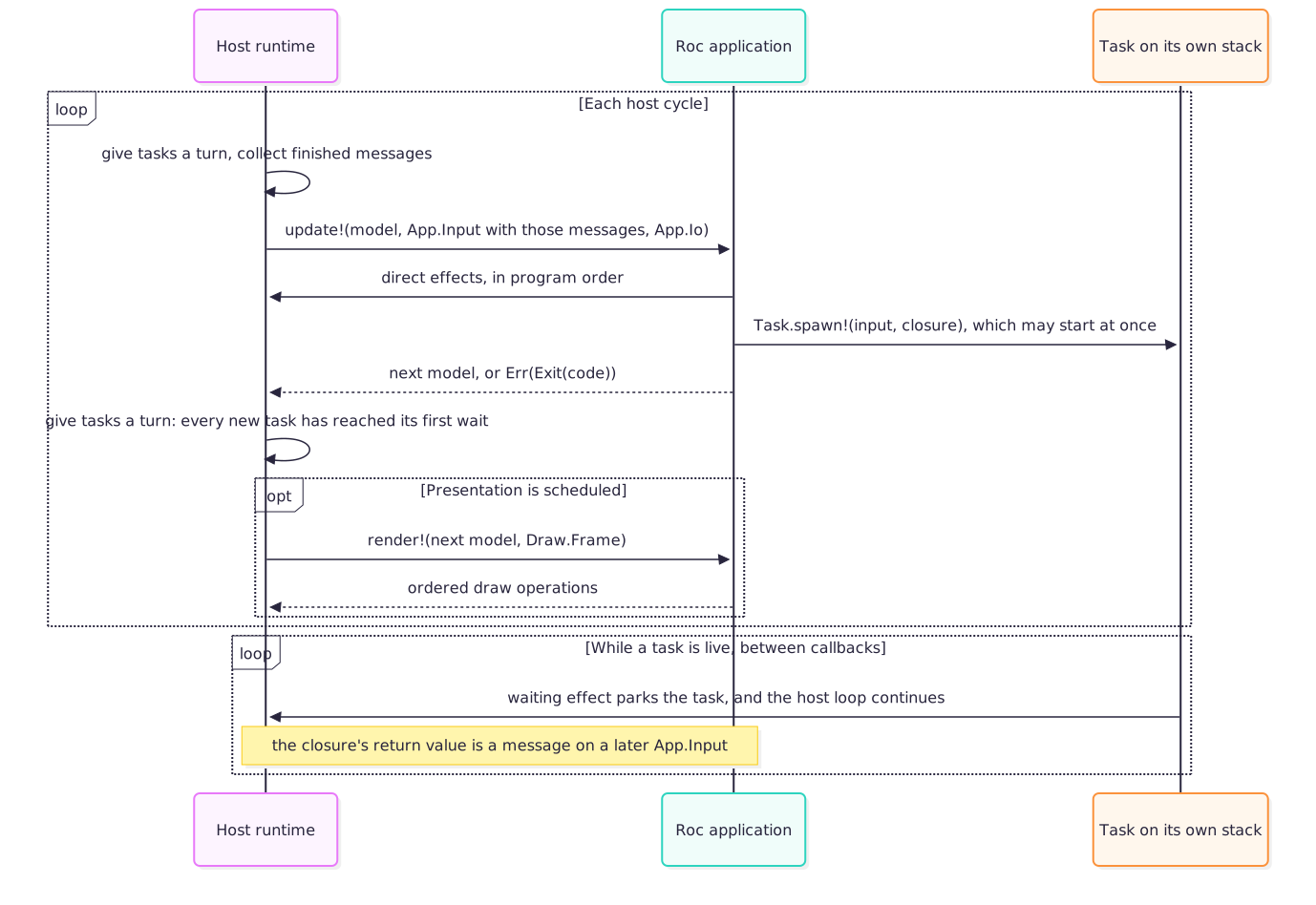
The ordering is intentional: the host constructs one input, update! runs
exactly once against it, and any presentation sees the model that call
returned. A host may implement this with a native loop, a browser callback, or
another scheduler; the observable contract remains the same.
22.6.1. Host cycles, simulation steps, and presentation§
A host cycle supplies one fresh App.Input and invokes update! exactly once.
The host may then invoke render! at most once with the resulting model. A
graphical host normally presents every cycle; a headless, minimized, or
deliberately throttled host may omit presentation.
A simulation step is application-defined rather than a platform callback. An
application may advance its domain simulation zero, one, or several times
during one update!. Only the final model is available for presentation.
The host does not invoke update! repeatedly with the same input to catch up.
Each interval event and task message is therefore consumed by exactly one call.
Simulation pacing, catch-up limits, and overload policy remain explicit
application policy.
The platform cannot prevent application code from taking too long. It can and
does prevent update! and render! from becoming blocking I/O entry points:
every effect that can wait is refused in those phases. Work that waits belongs
on a task and reports its result on a later cycle.
22.6.2. Ending the application§
An application ends in one of three ways, and each is a different authority:
update!returnsErr(Exit(code)). This is the application’s own decision, and the ordinary way to stop.The exit key is pressed. The exit key is a startup-configured shortcut (
ExitKey(key), orNoExitKeyfor none) that ends the application directly, before anyupdate!sees the press. A scripted press ends it the same way as a hardware one.The user asks the window to close, with its close button or the operating system’s quit command. This is a close request, and startup configuration decides who handles it. Under
Exit, the default, the host ends the application before the next input. UnderDeliver, the host keeps the surface open and reports the request as an interval event in the nextApp.Input; the application ends whenupdate!returnsErr(Exit(code)). A delivered request is never lost, and several between two inputs arrive as one.
Ending is shutdown (invariant 7): live tasks are cancelled, and a message
that has not reached an Input by the last cycle is never delivered. Work
that must finish before the application ends, such as a save, is therefore
the application’s to wait for: it chooses Deliver, starts the work on a
task when the request arrives, and returns Err(Exit(code)) once the task’s
message does. The exit key does not wait; an application that needs every
way out to pass through update! sets NoExitKey and handles the key it
wants as ordinary input.
22.7. Invariants§
These properties are the architecture. A change that weakens one of them is an architecture change, not a feature.
One Roc thread. Every application callback and every task body runs on the frame thread, one at a time. The host never runs Roc code on a worker thread and never shares a Roc value with one. Host workers see bytes the host owns, never Roc values.
The model changes in one place.
update!is the only callback that returns a new model. A task cannot read or write the model; it computes a value and returns it.Tasks report by message. During an orderly lifetime a task delivers exactly one message, on
Input.messages, and never delivers again. Messages arrive in the order their tasks finished; the order they were spawned in does not constrain that.Waiting happens only in startup or on a task. No effect reachable from
update!orrender!may wait on the filesystem, the network, a device, a peer, or the clock, for any length of time. An effect that only hands bytes to a bounded queue does not wait; when the queue is full it says so.Live tasks are bounded, and spawning never fails. A fixed number of tasks run at once; each owns a stack, which is what the bound is really bounding. A spawn past that limit is queued and started in submission order as a slot frees.
Task.spawn!has no failure to report, so a refusal would have to be a silently dropped closure that never reports back.Scheduling is cooperative. A task yields only at a waiting effect. Long pure computation inside a task holds the frame exactly as it would inside
update!; the platform provides overlap for waiting, not for computing.Shutdown cancels and drains. No
Inputexists after the last cycle, so nothing produced afterwards can be delivered. Live tasks are cancelled, closures that never started are dropped, and staged messages are released rather than leaked. A task parked on the event loop, such as on a socket or a timer, returns at once on the cancelled path. A task parked on work already running on a host worker, such as a file write, an image encode, or a database query, cannot be unwound from outside: that work is bounded by the payload it was admitted with, and the host either lets it finish or interrupts it through the facility’s own mechanism before tearing tasks down. Queued effects are drained before the process exits, bounded by each queue’s capacity. Forced process termination is outside this guarantee.A phase violation is a programmer error. Every effect declares the phases it is legal in. Calling one from another phase fails immediately, naming the effect, the phase it was called from, and where it belongs.
Rendering draws and may annotate diagnostics.
render!cannot change the model, change operational host state, or start work. Its only non-drawing effects are one-way diagnostic annotations: they cannot report recorder state or admission, influence drawing, or become application input. Anything that must affect the next model has a representation inApp.Input.
22.8. Boundary protocols§
The application and host interact through four explicit protocols. They are separate because they have different direction, timing, cardinality, and failure semantics.
| Protocol | Direction | Timing and cardinality |
|---|---|---|
Host authority: App.Io | Host to init! and update! | At initialization and once per host cycle; the same lifetime authority |
App.Input(msg) | Host to update! | Exactly once per host cycle |
| Effects | Application to host, in program order | Any number, synchronously, from the phases each effect permits |
Draw.Frame | Host to render!, with draw calls back to host | Zero or one per host cycle; exactly one per presentation frame |
Adding a fifth protocol is an architecture change. Adding a new value carried by one of these protocols is ordinarily an API change only.
22.8.1. Input: App.Input(msg)§
Input is immutable data supplied to one call of update!. It contains three
kinds of information, which are not falsely presented as one atomic
operating-system snapshot:
state samples report the latest value at the cycle boundary, such as held keys, surface dimensions, focus, and recording status;
interval events report ordered occurrences retained since the preceding input, such as presses, text, dropped files, or touch transitions;
messages are the values finished tasks returned, in completion order.
The contained keyboard, pointer, touch, and gamepad snapshot is named
devices, not input. This keeps App.Input distinct from one category
inside it and avoids the unhelpful expression input.input in application
code.
Every input field documents which kind it is, when it is sampled, its ordering and coalescing rules, and its finite capacity. A bounded event source either reports overflow explicitly or documents that it is intentionally lossy and what is coalesced. "Latest value" is sufficient for state; silently losing an edge or a message is not equivalent.
The devices snapshot is where the two kinds meet, and its fields are
classified as follows. On the desktop host the interval events are recorded by
the host’s own callbacks, chained behind raylib’s on the window. raylib keeps
levels, not queues: its key and mouse-button callbacks store the latest
action, its scroll callback overwrites the wheel, and its character queue holds
sixteen per poll. So anything that happened between two polls would collapse
into whatever came last. Recording at the callback is what makes the guarantee
below hold independently of frame timing.
| Field | Kind | Source | Capacity and coalescing |
|---|---|---|---|
keys held bit, mouse held bits, mouse position and delta | State sample | raylib’s level at the cycle boundary | Latest value |
events | Interval event | Window-system key, mouse-button, scroll and character callbacks | 256 per interval, in delivery order across all four sources, each click with the pointer position it landed at; events_overflow set when more arrived and the rest were discarded; auto-repeat is not an event |
keys and mouse.buttons pressed and released bits | Interval event, coalesced | The same callbacks | Per key or button, at least one press and at least one release since the previous input; several of one key coalesce into one bit. The bits coalesce; the list does not |
mouse wheel | Interval event, coalesced | Window-system scroll callback | Every notch in the interval summed; each notch is also an events entry |
text_input | Interval event | Window-system character callback | 32 codepoints in the order typed; text_input_overflow set when more arrived and the rest were discarded; each character is also an events entry, ordered relative to the key edges around it |
gamepads held bits and axes | State sample | raylib’s per-cycle gamepad poll | Latest value |
gamepads pressed and released bits | Sampled edge | Comparison of two consecutive polls | Intentionally lossy: a press and release between two polls is not seen; there is no callback to record from, and gamepads never appear in events |
The guarantee this gives an application is that every key, mouse-button,
scroll and character event that reaches the process is delivered in the next
Input, in order, with count and (for clicks) position preserved up to the
stated capacity, or reported as overflow and never silently lost, with a
latency of at most one cycle. events is the authoritative record; the
packed bits, the wheel sum and text_input are coalesced conveniences
derived alongside it, and they keep recording when the list is full, so the
coalesced view is complete even on an interval whose list overflowed. A key
tapped between two cycles is pressed and released in one input and held in
neither; a button released and pressed again between two cycles is released
and pressed in one input and held in both; two taps are two pairs of events
and one pair of bits. Gamepad buttons have no such guarantee, and their
documentation says so.
A scripted keyboard (Keys.set_source!, --host-keys) is the same derivation
over a scripted level, with a scripted tap recorded as an edge inside the
cycle, so a headless or windowed test can state the between-polls case that a
level per cycle could never express. Scripted input feeds events too: a
tap as a press and a release, a held-set change as the edge it implies, and
typed text as characters in script order. Hardware events are shut out
entirely, device by device, while a script is that device’s source.
App.Input(msg) is also the type witness that ties a task’s message to the
application’s own Msg. Only the platform’s entry module can name the
requires bound, so any public function whose signature mentions msg and
reaches a hosted effect takes an input it never reads. Without it, msg
generalizes at the call site and the host decodes the returned bytes at a
different type.
The window sample is classified the same way. Its size, focus, and
minimization are state samples: the latest value at the cycle boundary.
close_requested is an interval event: true on the one input after a close
request arrived, only under Deliver, with every request in the interval
coalesced into one and none discarded. Under Exit the host handles the
request itself, so no input contains it.
Continuously changing sources have two valid shapes. Ambient sources such as
device input are sampled or buffered into Input. Demand-driven sources such
as a socket or database cursor can instead expose a repeated waiting effect
inside a task. Because a task delivers one message, a waiting effect on a
continuous source returns a bounded batch rather than one item: everything
that had arrived by the time it woke, up to a stated cap. A one-item result
would limit the source to one item per cycle. Neither shape invokes
application code from a background thread.
22.8.2. Effects§
An effect is a direct host call. There are three kinds, distinguished by whether the call can wait and by where the work is done.
A synchronous effect, such as setting the cursor, resizing the window,
playing a sound, uploading pixels, starting a recording, or reading the clock,
changes host state or returns a value in program order at the point it is
written, from
init!, update!, or a task. It does not wait, and it is not available to
render!, which draws.
A waiting effect, such as a file read, a request, a query, a receive, or a
sleep, may
wait on the outside world. It is legal in init!, where it blocks startup
deliberately, and on a task, where it parks that task.
A queued effect, such as writing to standard output or sending a datagram,
hands a
bounded payload to a queue the host owns and returns at once. The host drains
that queue off the frame thread, on bytes it owns and never on a Roc value.
Order within one queue is preserved, a payload is queued whole or not at all,
and saturation is a typed result rather than a wait or a silent drop. The
eventual outcome of the drained work is not observable from the call; an
application that must act on that outcome uses a waiting form from a task. It
is legal in init!, update!, and a task. A queued effect is how a
"fire and forget" facility (a log sink, a metrics feed, streamed audio, a
datagram) sends data to the outside world without giving a frame something to
wait on.
An effect’s verb states the strength of its guarantee. Set is reserved for a
state change the capability profile promises to apply; a window-manager hint,
for example, is named Suggest rather than pretending the host controls the
final geometry. If success or failure itself changes application policy, the
effect returns a typed result or the condition appears in a later App.Input.
Invoking an effect and observing a physical outcome are different guarantees. Device effects can be subject to documented backend behavior, but a condition the model must distinguish must be observable, as a returned value or as input, rather than silently absorbed.
22.8.3. Tasks§
A task is an effectful closure handed to Task.spawn! from update! or from
another task. The host runs it on its own stack. A waiting effect inside it
parks that stack; the host loop resumes and keeps rendering, and a later cycle
resumes the task where it left off. When the closure returns, its value is
staged and delivered as a message on the next App.Input.
When a task starts is the host’s choice: it may run up to its first waiting
effect before Task.spawn! returns, or in the host’s turn after update!
returns. Either way it has reached its first wait, or finished, before
render! of the same cycle. A task’s code and its synchronous effects can
therefore interleave with the rest of the update! that spawned it, and
application code must not assume an order between the two. The only ordering
a task promises is its message: on a later cycle, after every task that
finished before it.
This is what makes a multi-step operation readable: inside a task, a waiting effect returns its result, so a load-then-parse-then-fetch sequence is straight-line code with ordinary error propagation rather than a state machine spread across message variants.
Tasks provide overlap for waiting only. They are not a general concurrency facility: the application never observes two of its own callbacks running at once, never needs a lock, and never has to reason about a partially updated model. The cost of that simplicity is invariant 6: a task that computes without waiting holds the frame.
Because a task cannot touch the model, the only thing it can report is its message. An operation whose outcome must change application policy therefore returns that outcome in the message; a task that returns nothing useful is a task whose completion the model cannot account for.
22.8.4. Rendering: Draw.Frame§
Frame is a render-scoped capability rather than general application input.
It permits ordered drawing and draw-state changes only while the host’s current
surface scope is open.
Rendering may query narrowly frame-relative facts such as the dimensions of
the active surface or metrics of a draw resource. Such a query may influence
drawing only. Anything that must affect the next model, hit testing, or host
state also needs a representation in App.Input.
Rendering may also emit bounded, one-way diagnostic annotations. These use the
ordinary effect protocol and are the sole non-drawing effects permitted during
render!. They expose no recorder status, timestamp, admission result, or
control operation, and therefore cannot make application behavior depend on a
diagnostic sink.
Diagnostic evidence must distinguish a measured zero from evidence that was not captured. Every measurement family has an explicit completeness state; loss, disabled detail, unsupported facilities, and unfinished recording remain different states. Author-facing analysis may draw a conclusion only from complete evidence, and must report partial or unavailable evidence instead of turning missing rows into a claim that no work occurred. Timing names describe the boundary actually measured and never attribute an indivisible host interval to application code, a worker, presentation, or a device by inference.
22.8.5. Choosing where work goes§
| Need | Mechanism |
|---|---|
| Latest ambient state or bounded interval events | App.Input field |
| An immediate host state change with no waiting | Synchronous effect called from update! |
| Bytes out, where only saturation need be observed | Queued effect called from update! |
| Work that waits, and whose outcome matters | Task, reporting one message |
| Drawing or draw state ordered within a frame | render! and Draw.Frame |
| One-way diagnostic annotation | Effect from any application callback or task |
| One-time load or allocation before the first frame | init! startup authority |
The classification follows semantics, not backend convenience. An operating-system function being synchronous does not make it safe to expose as a frame-phase effect.
22.9. Phases and enforcement§
Capabilities can outlive the callback that supplied them, so possession of a
value is not authority to use it in every phase. The host therefore tracks
which callback it is inside (init!, update!, render!, a task, or none)
and checks every hosted operation against the set of phases that operation
declares. The sets are few, and are stated as rules rather than as a list of
functions:
Anything that changes host state or queues bytes is legal in
init!,update!, and a task, and refused inrender!.Anything that draws is legal only in
render!, inside the frame scope the host opens around it.A one-way diagnostic annotation is legal in every application callback and a task. It may copy only a bounded diagnostic payload into host-owned recording storage and cannot expose admission or operational state.
Anything that waits is legal only in
init!, where it blocks startup deliberately, and on a task, where it parks that task.Starting a task is legal in
update!and in another task. It is refused ininit!, which never sees an input for the message to arrive on, and inrender!.A few genuinely constant-time queries with nothing to allocate and no I/O to do are legal in any callback. Anything that copies, allocates, writes, or calls into a driver does not belong in that set.
This runtime guard replaces a type-level purity guarantee. It gives direct, readable effect calls and straight-line tasks; it costs a class of error that the compiler does not catch. The trade is deliberate, and it is why violations fail loudly and immediately, in application vocabulary, naming the effect, the phase it was called from, and the phase it belongs in.
A waiting effect saves and clears the phase across its park and restores it on resume, because the host loop runs in between and enters phases of its own. A task therefore always observes its own phase, however many cycles it waited.
There is no phase-free escape hatch. A read needed by model logic is input, an
effect, or a task message. A read meaningful only for drawing belongs to
Draw.Frame. Startup-only facts belong to startup. A fact init! needs that
the world supplies, such as the clock, entropy, or arguments, is an effect,
because
init! receives no Input; an input field alone would leave startup without
it. Implementation cost does not decide semantic placement.
22.10. State, resources, and ownership§
The application model has semantic authority over ordinary Roc data. The host has semantic authority and runtime custody for native resources. When the application needs to refer to one, it holds a typed opaque capability whose Roc ARC lifetime pins a validated host-owned slot.
The resource contract is:
only the host can manufacture a live handle;
handle kinds cannot be confused;
copying a handle shares ownership rather than copying the native resource;
the final Roc reference retires the resource exactly once;
using a released, forged, or wrong-kind handle cannot reach native memory;
memory and resource safety never depend on remembering a manual
closeorunloadoperation;orderly shutdown releases every remaining host resource.
Automatic reclamation does not prohibit semantic lifecycle operations. A socket may be half-closed, a transaction committed or rolled back, a process stopped and awaited, or an encoder finished while its handle remains live. Those are effects with domain meaning. Final ARC release remains the safe cleanup path when no explicit lifecycle operation occurred.
Native destruction may call a GPU driver, audio device, filesystem, process, or network stack, so ARC release records retirement rather than performing unbounded destruction inside application work. The host drains retired resources at safe, bounded points. A resource remains unavailable for reuse until destruction has actually completed.
Some completed work naturally becomes ordinary Roc data rather than a public handle. The host may transfer ownership of its backing allocation directly into a Roc list or string when the ARC and allocator contracts make that safe. The public ownership rule is then ordinary value reachability: retaining a slice may retain the whole allocation, and an explicit copy is how an application releases excess capacity. This optimization must not change the value’s semantics.
A task closure is an ordinary Roc value: it captures what it needs, the host owns it from the moment it is spawned, and it is released when the task finishes, when it is cancelled, or when it is dropped from the pending queue at shutdown. A message that was produced but never delivered is released the same way.
The model remains the only semantic authority for application domain state. A database, socket, process, or stream handle denotes host-owned operational state; it is not permission for the host to mutate the model or call application code in the background.
22.11. Bounded work and backpressure§
Every platform-owned resource-bearing path has a bound established before work is admitted. A bound may be fixed by the capability profile, configured during startup, negotiated when a resource is created, or derived from the size of an explicit value submitted by the application. This includes at least live tasks, message staging, native resource heaps, input and stream buffers, file and network payloads, capture buffers, per-cycle uploads, scoped draw stacks, and deferred destruction.
Bounded does not mean every application-supplied quantity is capped at a small platform constant. What is bounded is what the host starts, because that is what costs a stack, a socket, or a file descriptor. A queue of not-yet-started task closures is proportional to spawns the application itself chose to make, in the same way that traversing a list returned by the application is proportional to a list it chose to build. There are no implicitly unbounded retained caches, registries, or background worker sets.
For each bound, the implementation defines:
what is counted and who owns it;
when capacity is reserved and released;
what happens at saturation;
whether work may be retried and how the application observes that;
the maximum payload retained while waiting;
shutdown and cancellation behavior.
A limit is not merely an implementation constant: its exact value may change, but its unit and saturation semantics are part of the public contract when applications can observe them. Task saturation is expressed as delayed start in submission order, never as a dropped closure, because a dropped closure is an message that never comes. An effect that cannot proceed returns a typed outcome; saturation is not represented as a silent no-op.
Batching is preferred where it reduces boundary crossings without hiding backpressure. A list of draw instances, tile commands, samples, or upload regions should normally cross once and be traversed on the host side. Batches still have explicit size and lifetime bounds.
22.12. Error policy§
The platform distinguishes programmer errors from runtime outcomes by where the relevant fact comes from.
A programmer error violates an invariant determined entirely by the submitted value, its types, the current phase, and the live capabilities already held by the application: calling an effect from the wrong phase, supplying internally inconsistent dimensions, or using a capability for the wrong operation. Prefer types and constructors that make such values unrepresentable. Remaining violations fail the application promptly, with a message written in the application’s own vocabulary rather than the host’s.
A runtime outcome depends on mutable state outside the submitted value:
capacity currently in use, filesystem contents, permissions, a peer, a child
process, a device, a driver, or scheduling. Capacity exhaustion, missing files,
denied permissions, network failures, process exits, recoverable device loss,
and invalid external input therefore produce typed results from effects, typed
values inside task messages, or documented status in App.Input. They do not
corrupt state, grow memory without bound, or silently consume a message.
An external side effect may have occurred even when its outcome is an error. Safe retry and idempotency remain application or protocol policy; the platform does not retry on the application’s behalf.
The platform does not guess repairs that change application meaning. It does not silently substitute resources, reinterpret malformed data, invent paths, retry non-idempotent operations, or downgrade a requested capability.
22.13. Time, nondeterminism, and capture§
The enduring determinism guarantee is narrow and useful: all changing host
facts enter the model through explicit input or through task messages, so given
the same model, the same complete App.Input, and the same effect outcomes, an
application takes the same decisions.
Simulation time and wall time are distinct. Animation and physics use the cycle’s simulation timeline. Calendar time, external I/O, device input, task completion order, and entropy are explicitly nondeterministic. Randomness used by domain logic is represented by explicit generator state; startup entropy may seed it when variation is wanted.
A reproducible run therefore controls or records:
initial model and configuration;
simulation-step sequence;
real and virtual input;
random seeds;
resource bytes and platform versions;
every task message that affects the model, and its delivery order.
Fixed-step capture controls simulation pacing; it does not make wall time, network responses, microphone input, or GPU behavior across different devices deterministic. Replay and capture claims state the environment over which they hold rather than implying universal byte identity.
Virtual input travels through the same sampling path as physical input. A scripted capture therefore exercises ordinary application logic instead of a parallel test-only control path.
Capture is a host output facility, not part of application rendering policy. The application selects a source surface, format, timing mode, destination authority, and finite duration or stop condition. Encoding, readback, and file ownership remain in the host and are subject to the same boundedness and error rules as other external work.
22.14. Rendering boundary§
Rendering is immediate and derived from the current model. RocRay does not retain or reconcile an application scene tree. The host retains only the backend state and resources needed to execute the current ordered draw stream.
Frame and nested target scopes define where a draw lands. The active surface
may report its own dimensions and other geometry needed to interpret draw
coordinates. Application layout and interaction decisions still use the
corresponding App.Input data, so rendering does not become a second update.
Draw primitives, 2D or 3D cameras, meshes, text, shaders, and post-processing are all extensions of this same ordered rendering boundary. Adding them does not move scene ownership into the platform. Higher-level retained systems belong in pure Roc packages unless a narrowly host-owned representation is required for device or operating-system ownership, memory or concurrency safety, or a measured boundary-performance need.
22.15. External systems and authority§
Filesystem access, networking, databases, subprocesses, clipboard access, audio input, and similar facilities extend what the host can do, not how the application model works.
Anything that waits is a waiting effect, used inside a task. An immediate
change to host state is an ordinary effect. Long-lived native state uses a
typed ARC handle. Continuously arriving bounded observations are sampled or
buffered into App.Input. Protocol state, serialization, retry policy,
queries, domain caching, and interpretation remain in Roc unless the host must
own a narrowly defined piece for device or operating-system ownership, memory
or concurrency safety, or a measured boundary-performance need.
The host supplies opaque App.Io authority to initialization and every
update!(model, input, io) callback. Input remains observations and messages;
rendering receives only its Draw.Frame. Pure accessor methods select a
service, such as io.http() or io.files(), and effects are methods on that
service: io.http().send!(request). Helpers and task closures should receive the narrow
service they need. Selecting or copying a service neither performs I/O nor
widens its authority. Captured services remain valid for the application
lifetime; phase restrictions apply independently of possession.
There is no arbitrary native-call facility. Effectful closures exist for exactly one purpose, the body of a task, and a task runs on the frame thread under the same phase guard as every other application code. No API accepts a closure the host will run at an unspecified time, on an unspecified thread, or outside a phase. New host work is represented by a typed effect, waiting effect, input field, render operation, or host authority.
22.15.1. What authority protects against§
Authority policy exists to limit what application code can access, not to contain a hostile native binary. A RocRay application has no foreign-function facility: everything it does outside pure computation goes through a hosted effect, so the platform’s API is everything it can access. That makes three threats addressable:
a compromised or careless dependency inside a trusted application, which can access only what the application passes to it;
a confused deputy, where runtime data, such as a save name, a dropped path, or a network reply, steers an effect somewhere the application never meant to go;
source code the operator has not audited, which can access only what that source visibly declares.
Policy does not defend against a malicious shipped executable, whose author controls the host as well as the application; it is not an operating-system sandbox; and it does not make decoding hostile data safe. Those are stated as non-goals rather than implied away.
22.15.2. Tiers of authority§
Authority is sorted by whose resource an effect touches.
Intrinsic. The interactive surface, input, window control, audio playback, resources constructed from application-owned bytes, clocks, entropy, timers, and reads of the application’s own framebuffer. These belong to the running application and need nothing further.
Application-scoped. Standard output and error; capture output confined beneath the configured output directory; the read-only directory beside the executable; private data, configuration, and cache directories keyed by a declared application identifier; and in-memory databases. These touch only the application’s own things or the operator’s terminal, and are always available. Diagnostic payloads from debugging, failed expectations, and crashes are ordinary standard-error output.
User-designated. A file or directory the user dropped on the window, or a path the operator named as an application argument. The designation is the consent: the application converts it into a read-only handle scoped to exactly that file or directory. A drop is converted during the
update!that observed it; a dropped path held past that cycle is only a string. An argument is converted only if it is byte-identical to one the host received. There is no application-drawn or platform-drawn chooser.Declared access. Network origins and peers, directories beyond the application’s own, the working directory, subprocess executables, environment variables, and clipboard reads and writes. The application declares each in its startup
Config, scoped as narrowly as the facility allows: an HTTP origin, a UDP port or peer, an executable name, a variable name, a directory and whether it may be written. Each facility also has one explicit unscoped declaration, spelled so that it is conspicuous in review.
22.15.3. Declarations are the grant§
There are no launch flags, interactive prompts, install-time approvals, or revocation. What the source declares is what the host grants, so what an application can access is read from its configuration and changed only by changing source. A declaration may depend on application arguments; every alternative is still written in the source.
The host validates declarations at startup, before initialization runs, into a fixed-capacity policy. A malformed declaration fails startup and names the entry: an origin that does not parse, an unsafe output directory, an invalid application identifier, or more declarations than the policy holds.
Using a facility the application never declared is a programmer error: the
fact is fixed by the source, so the host fails immediately, naming the effect
and the declaration that would permit it. Targeting something outside a
declared scope is a runtime outcome, because the target (a URL, a path, a
peer, a variable name) may be runtime data; the effect returns typed PermissionDenied before
admitting work or touching the external system. PermissionDenied means only
that no grant covers the target: outside every declared scope, a resource-free
stub, a drop that is not current, an argument the operator did not pass. A
path the host refuses for its shape is a different outcome, PathInvalid: a
parent component that no declaration can cover lexically, a path that is not
plainly relative where a relative one is required, a symbolic link beneath a
handle, an existing link where a write would land. The two are distinct
because their fixes are: a missing grant is fixed by declaring more, a refused
path by changing the path. An operating system’s refusal is reported under
its own name. A scope check applies to every step the host takes on the
application’s behalf, so a followed redirect is checked like the request that
caused it.
22.15.4. Files are handles, not paths§
Filesystem authority is a typed directory or file handle, never an ambient
path. Every relative path resolves beneath its handle’s root: absolute paths,
parent components, and symbolic links beneath the root are refused as
PathInvalid, whether or not they would lead outside it, so the rule is the
same on every system. The root itself is what was granted, however the
filesystem spells it.
Whether a directory declaration covers a root is decided lexically, from the text of the declaration and the requested path, and never by asking the filesystem. An absolute declaration covers absolute paths beneath it, a relative one covers relative paths beneath it, and a working-directory declaration covers every relative path. A lexical rule is the same on every system and can be read from the source; its cost is that one directory spelled two ways is two different targets. Read-only and writable handles are distinct types, so a write through a read-only grant does not type-check, and a writable handle narrows to a read-only one or to a subdirectory. Asset stores, audio and map loaders, and on-disk databases open through a handle and inherit its confinement; a database cannot attach files outside it. Handles are bounded host resources released with their last reference.
Configuration may describe a recording but cannot start external work: the application explicitly starts it through its capture capability during initialization or another permitted phase. An operator may separately request host Observatory output; that is launcher authority over host diagnostics, not an application grant.
22.16. Targets and capability profiles§
The core contract does not assume a blocking native main loop. The host may drive cycles from a desktop loop, a browser callback, a test harness, or a future platform scheduler. What each must supply is a way to run a task’s suspended stack and resume it later without moving Roc code to another thread.
Each released target declares a capability profile. A target may implement a strict subset of facilities (for example, a browser need not expose native subprocesses or unrestricted files), but every included facility preserves its documented semantics. A structurally unsupported facility is absent at build time or excluded by selecting a narrower platform bundle; a native bundle otherwise carries every facility, including the libraries behind them, and applications pay for what they link rather than choosing a subset. A facility present in the profile may still be unavailable at runtime because of mutable facts such as permissions, connected devices, capacity, or external failures; those are ordinary typed outcomes, not evidence that the capability profile lied.
An application is portable across the profiles whose shared capabilities it uses. Pure packages remain portable regardless of host profile. Target-specific optimizations and backend objects stay below the platform boundary.
A non-rendering headless host is a semantic test backend, not a pixel-accurate renderer. It preserves the host cycle, effect and task behavior, resource ownership, and controlled observations that do not require a real device. Pixel behavior is verified against graphical backends separately.
22.17. API authority and reusable code§
RocRay is the sole authority for its public API. Types, pure constructors, query helpers, and hosted operations live in the platform and are versioned, documented, tested, and released together. There is no separately published RocRay vocabulary package and no second dependency an application must pin to name its input, geometry, configuration, or resources.
Pure and effectful code remain distinct by behavior. Application decisions and layout can use the platform’s pure helpers without calling the host. Resource stubs and input constructors support pure tests; only the host can manufacture live resource authority. Keeping both kinds of API in one platform does not relax phase enforcement, resource opacity, or the four boundary protocols.
Reusable packages own their domain vocabulary and algorithms. Applications adapt platform observations and resources to those packages' explicit data interfaces, or supply operations through typed parameters. A package does not need RocRay startup authority to describe work; the application applies that plan with platform effects and tasks. Shared RocRay nominal identity across an independently released package is not part of the platform contract.
22.18. Verification obligations§
Architectural claims are upheld by executable checks wherever possible. The names and locations of checks may change, but the verification layers do not:
Pure tests over the application’s own core.
roc testcannot callupdate!, so the platform supplies what makes the decisions inside it testable:App.Input.for_testsbuilds a neutral input with per-fieldwith_*methods, and every host resource has a resource-freestub, so a model full of assets can be written down in anexpect. Applications are expected to keep a pure core that decides which message to fold in, whether to quit, and what work to start, and to letupdate!perform its decisions.Compile-fail fixtures prove that applications cannot import transport modules, manufacture capabilities, or name a removed API.
Host tests cover phase enforcement, typed resource identity, ownership-transfer paths with adversarial alias, slice, and drop orders, bounded saturation, staged-but-undelivered message release, and shutdown.
Task behavior tests. One end-to-end application spawns a task per message variant and fails unless every message returns with the right tag and payload, which is what keeps the
msg-witness rule honest. Another spawns far more tasks than may run at once and fails unless all of them are started and accounted for, which is what keeps the cap a queue rather than a refusal.Headless runs of every example exercise startup, cycling, task delivery, and shutdown without a display.
ROC_RAY_TRACE_TASKSadds a per-task trace (spawn, queue, park, resume, finish, deliver), so a run can assert on scheduling behavior and not only on the final state.Graphical smoke tests verify representative pixels and nested render scopes on a real rendering backend.
Packaged examples are checked and exercised in the same dependency shape in which applications consume a release.
A property that is intended but not yet checked is described as an unverified design goal, not as an established guarantee.
22.19. Deliberate non-goals§
RocRay does not provide:
a retained scene graph, entity-component system, game editor, domain model, or mandatory asset build pipeline;
concurrent application callbacks, parallel execution of Roc code, or blocking I/O inside
update!orrender!;a general asynchronous Roc runtime: tasks overlap waiting, not computation, and are not offered as a way to use more than one core;
hidden mutable application state in the host;
public transport tickets, native pointers, untyped resource IDs, arbitrary FFI, or any facility that runs an application closure outside a task and its phase guard;
an implicit promise that every target supports every host capability;
an operating-system sandbox, or protection against a malicious executable whose author also controls the host;
universal deterministic output in the presence of uncontrolled external input, task completion ordering, clocks, devices, or backend differences.
These boundaries do not exclude networking, databases, subprocesses, 3D
rendering, audio input, runtime resource loading, or a web host. They determine
the shape those features must take. Likewise, a future subscription API may
provide ergonomics for a continuous source, but its implementation must still
use effects and tasks for explicit lifecycle work and bounded App.Input
observations. It does not add a background callback protocol and does not let a
task deliver more than once.
22.20. Evaluating changes§
A platform proposal should answer these questions before its public API is chosen:
Which RocRay use case and requirement does it serve, and which policy stays in the application or a package?
Which existing boundary protocol carries each value, instruction, and result?
In which phases is every host operation legal, and can it wait?
Who owns every value, native resource, stack, queue entry, and closure, and when is each released?
What is bounded, in what unit, and what happens at saturation and shutdown?
Which errors are programmer errors and which are runtime data?
How does the feature affect replay, capture, and completion ordering?
Which capability profiles can implement the same semantics, and what authority does the feature grant?
Which executable checks establish the contract?
If those answers fit the architecture above, the feature should normally require API and implementation work, not an edit to this document.
23. Contributing to RocRay§
RocRay is a usable, intentionally small Roc platform for native interactive apps. Contributions should help app authors make things more easily, while keeping the programming model easy to understand.
Good contributions include bug fixes, documentation, realistic examples, compiler compatibility work, performance improvements, and focused raylib capabilities that work well with the existing API. RocRay does not aim to add an editor, a scene graph, or the many subsystems of a large engine. Open an issue before a broad API change or a substantial new subsystem so its shape can be discussed first.
This chapter covers the development workflow. Working on the host covers changes to the native host and the Roc/host boundary, and Dependencies, bundles, and releases covers dependencies, bundles, and releases. Read Architecture before proposing a change to a public API, platform behaviour, host integration, ownership, scheduling, resource limits, targets, or application lifecycle.
23.1. Report a problem or propose a change§
Report bugs and propose changes in the
GitHub issue tracker. For a bug, include the RocRay release or
commit, the Roc compiler version (roc version), your operating system, and
the smallest app or example that shows the problem.
23.2. Development setup§
On x86_64 Linux and Apple Silicon macOS, Blueprint.roc declares the
development environment and Blueprint.lock fixes it. With
Blueprint and Nix
installed, and the Roc nightly as roc on PATH, run:
blueprint shell              # Zig, Python, zstd and roc-stable on PATH
blueprint run glue           # the committed host ABI matches `roc glue`
blueprint run check          # no compiler pins, the Roc scripts, zig build lint
blueprint run test           # zig build test
roc-stable is the compiler that runs the Roc scripts under scripts/, the
nightly Blueprint.roc names; it is not the compiler the platform is tested
with. The platform, its examples and its tests name no compiler: they are
tested with the latest Roc nightly, which you install yourself as roc.
Elsewhere, or without Nix, install:
Zig 0.17.0
The latest Roc nightly, available as
roconPATHPython 3 and
zstdfor the full test and bundle checksSQLite’s
sqlite3command-line tool for inspecting Observatory captures
scripts/all_tests.py resolves roc from PATH, so the latest nightly has to
come first on it. CI resolves the latest nightly once per run, so a pull
request can turn red when a new nightly lands; update your nightly first when a
failure has nothing to do with your change. A local debug build of the
compiler is not a substitute: it
trips SpecConstr invariants on this platform’s code and fails in ways that look
like platform bugs.
Build the native hosts:
zig build
zig build compiles libhost.a/host.lib for every target from this checkout.
It takes every other linker input (raylib, msf_gif, libvpx, SQLite, and the CRT,
stub, and import libraries) from the immutable release that
link-inputs.lock.json selects. The first build downloads those archives into
~/.cache/roc-ray/link-inputs. Every build rehashes them against the lock and
never compiles them. When you change a linker input, follow the producer
procedure in Linker inputs.
23.2.1. Run examples against your checkout§
The main branch holds development source, including examples of APIs that
have not been released yet. So each checked-in example names the platform in
your checkout by path, rr: platform "../../platform/main.roc". Neither the
example nor the platform names a compiler. Build the host once,
then run or check an example directly, from the repository root:
zig build
roc examples/cave_climb/main.roc
roc check examples/cave_climb/main.roc
Run zig build again after changing host code. CI checks every example exactly
as it is written, and any warning fails. The release’s examples zip rewrites
each header to point at that release’s bundle and changes nothing else, so a
downloaded example needs no checkout.
scripts/run-example.py examples/cave_climb builds the host and runs the
example in one step. Arguments after -- go to the app.
--skip-platform-build(before the example) reuses the native libraries from an earlierzig build.--platform-mode=bundleruns against a bundled platform, the shape a release ships, instead of the platform sources.
To check the platform’s own Roc code, run roc check platform/main.roc.
scripts/all_tests.py, described below, checks and runs every example against
a bundled copy of the platform, as a release ships it.
The host reserves switches beginning --host- for unattended runs;
Host switches lists them all. The windowed sweep described below
drives the examples with these:
--host-frames=Nends a real windowed run after N cycles, and--host-hiddenopens that window hidden.--host-keys=3:S,4:LEFT+Xand--host-text=5:hiscript the keyboard and typed text on the cycles they name. A key is a character, a name such asLEFTorSPACE, or a raw key code. A~suffix, as in3:ESCAPE~, taps the key within the cycle: pressed and released in one input, which is how a key that went down and up between two polls looks. The suffix is~because it needs no quoting in cmd, PowerShell, bash, or zsh.--host-drops=2:/tmp/a.pngand--host-close=5script a file drop and a close request.--host-headlessand--host-headless-frames=Nselect the stub backend instead, which draws nothing.
Debug hosts use a fast thread-safe allocator by default. To diagnose Roc-side leaks with Zig’s stack-tracing allocator, pass this flag to a Debug-built app:
scripts/run-example.py examples/cave_climb -- --host-debug-allocator
Enable the repository’s pre-commit hook once after cloning:
git config core.hooksPath .githooks
23.3. Repository map§
| Path | Purpose |
|---|---|
platform/ | Public Roc API, platform entry points, and private Host declarations |
src/ | Zig host, raylib backend, ABI types, resources, and native tests |
examples/ | Complete apps and focused, reusable patterns |
scripts/ | Local development, profiling, ABI, bundle, docs, and release helpers |
test/ | Probe apps and test/compile_fail/, which checks that internal platform details stay private |
docs/ | This manual, in AsciiDoc, and its theme |
docs/releases/ | Release notes, one file per release |
dependencies/ | Reviewed recipes and records for the platform’s linker inputs |
23.4. Everyday checks§
Run formatting and repository tidiness checks:
zig build lint
blueprint run check runs these lints too, after scripts/check_no_pins.roc,
which fails when any Roc file outside scripts/ names a compiler (a roc:
header field), when a .roc-version file exists, or when a script under
scripts/ does not start with the roc-stable shebang, and after the tests,
checks and formatting of the Roc scripts.
Run the main test suite:
zig build test
This covers lints, Zig tests, platform privacy checks, pure platform-value tests, and Roc checks/tests over the examples. The lower-level example driver is also useful while iterating:
scripts/all_tests.py
scripts/all_tests.py --skip-platform-build
scripts/all_tests.py --skip-roc-build
scripts/all_tests.py --only pong,snake
It checks formatting and types, runs Roc tests, builds the apps and exercises
both their headless paths and, in the windowed sweep, the real raylib backend:
every example is run against a real (hidden) window for a fixed number of
frames, with the cases in scripts/test_spec.json scripting keys and typed text
into the examples with key-driven features and asserting the output, the exit
code and the files they write. Add a case there when you add an example. The
spec is checked against examples/, so a missing case fails the run. Pass
--skip-windowed when there is no display; on Linux use xvfb-run -a. --only
takes example names (repeatable, or comma separated) and is the way to iterate
on one example without waiting for the rest. It is an exact match, so renaming
an example means updating every --only that names it.
Generate the optional, threshold-free Observatory overhead report with:
zig build -Doptimize=ReleaseFast observatory-bench
The JSON and Markdown reports are written under zig-out/. Timing is not a CI
pass/fail threshold; deterministic recorder invariants remain in the ordinary
test suite. See Testing and benchmarking the Observatory recorder.
23.4.1. How the apps find the platform§
Development checks use the roc on PATH, the latest nightly. They point
temporary copies of each app at a bundle of the working tree; the checked-in
files are never rewritten. A release’s examples zip differs from examples/
only in the platform URL.
Every development app stage resolves the platform over localhost. scripts/bundle.sh
bundles the platform API and native inputs into a scratch directory,
scripts/local_bundles.py serves that directory over HTTP, and each app is
copied to a scratch directory with its header pointed at the served bundle.
Examples are checked and built in the same dependency shape they ship in.
No tracked file is rewritten, including when a run is interrupted.
Built executables are written to the scratch directory rather than beside each
main.roc; pass --copy-executables if you want them in place, and use
scripts/run-example.py to run one interactively.
Roc caches packages by content hash, so re-bundling changed sources produces a
new hash and a stale reference is not expressible. The port is derived from the
checkout path so the hashes stay the same between runs and the cache is reused; edits
to platform/ each leave another extracted copy (~90 MB for the
platform) under ~/.cache/roc/packages, so delete that directory when it grows.
Run python3 scripts/local_bundles.py --serve to serve the bundles on
localhost yourself, for instance to build a separate app or package against the
same URLs.
23.4.2. Graphical changes§
Rendering changes have an opt-in pixel-level smoke test:
zig build graphical-smoke
On a headless Linux worker with Xvfb:
xvfb-run -a zig build graphical-smoke
Run it when changing primitives, texture coordinates, shaders, blending,
scissoring, render textures, paired drawing modes, or native font metrics. It
also compares the scalar snapshot inside Text.Font with raylib’s
MeasureTextEx for the default font and, when the system provides one, a
loaded proportional font. The ordinary headless app runs verify composition
and lifecycle behavior, not framebuffer pixels.
23.5. Design principles§
These constraints are more important than mirroring raylib function for function. Architecture states the architecture they serve.
23.5.1. Shape the API for app authors§
Prefer operations on values an app already has:
frame.circle!(config)
input.devices.key_pressed(KeySpace)
camera.screen_to_world(point)
Assets.update_texture!(texture, pixels)
shader.with_uniforms({ time: elapsed })
Use attached constructors such as Draw.RenderTexture.load! and
Shader.from_store! when creation naturally belongs to the result type.
Textures use standalone Assets functions for loading and mutation; their
value type and pure helpers live in the platform’s Texture module.
Keep transport details inside the platform. Flattened ABI records, scalar handles, and hosted helpers should not leak into normal application code.
23.5.2. Keep drawing frame-scoped§
The native host opens and closes the outer raylib drawing scope. Roc receives an
opaque Draw.Frame in render!, and every public drawing effect requires it.
Pass the callback’s frame through helpers; do not retain it in the model.
Camera, scissor, blend, shader, and render-target scopes return Try. A
successful begin must always run its matching end, including when the callback
returns Err. Scopes can nest and restore their outer state. Preserve
ScopeLimit, and preserve ScopeUnavailable for scopes backed by transferred
resources.
23.5.3. Snapshot devices once per host cycle§
Keyboard, mouse, gamepad and text state is sampled into Devices.Snapshot,
window geometry into Window.Snapshot, and timing into Time.Cycle; one
App.Input contains all three. Prefer pure queries over repeated host calls.
Views such as a connected gamepad belong to that snapshot and should be queried
immediately rather than stored in the model.
Snapshot lists are designed for in-place reuse while uniquely owned. Retaining an old snapshot can trigger copy-on-write on the next host cycle, so derive ordinary app state from input instead of preserving host storage.
23.5.4. Make ownership explicit§
Fonts, textures, prepared text, sounds, music, render textures, and shaders are typed host resources with lifetimes driven by Roc references. A final release unloads the native value and makes its bounded slot reusable.
Keep capabilities narrow. Texture exposes dimensions and pure construction
of test stubs; mutation requires Assets. Assets.Texture and Draw.Texture
name the same platform-owned value. A Shader(uniforms) carries one closed
record: construction validates each field against the linked program, and
with_uniforms accepts only that same record shape and field types.
Applications depend only on the platform to name every RocRay API value.
Create long-lived resources during initialization and retain them in the app model. Do not introduce per-frame loading, preparing, or name lookup when the work can be done once. Shader scope entry currently creates bounded transient value lists for at most 32 uniforms; do not describe this path as allocation-free.
The package describes, the app performs. Reusable packages keep their own
domain types and explicit data interfaces. A package can describe required
assets or return a plan; the application’s init! loads those assets and
adapts their descriptions to the package’s inputs. Application modules can
use the platform API directly. Work that waits runs in a task, with
Task.spawn_with! available to map a helper’s result into the application’s
message type. No package needs startup authority to decide what it needs.
23.5.5. Validate before the hot path§
Opaque values such as cameras, projective quads, and App.Config prevent
invalid states. Tilemap builders validate bindings and roles before rendering.
Prefer boundary validation that makes pure per-frame operations total and
cheap.
Startup configuration is one validated choice for frame pacing (VSync,
Capped(fps), or Uncapped) plus independent window and cursor settings. Keep
the Roc representation and the native host’s defensive normalization in sync.
23.6. Examples and documentation§
Examples are applications first and API demonstrations second. Each should have a concrete interaction or game loop, retain long-lived resources in its model, update state before drawing, and remain understandable without knowing host internals. Exhaustive edge-case coverage belongs in tests.
When adding an example:
Add it to Example gallery (
docs/examples.adoc) with its purpose and reusable patterns.Add a case for it to
scripts/test_spec.json.Run it from the repository root so asset paths match how users invoke it.
Put third-party licenses and attribution beside the relevant assets.
Prefer generated or existing assets unless new binary files materially improve the example.
Keep its platform reference compatible with the release workflow; local tools temporarily rewrite recognized local or release references as needed.
Public API changes should update module documentation, relevant examples, and
the guides in this manual that describe the changed behaviour. Update the
README.md landing page when a change alters how an app is started or
structured.
23.6.1. API documentation§
scripts/build_docs.py generates the complete API reference from the module
documentation in platform/. Public values, pure methods, and effects are
documented in one site. Nothing generated is committed: the release workflow
publishes the current release’s reference to Pages under api/ and attaches a
copy to the release. roc docs attaches a nominal
type’s methods to the module that declares it: for example, Text.Font aliases
Font, so its measurement methods are documented on the Font page.
Document each method where its type is declared.
The renderer takes paragraphs, backtick code spans, and fenced code blocks
opened with three backticks followed by roc. It does not take markdown headings, bullet lists,
**bold**, or four-space indented code: each of those appears on the page
as literal text. Write examples in fences and structure a long module comment with
short paragraphs.
Build and validate the reference locally:
scripts/build_docs.py --check              # temp dir, touches nothing
scripts/build_docs.py --version 0.10.0     # writes .docs-api/0.10.0
--check fails on a module missing a page, a broken relative link, missing
representative pure methods, an effect whose documentation does not state its
phases, or prose that would render as something else. The versioned form
validates the same way. The release workflow runs it on every pull request
and release, and places the result under api/ beside the manual.
23.6.2. This manual§
This manual is AsciiDoc under docs/. docs/index.adoc is the book; each
chapter is a file directly under docs/ that it includes, and
docs/releases.adoc includes the release notes in docs/releases/. It is
rendered by roc-docs, the documentation renderer roc-automation shares
between Roc repositories, into a website with one page per chapter, a PDF,
and a Markdown copy of every page. Blueprint fetches the renderer and checks
it against the digest in Blueprint.lock; nothing else is needed:
blueprint run docs # .docs-out/site/index.html and .docs-out/roc-ray.pdf
The build fails on any renderer warning: a cross reference that does not
resolve, an unprepared image, or a construct the renderer does not support.
The docs workflow builds the manual the same way on every pull request,
with roc-automation’s actions/build-docs, and uploads the result.
Write each chapter for one audience, and introduce a concept before relying on
it. The getting-started chapters assume nothing beyond an installed compiler;
guides may assume The app model: init!, update!, and render!; contributor chapters may assume everything.
Open each chapter by saying what it covers and what it assumes. Use the terms
in Glossary with the meanings given there, write headings in sentence
case, and start the heading of a reference section a first reading can skip
with Details:.
The renderer builds each chapter as its own page as well as part of the book, which sets a few rules:
Link between chapters with
xref:chapter.adoc#id[link text], always with an id and link text. Give each chapter, and each section other chapters link to, an explicit[#id].<<id>>resolves only inside one page, so it is used only indocs/index.adoc.Write links to the source and to the API reference as full URLs, such as
https://github.com/lukewilliamboswell/roc-ray/blob/main/examples/pong/main.roc: an attribute set inindex.adocdoes not reach a chapter’s own page.Give every table explicit column widths and a header row. A table cell cannot span columns or contain a
|, even escaped: put code with a closure in a listing next to the table instead. In the PDF, a column is at least as wide as its longest code span, so keep long code out of tables.Use
[source,roc]blocks for Roc. Include code fromdocs/tutorial/withinclude::tutorial/<file>.roc[tag=<name>,indent=0], where the tagged region ends on code rather than a blank line;scripts/check_tutorial.pycompiles, tests and runs those files.Raster images must be non-interlaced 8-bit RGB or RGBA PNGs. Write diagrams as
[mermaid]blocks; the renderer produces website SVGs and vector PDF figures during the ordinary build. No separate diagram preparation is needed.Run
scripts/prepare_docs_images.py --updateafter changing a gallery recording. It makes PNG stills fromexamples/gallery/for the manual, which links to the original recordings. Updating needs Pillow with WebP support; checking the stills in CI needs only Python.
23.7. Pull request checklist§
Before opening a PR:
Keep the change focused and explain the app-author problem it solves.
Add or update tests for behavior and failure paths.
Run
blueprint run check(orzig build lintwithout Blueprint) andzig build test, with the latest Roc nightly asroc.Put every new standalone hosted declaration in private
Host.roc, and keep its one registered privacy fixture passing.Run the graphical smoke test when pixels or drawing state can change.
Update examples and this manual when public behavior changes.
Check
git status --short,git diff, andgit diff --cachedfor untracked files, generated output, platform-reference churn, binaries, or unrelated local edits.
24. Working on the host§
This chapter is for contributors changing the native host, the Roc/host boundary, or a hosted effect. It assumes Contributing to RocRay and Architecture: every rule here exists to keep one of the architecture’s invariants true.
24.1. ABI and host changes§
platform/main.roc and platform/main-wayland.roc are the same platform built
for two link configurations. Every change outside their targets: blocks,
such as adding a hosted effect, an exposed module, or a package dependency,
must be made to both. zig build lint enforces this and points at the first
line that differs; without it a missing entry only shows up when someone links
against the Wayland bundle.
A value that crosses the host boundary is flat: scalars, List of scalars, or
List of a record of scalars. Unions and boxed lists do not cross. The input
event record is the worked example: the host fills
List({ kind : U8, code : U32, x : F32, y : F32 }), and
AppTransport.events_from_raw in the platform decodes it into the typed
Devices.Event. The kind numbering is stated on both sides
(InputEventKind in src/backend_raylib.zig, event_from_raw in
platform/AppTransport.roc) so neither can drift alone. A new field on
Devices.Snapshot touches InputFromHost and input_from_raw in both
platform headers, Devices.none and Devices.empty, and the ABI regeneration
below.
Every hosted effect has a phase set in src/host_native.zig
(enforcePhase(name, during_update) and similar calls) that says which app
callbacks may call it: during_load and during_update for anything that
changes host state (init!, update!, tasks), during_render for drawing,
during_wait for effects that park a task, during_spawn for Task.spawn!,
constant_time_anywhere for a query with nothing to allocate and no I/O to do.
A call from the wrong phase stops the app with a message naming the effect, the
phase, and the fix, so choose the set deliberately and keep the public wrapper’s
doc comment in step with it.
during_load is for allocating or generating a resource from bytes the app
already holds, such as Assets.texture_from_bytes!,
Shader.from_source!, and Audio.gen_sound!. A loader that opens a
directory or reads a file is during_wait, however small the file: touching
the filesystem from update! is exactly what invariant 4 in Architecture
forbids. Where the resource can be built without
touching the filesystem, give the effect a *_from_bytes! sibling in
during_load so an app can still finish in update! a load a task started.
An effect in during_wait does its I/O through waitingIo() rather than
mainThreadIo(), and wraps the call in a WaitScope so the phase is restored
when it resumes. On a task that parks the coroutine and the frame loop keeps
running; in init! it parks the frame loop’s own task and pumps the event loop
until the result is ready, which is the blocking behaviour startup wants.
Work the event loop cannot take runs on zio’s blocking pool instead, through
rt.spawnBlocking with a std.Io.Threaded inside the worker: a file write,
because creating directories through the runtime’s file backend fails on
Windows, and anything accessed through a descriptor the frame thread opened and
closes, such as an asset store’s directory handle. The pool parks the caller
the same way the event loop would, and the worker must see only host-owned
bytes, never a Roc value.
during_frame_wait is during_wait without init!, for a waiting effect
whose result needs a frame to be drawn first. Capture.screenshot! is
the one that needs it: it parks until the framebuffer has been read back at the
end of a frame, and init! runs before the frame loop has drawn one, so a
screenshot asked for there would wait for a frame that cannot arrive while it
holds the frame thread. Use this set only when an effect really waits
on the frame loop’s own progress; anything else that waits belongs in
during_wait.
An effect that reports a failure by code, rather than by tag union, shares the
numbering with the effects it fails alongside. Files is the worked example:
NotFound, Unavailable and the generic failure have the same code for a read
and for a write, so one code never means two things across the boundary, and
the codes only one of them can produce (NotUtf8, NotADirectory,
PermissionDenied, NoSpace) are numbered after that shared table. Keep the
Roc-side decoder and src/host_native.zig in step; each constant says where
its counterpart lives.
Every standalone native hosted function is declared in the private
platform/Host.roc module with a domain-prefixed name. Add its structural
wire aliases there, call it from the public module that owns validation and
typed decoding, and register the unchanged native symbol in both platform
headers. Do not add a domain-specific *Host.roc or *ABI.roc module.
test/compile_fail/host_module.roc and its registered case in
scripts/test_app_transport_privacy.py prove the consolidated module remains
outside exposes. Keep that single fixture rather than adding one per domain.
roc test cannot call a new effect through update!: an expect cannot call
an effectful function, and the phase guard would refuse the effects inside one
anyway. Cover it from both sides instead: a Zig test in src/ for the host
half, and a headless example run for the whole path. Shape the public wrapper
so an app can keep its decisions in pure functions, such as
apply_message : Model, Msg -> Model, whose results update! only carries
out. Those pure functions are what an app’s own expects test, using
App.Input.for_tests and the resource stubs.
24.1.1. Pin msg with a witness§
Any platform function whose signature mentions msg and reaches a hosted
effect must pin msg with an App.Input(msg) parameter (or something else
equally concrete that the app already holds). That is why Task.spawn! takes
an input it never reads:
spawn! : App.Input(msg), (() => msg) => {}
spawn! = |_input, task!| Host.task_spawn!(Box.box(task!))
Only platform/main.roc can name the requires bound Msg. Everywhere else
msg is an ordinary type variable, so without a witness it generalizes: the
call site’s closure is compiled at whatever type its own body implies:
|| Woke becomes [Woke], a single-tag union with no discriminant. Meanwhile
run_task_for_host! decodes the bytes as the app’s real Msg. The result is a
wrong tag, a payload read through the wrong variant’s layout, or an abort in
roc_dealloc when the misread variant holds a Str or a List. The witness
unifies the two and the whole class of failure goes away.
Task.spawn_with! takes the same witness and adds a wrapper, so a component
can return its own message type and the parent converts it:
Task.spawn_with!(input, Counter.load!, |m| CounterMsg(m)). The input still
pins msg, through the wrapper’s result rather than the closure’s, so the
rule is unchanged. The wrapper is a lambda because a bare tag name is not a
function in Roc.
This is an API rule, not a workaround for a compiler defect. test/task_delivery
guards it: it spawns one task per Msg variant and exits non-zero unless every
message comes back with the right tag and payload. scripts/all_tests.py runs
it.
The Zig ABI types in src/roc_platform_abi.zig are generated by roc glue.
After changing hosted functions in platform/main.roc, regenerate them:
blueprint run glue-update
blueprint run glue changes nothing and fails when the checked-in
file differs from what the compiler generates. CI runs it that way on every
pull request, so a compiler that changes the generated ABI is noticed even when
no hosted function changed. Review such a difference before regenerating: it
changes what the released host libraries must agree with.
Both tasks run scripts/check_glue.roc, a Roc program run by roc-stable, the
compiler Blueprint.roc names for the repository’s tooling; Blueprint provides
it and zig, and the script also needs gh and sha256sum. It regenerates
with the compiler under test, the latest nightly installed as roc, and takes
that compiler’s glue specification from the source archive its nightly release
attaches. For a compiler built from source, name the checkout instead:
scripts/check_glue.roc --roc-repo /path/to/roc
Host-backed resources use typed, generation-checked slots. Successful hosted
effects must release transferred references exactly once, including failure and
scope-unwind paths. The headless backend should continue to exercise lifecycle
behavior without requiring GPU objects. A new typed resource adds a member to
host_resource.Kind and nowhere else: heaps name a kind rather than a number,
and the host fails to build if a kind has no heap or has two.
A new src/*.zig module whose only caller is a hosted export needs a
test { _ = the_module; } in src/host_native.zig. The exports are compiled
out under zig test, so nothing references the module, Zig never analyses it,
and its tests are silently missing from the run. The suite reports the same
number of passes it did before, with a broken assertion sitting in the file.
src/http_effect.zig is the worked example.
A Debug host archive contains the whole of std.crypto for the HTTP client’s
TLS and bundles past roc’s default 100 MB transitive-dependency budget, so
bundling one by hand needs --max-transitive-mb=512, which the scripts already
pass.
24.2. Declared permissions in the host§
What an app can access beyond its own resources is declared in its startup
Config with Permission; there is no launch flag. The host validates the
declarations into src/permissions.zig after the config callback and before
init!, and every caps* wrapper in src/host_native.zig asks that policy
before any native work:
allowruns the effect;out_of_scopereleases the transferred arguments and returns typedPermissionDeniedthroughrefuseEffect;undeclaredis a programmer error, raised byadmitDeclaredwith the declaration that would permit the effect.
Adding a gated effect means choosing its tier. An effect on the app’s own
resources (standard streams, captures, the bundle) checks only that the
authority is live. One that goes further names a permissions.Facility
and scopes its target with an admit* check; extend the policy, its unit
tests, Permission.roc, and the capability probe in test/capabilities
together. An effect whose target changes during the work, as an HTTP redirect
does, checks every step.
Filesystem authority is a handle, not a path. files_open_root! is where a
directory declaration or the app id is checked, and files_designate! is
where a drop or a launch argument is admitted. Every other Files, asset,
audio, map and SQLite effect takes a root the host minted and a path beneath
it, and src/confined_path.zig walks that path without following a link.
Anything that reads or writes a file on the app’s behalf goes through it.
Test apps declare what they use, as examples do. test/capabilities chooses
its declarations from argv and covers scoped refusal, undeclared use, and
invalid startup configuration. test/designation covers drops, driven by a
--host-drops script, and launch arguments.
App.Io is supplied to init! and as the third update! argument. Pass the
narrow services and handles it provides (Files.Dir, Http.Client, and so
on) to helpers and tasks. Selecting a service with a method such as
io.files() is pure and allocates no host resource. The private scalar
identity belongs to one application lifetime and is not a native pointer; a
test stub or an identity from an earlier lifetime is refused.
A recording in App.Config is a description. Start it explicitly with
io.capture().start!(recording); configuration does not authorize output.
24.3. Performance work§
Profile a Roc compiler build on Linux:
scripts/profile-roc-build.sh examples/cave_climb.roc 20
Set ROC=/path/to/roc to compare compiler builds.
Measure steady-state Roc allocation traffic and hosted calls in examples:
scripts/profile-example-allocations.py --build
scripts/profile-example-allocations.py cave_climb top_down --frames 1000 --sizes
The allocation profiler subtracts one-frame startup behavior from a longer run. It sees Roc allocation ABI calls, not internal allocations made by raylib or Zig. Use the native lifecycle and allocation tests when optimizing inside a hosted effect.
Any built app can report its own per-frame allocation instead, without GDB:
ROC_RAY_ALLOC_STATS=1 examples/pong/main --host-headless --host-headless-frames=120
Each frame prints one line to stderr with the bytes and calls that frame
allocated and freed, and how much of it belonged to update!. Unset, the host
does not install the meter at all.
That is how the cost of holding a collection in the model was measured:
scripts/test_model_allocation.py --report
Changing one element of a list in the model is an in-place write: the box the
model arrived in is consumed, so the list is uniquely referenced at the write
and a frame costs only the model box. test/model_inplace is the probe and
scripts/test_model_allocation.py runs in all_tests.py, holding steady-state
per-frame allocation under a 16 KiB budget.
24.4. Testing and benchmarking the Observatory recorder§
Recorder hot-path obligations are tested with deterministic operation counts, not machine-dependent elapsed-time thresholds. The disabled and summary hosted-effect path uses an injected counting clock and allocation-meter snapshots to require zero clock reads and zero recorded allocations. Detail policy is exhaustively checked across summary, standard, and full for every event family. Backpressure is modeled by retaining every producer chunk as a blocked writer would; a fixed number of reserve attempts must immediately refuse, leave capacity unchanged, and increment the refusal counter exactly once per attempt. This establishes bounded memory and non-waiting producer admission without a flaky scheduler or wall-clock benchmark.
scripts/test_effect_scope_audit.py also scans every production hosted*
boundary function: a phase guard must have an EffectScope, except for the
explicitly listed Trace annotations that are recorder input themselves. New
hosted effects therefore fail CI until their timing/accounting obligation is
made deliberate.
For machine-dependent overhead measurements, run an opt-in ReleaseFast report:
zig build -Doptimize=ReleaseFast observatory-bench
The command builds test/observatory_perf/main.roc once, performs two warmups,
then runs disabled, summary, standard, full, and full with an intentionally
delayed writer nine times each. The delayed-writer case uses the private
benchmark seam plus a 1 MiB recorder pool and requires explicit loss, so it
exercises non-blocking saturation rather than relying on slow storage by chance. The
order is shuffled within each repetition with a recorded seed. It writes the
raw samples, machine description, methodology, medians, and ratios to
zig-out/observatory-benchmark.json and a compact table to
zig-out/observatory-benchmark.md.
These timings are report-only: operating-system scheduling, storage, CPU power
state, and virtualization make a universal percentage threshold misleading.
The command fails only for semantic problems such as a failed application,
wrong cycle count or detail level, or an unclean capture. Headless measurements
are the primary recorder-overhead comparison. Real-window measurements must
keep render callback and host submission separate from raylib’s indivisible
end_drawing_including_presentation_and_pacing interval; that interval is not
recorder CPU time. The windowed integration sweep separately records a short
real raylib capture and queries all four backend intervals; on Linux it runs
under the same X11 or Wayland display as the graphical example tests.
25. Dependencies, bundles, and releases§
This chapter is for maintainers: how the platform’s native dependencies are produced and pinned, how bundles are assembled, how a release is published, and how RocRay follows the Roc nightly. It assumes Contributing to RocRay.
25.1. Linker inputs§
Every file named in the targets blocks of platform/main.roc and
platform/main-wayland.roc is a linker input, except the host archive
(libhost.a/host.lib) and the Roc app. That means raylib, msf_gif, libvpx,
SQLite, the Linux CRT objects and link stubs, and the Windows import libraries.
They change far less often than the host, so they are released on their own,
and link-inputs.lock.json selects exact bytes for them.
An ordinary build, CI job, nightly check, or release compiles only the host and
installs the locked archives, rehashing each one against the lock on every use.
A missing, stale, or mismatched input fails the build; it never falls back to a
local rebuild. The producer workflow that builds new archives, the publisher
that releases them, and the procedure for changing one are documented beside
the recipes, in
dependencies/link-inputs/README.md.
dependencies/README.md explains why linker
inputs and the macOS interfaces are separate trust boundaries with separate
locks.
25.2. macOS linker interfaces§
RocRay maintains a reviewed catalog for the minimal macOS linker interfaces it
needs. A normal build downloads the release pinned in dependencies.lock.json,
checks its size, SHA-256 digest, identity, and complete file inventory, then
materializes it under the ignored platform/targets/macos-sysroot/ directory:
zig build
The cache is ~/.cache/roc-ray/dependencies. For producer work, generate an
unpublished candidate independently and opt into it explicitly:
python3 scripts/build_macos_interfaces.py --tree /tmp/roc-ray-macos-sysroot
zig build -Dmacos-interfaces-path=/tmp/roc-ray-macos-sysroot
ROC_RAY_MACOS_INTERFACES_DIR=/tmp/roc-ray-macos-sysroot \
    scripts/run-example.py examples/pong
Use scripts/audit_macos_archives.py only to inventory unresolved references
in RocRay’s five macOS archives. An archive reference does not establish public
API status or library ownership; additions to
dependencies/macos-interfaces/interfaces.json require the evidence described
in dependencies/macos-interfaces/README.md.
The independent producer workflow generates the archive twice, validates the
exact candidate on Intel and Apple Silicon, attests it with GitHub build
provenance, and publishes an immutable dependency release. Platform releases
verify that attestation against the repository, trusted main source commit,
and producing workflow before building. To verify it yourself, run:
python3 scripts/verify_release_attestations.py dependencies.lock.json \
    --cache ~/.cache/roc-ray/dependencies
25.3. Vendored C libraries§
Screenshots go through raylib’s own PNG writer, but GIF and video need encoders
the vendored raylib does not have. Both are vendored as source and compiled for
every target by the linker-input producer (zig build link-inputs, recipes in
link_inputs.zig), so there is no configure step and no per-OS build runner in
the loop:
vendor/msf_gif/: a single-header GIF encoder (MIT or public domain). Built freestanding like the host; the handful of libc declarations it needs come from theshim/directory beside it.vendor/libvpx/: the VP8 encoder from libvpx (BSD-3-Clause, royalty-free). C only: libvpx writes some of its SIMD as compiler intrinsics, whichzig cccompiles, and the rest as NASM/GAS assembly, which Zig cannot assemble. The intrinsics are vendored, the assembly is not, so no assembler is needed to build or to re-vendor. Because the ISA is fixed at compile time (there is no runtime CPU detection), the generated headers are per architecture:config/x86_64/for the three x86-64 targets,config/arm64/for arm64mac.vendor/libvpx/config/regenerate.shredoes all of it in one command andconfig/README.mdexplains what it produces. That script is the one thing to run when upgrading.scripts/check_libvpx_archives.pyguards the invariants.vendor/sqlite/: the SQLite amalgamation (public domain), behindSqlite. One source file and no configure step, so upgrading is a two-file copy;vendor/sqlite/README.mdpins the version and SHA-256 and explains the compile flags that are decisions rather than tuning.SQLITE_THREADSAFE=1,SQLITE_OMIT_LOAD_EXTENSIONandSQLITE_DQS=0are the three worth knowing about before changing anything.
zig build graphical-smoke runs the pixel-level rendering and capture checks
under a real GL context. CI runs it under xvfb-run in a job of its own, on a
newer runner than the build matrix: it is the only target that links the system
libc directly, and the vendored raylib references glibc 2.38 symbols that
ubuntu-22.04 lacks. Apps are unaffected: the host defines those aliases
(src/isoc23_shims.s), and scripts/all_tests.py checks that no built example
leaves one for the dynamic linker.
Both expose only primitives and opaque pointers to Zig through a small C shim,
so the freestanding host module never needs C headers. Each produces its own
static archive, released as a linker input and named in the targets: block of
platform/main.roc, exactly as libraylib.a is. zig build libvpx-parity
checks the SIMD kernels; the producer workflow runs it on arm64 and x64.
libvpx uses setjmp/longjmp for encoder error handling, so those symbols were
added to the glibc link stubs in platform/targets/x64v1glibc/libc_stub.s. SQLite’s unix
VFS and its serialized threading mode added ten more there and in
libm_stub.s. Expect this to be the recurring cost of vendoring a new C
library: the stub files are hand-written assembly, and a missing symbol shows up
as a link error naming it, not as a build failure in the library itself.
Release bundles support Intel and Apple Silicon macOS, x64 Linux, and x64
Windows. The vendored raylib version is recorded in vendor/raylib/VERSION.
ARM Linux is not currently included.
25.4. Bundles and targets§
Build the default release bundle:
scripts/bundle.sh
Build the Linux x64 native Wayland bundle:
scripts/bundle.sh --platform wayland
Both bundles take the host archives that zig build writes under
platform/targets/, and install their other linker inputs from the locked
release into a fresh staging directory. The default package takes the
x64mac, arm64mac, x64v1glibc-x11, and x64win profiles, and the Wayland
package takes x64v1glibc-wayland. So a local checkout can build a complete
bundle, which is what scripts/all_tests.py relies on. The Wayland raylib
archive itself (vendor/raylib/linux-x64-wayland/libraylib.a, rebuilt with
scripts/build-raylib-wayland.sh) is a producer input like the other vendored
libraries.
bundle.sh includes all platform modules, including the private Resource
module, with their relative paths preserved. Local tests and release
builds use the same bundling path.
25.5. Releases§
Run the "Release" workflow to publish the platform. Types, helpers, effects, and native host inputs ship together in each content-addressed platform bundle. There is no separate vocabulary release or package pin to update. The default and Wayland bundles expose the same API with different native link configurations.
The release workflow builds and tests both bundles, publishes this manual and the API reference for the release to Pages. Nothing in the repository changes after a release: the checked-in examples name the platform in the checkout, and only the examples zip points at the release. Do not manually publish an untested local bundle as a release artifact.
Besides the bundles, every GitHub release includes:
roc-ray-examples-<version>.zip: oneroc-ray-examples-<version>folder holding every example, eachplatformreference rewritten to point at this release’s default bundle and otherwise unchanged, so an unzipped copy builds with no checkout; a short README; andspec.json, the expected output of each example fromtest/examples-spec.json. The build job packages it, every default-bundle test job runs it withscripts/test_examples_archive.py, and the publish job attaches those bytes.nightly.ymlruns the latest release’s archive against each new nightly through roc-automation’s shared nightly-compatibility workflow;roc-ray-<version>.pdf: this manual as one PDF;roc-ray-docs-<version>.zip: this manual as a static site, with the PDF beside it and theroc docsAPI reference underapi/.
scripts/release_helpers.py package-examples builds the examples archive, and
the workflow’s build job dry-runs it on every pull request. The build-docs
job builds the documentation and package-docs packages it, on every pull
request as well as for a release. Pages serves only the current release’s
documentation; the release assets keep each release’s own copy.
25.5.1. Release notes§
Write the notes for a release in docs/releases/<version>.adoc and add an
include for it to docs/releases.adoc, newest first, so it appears in this
manual. Link within the notes with xref:releases.adoc#id[text]. The
release workflow converts the same file to Markdown for the GitHub release
page, then appends the nightly it was built and tested with, the roc-stable tag,
the bundle URLs, and links to the
examples archive and the docs. The conversion accepts the subset of AsciiDoc
the notes need (section titles, paragraphs, lists, [source] blocks, tables,
links, cross references, and inline emphasis), and fails on anything else rather than publishing
it garbled. Check a draft with:
python3 scripts/release_helpers.py preview-release-notes docs/releases/<version>.adoc
25.5.2. Publishing the documentation§
GitHub Pages serves the documentation for the current release only. The
release workflow’s build-docs job builds it with read-only permissions: this
manual, rendered by roc-automation’s actions/build-docs with the roc-docs
binary Blueprint verifies, and the API reference that scripts/build_docs.py
generates. scripts/release_helpers.py assemble-pages lays the site out with
the manual at the root and the API reference under api/, redirects the old
manual/ address to the root, and gives it a 404 page that sends readers of
an earlier version to the releases page. The publish-docs job, which holds
only the Pages permissions and checks nothing out, deploys that site after the
release is published. Each release has its own copy of both as attached
assets, so nothing generated is committed and old versions never accumulate on
the site.
The docs workflow builds the manual as HTML, PDF and Markdown on every pull
request and push to main and uploads it as a workflow artifact, so a change
can be reviewed before it is released.
To move to a new roc-docs release, change the release in the docs
environment of Blueprint.roc, run blueprint update roc-docs, compare the
digests it writes to Blueprint.lock with the ones the release lists, and
pin actions/build-docs in both workflows to the commit that release was
built from.
25.6. The Roc nightly§
RocRay follows the latest nightly build of the Roc compiler. Nothing outside
scripts/ names a compiler: platform/main.roc, platform/main-wayland.roc,
the examples and the test roots carry no roc: header field, and the
repository has no .roc-version file. scripts/check_no_pins.roc, part of
blueprint run check, fails when one appears. Nothing bumps a pin, because
there is none.
Each CI and release run resolves the latest nightly once, in its first job
(resolve), and every job that installs Roc installs that tag through
.github/actions/setup-toolchain, so one run never mixes compilers. The
release workflow records the tag in the release notes ("Built and tested
with Roc …", beside the roc-stable tag), passes it to the host build as
-Droc-compiler=<tag> so Observatory captures name it, and leaves the
examples zip identical to examples/ except for the platform URL.
Two compilers are in play, and they are not interchangeable:
roc, the latest nightly, checks, tests and builds the platform, the examples and the test roots.roc-stable, the nightlyBlueprint.rocfetches, runs the Roc scripts underscripts/. Every script starts with#!/usr/bin/env roc-stable; a script’srocfield, where it has one, must name the same tag.
A new nightly can turn any pull request red: a formatter change, a new error,
or a reworded diagnostic in a test/compile_fail fixture. That is the
expected signal. Diagnose it in a pull request of its own, fix the platform or
the fixture, and cut a patch release when the latest release no longer works
on the latest nightly. Do not weaken tests or mechanically replace baselines to
accept a compiler.
The manual maintenance tasks, as the roc-automation manual describes them:
Regenerate the host ABI when the
Checks and generated ABICI job reports that the latest nightly generates a differentsrc/roc_platform_abi.zig: review the diff, runblueprint run glue-update, and release. See Working on the host.Change the tooling compiler when the scripts need a newer
roc-stable: change the tag inBlueprint.roc, runblueprint updateif the locked revision predates it, and fix any script the new compiler breaks in the same pull request.Update script dependencies, such as basic-cli, in the script headers and
RocPackagesinBlueprint.roctogether.
26. Release notes§
Each RocRay release has its notes here, newest first. Earlier releases are described on their GitHub release pages.
26.1. RocRay 0.12.0§
0.12.0 adds drawing primitives for tessellated geometry and charts, fixes scissor isolation during offscreen rendering, and restores compatibility with the latest Roc nightly. Existing application entry points and drawing calls remain available.
26.1.1. Drawing§
Draw.Frame gains triangles!, triangle_fan!, triangle_strip!,
line_strip!, circle_sector!, ellipse!, and ring!, with equivalent
Draw free functions. Submit geometry computed by your Roc application or a
pure package; the host consumes it during the call and retains no scene.
Triangle topologies accept either winding. Invalid point counts, non-finite
coordinates, and invalid arc parameters fail as programmer errors.
Scissors now belong to the surface on which they were opened. Entering a render texture suspends its parent’s clip, target-local scissors apply only inside that target, and leaving it restores the parent’s clip. This also works for nested render textures.
26.1.2. Roc nightly compatibility§
Methods on frames, vectors, physics values, and gamepad snapshots are attached explicitly to their receiver types, preserving their free-function forms. Windows hosts provide the floating-point runtime marker as a linker fallback, so both LLVM and native-backend applications link with the latest compiler. The platform continues to follow the latest nightly without a compiler pin.
26.1.3. Documentation and downloads§
The manual now uses roc-automation’s shared renderer, including native Mermaid figures, static Markdown chapters, and a discovery index. The documentation site and PDF are built together; API reference generation retains the platform’s phase checks and private-module filtering.
Release documentation downloads are now roc-ray-0.12.0.pdf and
roc-ray-docs-0.12.0.zip. The zip contains the manual and the API reference
under api/. These replace the separate manual and API archives used by
previous releases. The examples archive remains roc-ray-examples-0.12.0.zip.
Explicit heading IDs are retained. Autogenerated section anchors change from Asciidoctor’s underscore-prefixed names to hyphenated names, so bookmarks using those old anchors need updating. Gallery stills link to the original animated recordings.
The shared nightly compatibility matrix now includes Intel macOS alongside Apple Silicon macOS, Linux x64, and Windows x64.
26.2. RocRay 0.11.1§
0.11.1 republishes 0.11.0 with an examples archive that roc-automation’s nightly compatibility runner accepts. The platform is unchanged; an app built against 0.11.0 needs no change.
The roc-ray-examples-0.11.0.zip attached to 0.11.0 recorded no file type for its entries, only their permissions. The nightly runner reads the type from those bits and refuses any entry that is not a regular file or a directory, so it rejected the whole archive before running an example. roc-ray-examples-0.11.1.zip marks every entry as a regular file, and the release workflow’s own archive test now refuses one that does not.
26.3. RocRay 0.11.0§
0.11.0 adds typed shader uniforms, 3D drawing and a playable RocDOOM example. It also stops naming a Roc compiler: the platform and its examples work with the latest Roc nightly. Apps that use shaders need a small change; everything else from 0.10.0 builds as it is.
26.3.1. No compiler pin§
0.10.0 named the one nightly it had been built with, and every app header and example repeated it. 0.11.0 names none. Use the latest Roc nightly. Each night, RocRay’s CI builds and runs every example in this release’s roc-ray-examples-0.11.0.zip against that night’s compiler on Linux, macOS and Windows, and keeps one issue open while anything fails.
If an app header still has a roc: field from 0.10.0, delete it.
26.3.2. Typed shader uniforms§
Shaders have their own module, Shader, and a shader’s uniforms are a Roc record. RocRay checks the record against the compiled program once, when the shader is created: a missing uniform, a type that differs from the GLSL declaration, or an unsupported type is an error from Shader.from_source! or Shader.from_store!. Each frame then supplies all the values together.
In 0.10.0 each uniform was looked up by name and set by its own effect:
# 0.10
shader = Draw.Shader.from_store!(assets, { vertex_path: "", fragment_path: "post_process.fs" })?
time_uniform = shader.uniform_f32!("time")?
# later, in render!, inside frame.with_shader!
model.time_uniform.set!(model.seconds)
In 0.11.0 the record is the schema and the values:
# 0.11
shader = Shader.from_store!(assets, { vertex_path: "", fragment_path: "post_process.fs" }, { time: 0 })?

# in render!, a pure update of the record, then the frame scope
frame.with_shader!(model.shader.with_uniforms({ time: model.seconds }), |shader_frame| {
    shader_frame.texture!(target_draw)
    Ok({})
})?
Uniform fields can be F32, I32, Bool, Math.Vec2, Math.Vec3, Math.Vec4, Color.Rgba and Assets.Texture. Draw.Shader and its uniform_*! and set! functions are gone. examples/post_process shows the whole pattern.
26.3.3. 3D drawing§
Camera.perspective describes a 3D camera, frame.with_camera_3d! draws inside it, and frame.textured_triangles_3d! draws textured triangles in world space. Like every other drawing operation they are legal only in render!, within the frame. The camera scope always ends, including when its body returns an error.
App.default.with_cursor_mode(Locked) now takes effect at startup, and RocRay keeps the cursor locked when the window loses focus and regains it.
26.3.4. RocDOOM§
examples/roc-doom-e1m1 is a playable, deterministic slice of DOOM’s first level, built from freely redistributable Freedoom assets. All game state and rules are Roc; RocRay provides input, audio and drawing. It is the largest RocRay app so far and is part of the examples archive.
26.3.5. Windows without Visual Studio§
Building an app for Windows no longer needs Visual Studio or the Windows SDK. RocRay’s x64win target now lists every library the final link needs, and the host starts the process itself through the Universal CRT that ships with Windows.
26.3.6. Smaller changes§
The platform depends on roc-random 0.9.3, which removes the unreachable-code warnings 0.9.2 caused on current nightlies.
vendor/raylib/LICENSEships raylib’s licence beside the vendored libraries.examples/task_sleepprints the same line every run; the window still shows the cycle the task’s message arrived on.The examples archive is now
roc-ray-examples-0.11.0.zip. It has one top-level folder with a short README and aspec.jsonthat records what each example prints when it runs headlessly.
26.3.7. For host contributors§
The host builds with Zig 0.17.0.
Blueprint.rocdeclares the development environment;blueprint run checkandblueprint run glueare what CI runs, and the contributor guide describes both.src/roc_platform_abi.zigis checked against the latest nightly’sroc glueon every pull request.A hosted call’s
Tryis matched and rebuilt, never forwarded with?. A compiler defect, roc-lang/roc#12555, miscompiles?on a hosted result whose error type is an alias.
26.4. RocRay 0.10.0§
0.10.0 is the largest change to RocRay so far. The application model has been rebuilt: state changes and drawing are now separate callbacks, slow work runs as tasks without stalling the frame, and the platform gains files, HTTP, UDP, SQLite, subprocesses, screen capture and more. Every 0.9 app needs to be migrated. The upgrade guide at the end covers each step.
The reasoning behind these changes is written down in the architecture chapter of the RocRay manual. These notes summarise it.
26.4.1. One callback became two§
In 0.9, an app had an init! and a single render!. render! read the keyboard from Host, advanced the game, played sounds, drew the frame and returned the next model, all in one place:
# 0.9
render! : Model, Host, Draw.Frame => Try(Model, [Exit(I64), ..])
render! = |model, host, frame| {
    if host.key_pressed(KeyEscape) {
        host.exit!(0)
    }
    next = step(model, host.frame_time, host.key_down(KeyW))
    frame.clear!(Color.black)
    draw_field!(frame, next)
    Ok(next)
}
This was easy to start with, but it caused problems as apps grew. Game logic and drawing were mixed together, so the logic was hard to test without a window. Any effect could be called while a frame was being drawn. A file read in the middle of render! froze the animation until the read finished.
In 0.10.0 each callback has one job:
# 0.10
program = { init!, update!, render! }

update! : Model, App.Input(Msg), App.Io => Try(Model, [Exit(I64)])
update! = |model, input, _io| {
    Ok(step(model, input.time.elapsed_seconds, input.devices.key_down(KeyW)))
}

render! : Model, Draw.Frame => Try({}, [Exit(I64)])
render! = |model, frame| {
    frame.clear!(Color.black)
    draw_field!(frame, model)
    Ok({})
}
update!is the only place the model changes. Once per host cycle it receives anApp.Input, which holds the devices snapshot (keys, mouse, gamepads), timing, window state, dropped files and the messages from finished tasks. It can call host effects directly, such as playing a sound or resizing the window. ReturningErr(Exit(code))ends the app.App.defaultstill ends the app when Escape is pressed, so the 0.9 check is no longer needed;with_exit_keychooses another key or none.render!only draws. It receives the updated model and aDraw.Frame, and returns{}, not a model. Drawing is only allowed here, and state-changing effects are refused here, so a frame always shows the model thatupdate!just produced.Game logic can be tested without a window. Input and host resources have pure constructors, so the decisions inside
update!can be checked withexpect:expect read_controls(Devices.none.with_key_down(KeyW)).move == -1 expect read_controls(Devices.none.with_key_down(KeyS)).move == 1App.Input.for_testsbuilds a whole input the same way, and every host resource (textures, fonts, sounds and so on) has astub, so a model that holds assets can be built inside a test.
The examples were rewritten to show this structure. Pong is a good place to start: it turns keys into semantic controls, advances a pure World, and plays sounds from the events that step reports.
26.4.2. Slow operations run on a task§
Reading a file, fetching a URL or querying a database can take longer than a frame. In 0.10.0 such operations run on a task. A task is an effectful closure started with Task.spawn!. When it waits, only the task pauses; the app keeps updating and drawing. When the closure returns, its value arrives as a message on a later input.messages:
Msg : [Loaded(Try(Str, Files.ReadTextError))]

update! = |model, input, _io| {
    if input.devices.key_pressed(KeyEnter) {
        levels = model.levels  # a Files.ReadDir opened in init!
        Task.spawn!(input, || Loaded(levels.read_text!("level.json")))
    }
    Ok(List.fold(input.messages, model, apply_message))
}
Inside a task, a waiting effect simply returns its result. A job with several steps, such as loading a file, parsing it, then fetching a URL it names, is ordinary top-to-bottom code with ?. It does not need to be split across message variants. The SQLite Scores example writes a score and reads the board back in one task, so the model always gets what the database actually holds.
Some design decisions to be aware of:
Tasks run on the frame thread. Each task has its own stack, but only one piece of Roc code runs at a time. Roc values have reference counts, so sharing them between threads is unsafe. Host worker threads do the actual I/O and only handle bytes the host owns. Your code never needs a lock and never sees a half-updated model. The trade-off is that a task doing heavy computation without waiting still delays the frame, just as it would in
update!. Tasks let slow I/O continue while frames are drawn; they do not add parallel computation.Each task delivers exactly one message. Messages arrive in the order tasks finish. A finished task’s message is never dropped while the app is running.
Spawning never fails. Up to 32 tasks run at once. Extra spawns are queued and started in order as slots free up. When the app exits, running tasks are cancelled and queued ones are dropped.
Task.spawn!takes the currentinputas its first argument. It is not read. It is there so the compiler can check that the closure returns your app’sMsgtype.Waiting effects are checked at runtime. An effect that can wait is refused in
update!andrender!. Calling one there stops the app with a message naming the effect, the callback it was called from, and where it belongs. The compiler cannot catch this, so the platform checks it at runtime instead. In exchange, effects are ordinary function calls rather than values you build and pass to the host. Every effect’s documentation lists where it is allowed.
If you tried the release candidates, you may remember a different design. We first tried Elm’s approach: a pure update that returned command values for the host to perform. It worked, but any job with several steps turned into a state machine spread across messages. After @obust reviewed that API, we replaced it with the effectful update! and tasks described above.
26.4.3. Apps declare what they can access§
External services are now accessed through App.Io. init! and every update! receive it, and you select a service from it:
saves = io.files().app_data!()?          # in init! or a task
response = io.http().send!(request)?
The available services are files, http, udp, sqlite, commands, stdout, stderr, clipboard, env and capture. A service value can be passed to a helper or captured by a task, so each piece of code only receives the access it needs.
The command line is fixed at startup. io.args!() returns it and is legal only in init!: keep what the app needs from it in the model. To choose the window configuration or the declarations from the command line, use App.init_for_args, which passes the arguments to a pure function that returns the config.
Files are accessed through directory handles, never ambient paths. io.files() provides a Files.Dir (writable) or Files.ReadDir for the app’s private data, config and cache directories (named by App.default.with_app_id(...)), the directory beside the executable, the working directory, or a declared directory. A handle is an ordinary value to keep in the model. Paths given to it are relative, may not contain .., and may not pass through a symbolic link; a path that breaks these rules returns PathInvalid. A file the user drops on the window, or names on the command line, becomes a handle on just that file through io.files().accept_drop! or from_arg!, with no permission declared. Asset stores open from a ReadDir (Assets.open!(dir, IgnoreManifest)), sounds, music and TMX maps load from a store like textures do, and SQLite opens a database beneath a Dir (io.sqlite().open!(dir, "scores.db")) with ATTACH disabled.
What an app can access beyond its own resources is declared in its startup config. The declaration itself is the permission, and it is scoped as narrowly as each facility allows:
config =
    App.default
    .with_permission(HttpOrigin("https://api.example.com"))
    .with_permission(Directory("assets", ReadOnly))
    .with_permission(EnvVar("API_TOKEN"))
Declarations cover HTTP origins, UDP ports and peers (or UdpLoopback), programs, environment variables, directories (read-only or read-write, or the working directory), and clipboard reads and writes. Each facility also has one unscoped form, named to be easy to spot: HttpAny, UdpAny, CommandAny, EnvAny, FilesAny.
A target no declaration covers, such as a URL on another origin or a directory outside the declared ones, returns
PermissionDeniedwithout doing anything. An HTTP redirect is checked the same way.Using a facility the app never declared at all stops the app, with a message naming the declaration to add.
A malformed declaration stops the app before
init!runs.
There are no launch flags for any of this: what an app can access is visible in its source.
The app’s own resources need no declaration: drawing, input, window control, audio playback, generated resources, clocks, timers, entropy, stdout and stderr, captures under the configured output directory (which must be relative and stay beneath the working directory), a store of assets beside the executable, and in-memory SQLite. dbg, expect and crash output are printed as they always were.
This is not an OS sandbox. It limits what Roc code in the app can do, because that code can only act through the platform; it does not protect against a malicious native binary.
If your app loads textures, sounds, fonts or maps from disk, a packaged app reads them from beside its executable with io.files().beside_executable!(), which needs no declaration. While developing, declare the source directory they are in, usually Directory("assets", ReadOnly). The manual’s "Ship your game" chapter shows one init! that does both.
Each kind of refusal has its own error:
PermissionDenied: no declaration or grant covers the target. This includes a stub handle, a dropped path not delivered in this cycle, and an argument the app was not launched with.PathInvalid: the path’s shape is refused: empty, absolute, containing.., or passing through a symbolic link.AccessRefused: the operating system refused a file write, ametadata!, a directory open, a UDP bind or send, or a subprocess. A read the operating system refuses isReadFailed.
26.4.4. New capabilities§
Files:
read_text!,read_bytes!,list!,metadata!,write_text!andwrite_bytes!. Large reads are handed to Roc without an extra copy.HTTP client:
send!,send_with!,send_json!,get!andget_utf8!, with timeouts and a response size limit. Seehttp_fetch.UDP:
bind!,send!(queued, returns immediately) andreceive!, which waits inside a task and returns every datagram that arrived, in a batch. Seeudp_cursor.SQLite: a bundled SQLite 3.50.4 with typed database and statement handles, and pure row decoders. Queries are methods on the handle they run against:
db.query!(sql, bindings),db.execute!(sql, bindings),db.prepare!(sql)anddb.exec_script!(sql)on aDb, andstmt.query!(bindings)on a preparedStmt.Subprocesses:
Cmdrequires a timeout and output limits. A nonzero exit code is returned as data, and child processes are killed when the app exits.Standard output and error:
io.stdout().line!(...)can be called fromupdate!. Writes go into a host buffer of limited size and are flushed on another thread, so printing never delays a frame. A full buffer is reported as a result, not a silent drop.Time and randomness:
Time.now!returns a UTCTime.Timestamp.io.entropy!()returns real OS entropy, which can seed a pureRandomgenerator stored in the model. After seeding, an entire run can be replayed from that one number.Screenshots and recordings: apps can capture themselves as PNG screenshots, PNG sequences, animated GIFs or VP8/WebM video. Fixed-step timing produces byte-identical recordings across runs. A hidden window renders on the GPU with nothing shown on screen, so an app can run as a batch job. Scripted mouse and keyboard input (
Mouse.set_source!,Keys.set_source!,Keys.set_text!) goes through the same path as real input, so recorded UI demos use the app’s normal code.io.capture().screenshot_texture!exports an off-screen render target at any size, andCapture.pixel_at!andCapture.read_region!read pixels back.Window: minimum size, a configurable exit key, clipboard access, display scale, monitor list, and drag-and-drop (
input.dropped). Window sizing and placement usesuggest_*names, because the window manager may ignore the request.Close requests: clicking the window’s close button ends the app, as before. With
App.default.with_close_request(Deliver), the window stays open andupdate!seesinput.window.close_requested, so the app can save its work and then exit. A request is never lost.--host-close=CYCLE[,CYCLE...]scripts them in tests.Text and fonts:
Text.Fontincludes its metrics, sofont.measure(...)is a pure function that layout code and packages can call.Text.from(str, font).size(n).prepare!()lays out text once for repeated drawing.App.Config.with_default_fontloads one font file for the whole app at startup; like any file the app reads, its path must be covered by a declaration.Asset stores:
Assets.open!(dir, IgnoreManifest)opens the directory aFiles.ReadDirnames and refuses paths that leave it. WithRequireManifest, opening a store checks that its manifest declares the expected asset set, versions and content hash; the asset files themselves are not hashed.Batched drawing:
frame.texture_instances!draws thousands of sprites in one call. Seeparticles.
26.4.5. Input events are no longer lost between frames§
raylib stores the current state of keys and buttons, not a history of changes. A key tapped and released between two frames, a quick double click, or two scroll notches could collapse into one reading or vanish, depending on the frame rate.
The host now records key, mouse button, scroll and character events as they arrive from the window system and delivers them on the next input. input.devices.events lists every event in order, and each click records the pointer position where it happened. The list holds up to 256 events per cycle. If more arrive, events_overflow is set, so events are never lost silently. The key_pressed and key_released checks are built from the same records, so a tap between frames now shows as both pressed and released. Typed text is kept in the same way.
Gamepad buttons are still sampled once per frame because raylib provides no event callback for them. Their documentation says so.
26.4.6. Performance§
The model is no longer copied every frame. With older compilers, changing a large list in the model copied the whole list on every frame. With the current compiler it is updated in place. A million-element list now costs 88 bytes per frame instead of 4 MB, so large collections in the model are no longer a performance problem.
RocRay Observatory. Launch any app with
--host-stats-recordto record host cycles, callbacks, tasks, effects, allocations and draw activity to a SQLite.rrstatsfile. TheTracemodule lets you add your own marks and timed zones. The Observatory guide includes ready-made queries. We used it to speed up the examples: Cave Climb, for example, went from 69 draw calls to 31 per frame.
26.4.7. One package instead of two§
During the release candidates, RocRay’s types were published in a separate roc-ray-types package so that other packages could use them. That meant two releases that had to stay in sync, split documentation, and packaging bugs in the compiler. In 0.10.0 the platform is the only source of its API: types, pure helpers and effects are all versioned, documented and released together. Reusable packages should define their own data types and let the app convert platform values into them.
26.4.8. Upgrading from 0.9§
Update the header. Use the platform URL and compiler listed at the end of these notes, and add update! to program:
app [Model, program] { rr: platform "<bundle URL below>" }

program = { init!, update!, render! }
Split render!. Move everything that reads input, advances state or calls a non-drawing effect into update!. Change render! to render! : Model, Draw.Frame => Try({}, [Exit(I64)]) and return Ok({}). The rest of the migration is mostly renames:
| 0.9 | 0.10 |
|---|---|
init!’s run! receives Host | App.init(config, run!), and run! receives App.Io |
host.key_pressed(k), host.key_down(k) | input.devices.key_pressed(k), input.devices.key_down(k) |
host.mouse, host.gamepads | input.devices.mouse, input.devices.gamepads |
host.frame_time | input.time.elapsed_seconds |
host.exit!(code) | return Err(Exit(code)) from update! |
host.random_i32!(lo, hi) | a Random.State in the model, seeded once from io.entropy!() |
host.read_file!(path) | dir.read_text!(path) on a Files directory handle, in init! or a task |
host.read_env!(name) | io.env().read!(name) |
host.set_screen_size!(size) | Window.suggest_size!(size) |
Assets.load_texture!(path) | store = Assets.open!(dir, IgnoreManifest), then Assets.load_texture!(store, path) |
Audio.load_sound!(path) | Audio.load_sound!(store, path) |
Color.Color | Color.Rgba |
frame.text!({ ..., font, align }) | frame.text_at!({ pos, text, size, color }), or Text.from(str, font).size(n).draw!(frame, { pos, color, align: (Top, Center) }) |
Load files in init! or a task. Loading textures, sounds, music, shaders and TMX maps from disk now waits, so it is only allowed in init! (which delays startup until it finishes) or in a task. Creating resources from bytes you already have (*_from_bytes!, gen_*, generated textures) still works in update!.
Declare what your app accesses with .with_permission(...) on its config if it reads assets or files from disk, uses the network, runs programs, reads environment variables, or uses the clipboard. A target outside the declarations returns PermissionDenied, and your error handling may need to cover that case.
Remove .. from return-position tag unions. The supported compiler treats tag unions in return position as open automatically, and reports an explicit .. there as a redundant-open-union warning, which fails roc check. Write Try(Model, [Exit(I64)]) instead of Try(Model, [Exit(I64), ..]).
If you tried a release candidate and depended on roc-ray-types, remove that dependency and import the same modules from the platform (rr.Devices, rr.Math, rr.Text and so on).
The examples show the finished shape. Every 0.9 example still exists under the same name, now as examples/<name>/main.roc, so each one makes a useful before-and-after comparison.
26.4.9. Fixes§
HiDPI macOS: everything drawn inside a 2D camera appeared at half size in the top-left quarter of the window (#166).
Texture uploads:
update_texture!andupdate_texture_region!reversed the colour channels, so blue appeared grey and yellow appeared pink (#168).Input: presses, releases, clicks and scroll notches between two frames could be lost (#180).
Headless runs: random numbers were identical on every run.
io.entropy!()now returns real OS entropy in every mode.Errors: host effects now return typed error unions instead of numeric codes, so each failure is a tag your app can
matchon.
26.4.10. Documentation, examples and tooling§
The API docs are one site for the whole platform, and every effect lists the callbacks it is allowed in.
Each release includes an examples zip whose headers already point at that release’s bundles.
The examples were redesigned. Larger games such as Top Down and Cave Climb are split into focused modules with pure, testable game logic.
CI now runs every example against the real raylib backend in a hidden window on Linux and Windows, in addition to the headless runs on every OS.
Native dependencies (raylib, libvpx, SQLite and the macOS linker interfaces) are built by a separate workflow that publishes attested archives. Builds install the archives pinned by digest in
link-inputs.lock.json, and releases verify their attestations, instead of compiling those dependencies.
26.4.11. Thanks§
Thanks to @obust for the font and text redesign, the typed host boundary and resource handles, the game example refactors, and the review that led to effectful update! and tasks. Thanks also to everyone who tried the release candidates and reported problems.